
Answered
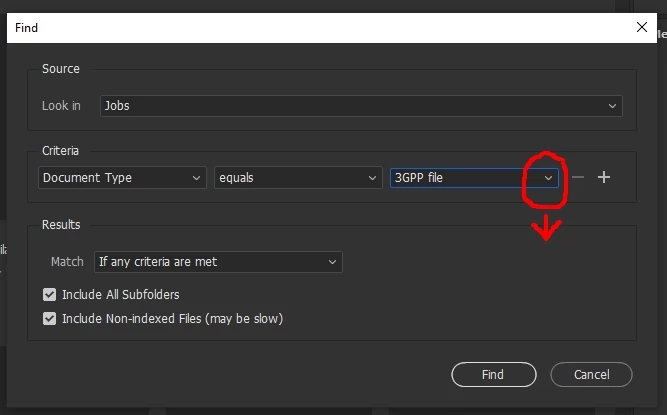
Bridge V12.0.1.246 I can't select anything in the right panel in this window.
I can't select anything in the right panel in this window.
Bridge V12.0.1.246
Windows 10 Pro 21H2 bulid 19044.1566 RAM 16 GB
Intel(R) Core(TM) i7-8700
Thank you

I can't select anything in the right panel in this window.
Bridge V12.0.1.246
Windows 10 Pro 21H2 bulid 19044.1566 RAM 16 GB
Intel(R) Core(TM) i7-8700
Thank you
I'm sorry but there is a bug in the current version that is affecting Windows users.
You can either use your arrow keys to navigate dropdown menus or revert back to an earlier version until this gets sorted out and a fix is made available.
Very sorry about this. (Please note, I am only a messenger. I do not work for Adobe and am only passing along what I'm aware of.)
Already have an account? Login
Enter your E-mail address. We'll send you an e-mail with instructions to reset your password.
 AdChoices