
Participant
October 25, 2022
Answered

Bridge workflow do not keep lightroom changes

  • October 25, 2022
  • 1 reply
  • 621 views

I edited an image in Lightroom classic, then I used a workflow
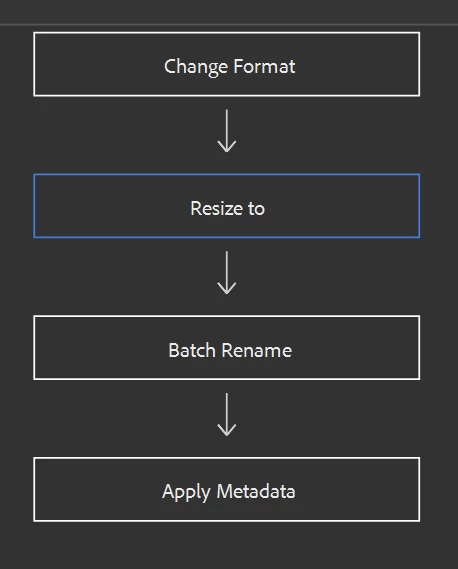
to save as jpeg, resize and rename, but the image is saved without the changes I've done in lightroom.

If I use the export module, no problems. What am I missing?

Photo saved with the workflow

Photo saved with the export module

This topic has been closed for replies.
Correct answer gary_sc

The basic difference between LRC and Bridge is that the former is a database while Bridge is a viewer with special powers. LRC is a DAM, Bridge is not. LRC can display GPS data, Bridge cannot. 

On the other hand, as you pointed out Bridge is, for the most part very easy to use and LRC has a learning curve. (The actual image adjustment process is pretty much the same because they both are using Adobe Camera Raw.)


I hope that helps

1 reply

gary_sc
Community Expert
Community Expert
October 25, 2022

Wait, let me see if I'm following your workflow:


You're in LRC. Then you're in Bridge using Workflow.


How did you get from one to the other?


Why didn't you use the Export features in LRC to export the JPG, that way, you would have had your changes (see below)


You do realize that unless you have your Catalog's Preferences set to Automatically write Changes to XMP, all of the changes are saved in the catalog and are only put into the file during export. 

To demonstrate this, take any file in LRC, and make it as bizarre as you want to make it very obvious that changes were made (nothing subtle). Now, in LRC, right-click on the file and select show in finder/explorer. Now tap the space bar: you will not see your changes because those changes are in the Catalog. If you have your Catalog Settings set as above, you'd see your changes. [However, depending on how many images you have in your Catalog, it can take hours or days for LRC to catch up writing the XMP data to each image.


Please, for your own comfort, when working in LRC, stay in LRC. Everything you can do in Bridge's Workflow can be done in LRC. Similarly, when working in Bridge, stay in Bridge for all the same reasons. They are diametrically different in how they deal with and treat images.

Participant
October 27, 2022

Thanks for the info. Yep, LRC is setup to save to the sidecar file and I could see that the image modified is showing up in bridge.

I want to use bridge because it's more simple with the workflows. I'm also curious about one thing. You said "Similarly, when working in Bridge, stay in Bridge for all the same reasons". My understanding is that bridge is there to view, categorize and export the photos, otherwise I don't see any use for it. Do I see that in the wrong way?

Participant
October 31, 2022

The basic difference between LRC and Bridge is that the former is a database while Bridge is a viewer with special powers. LRC is a DAM, Bridge is not. LRC can display GPS data, Bridge cannot. 

On the other hand, as you pointed out Bridge is, for the most part very easy to use and LRC has a learning curve. (The actual image adjustment process is pretty much the same because they both are using Adobe Camera Raw.)


I hope that helps


Thanks a lot, Gary, that makes sense, will revert to LRC for photos management 😄