Mwarren
Inspiring
December 6, 2017
Answered

Can I auto-apply metadata to images?

  • December 6, 2017
  • 2 replies
  • 4791 views

I'm trying to add an efficiency into my workflow. When my org produces images for our website, I add some basic metadata info appropriate for all imagery. I'd love to speed up the process a bit. I'm wondering if either of the two hypotheticals sounds achievable:

  1. Is it possible to create a script that would execute a metadata write? I'm thinking here of when I've used scripts where I drag them on top of a file and it 'does something' (like my technical jargon?)
  2. Can I create a watch folder within Bridge? I'd be down with just remembering to copy my images into a folder before it goes to its final home.

Perhaps there's some other modality. I dunno. I couldn't find anything in my searches. Any direction would be appreciated.
This topic has been closed for replies.
Correct answer Stephen Marsh

Update: I have created an Action and am attempting to create a Droplet. Gotta turn my attention back to actual work, but I will revisit this. I can see what I have to do, but so far it hasn't 'taken' yet. I will persist. Thanks very much!


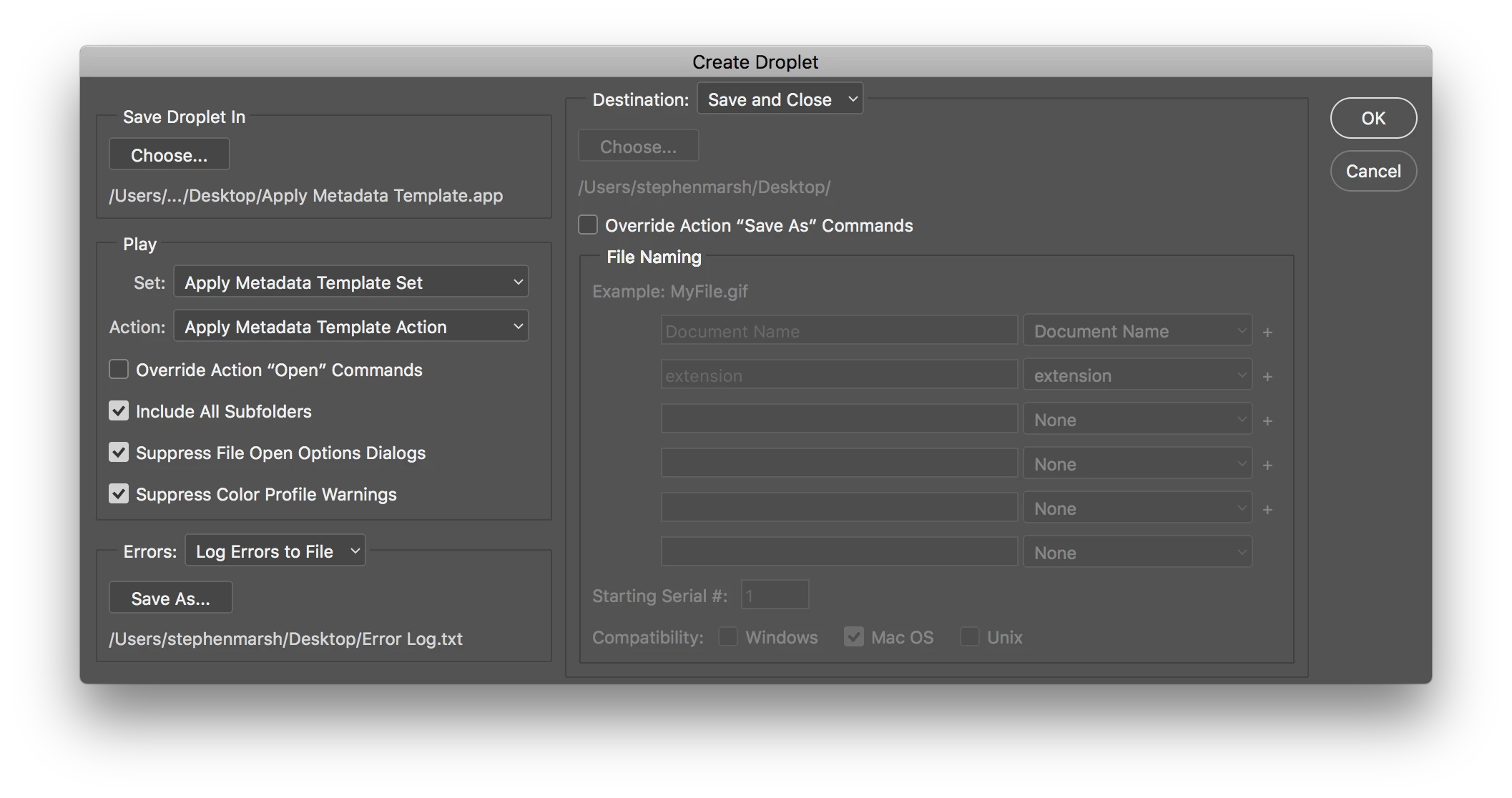
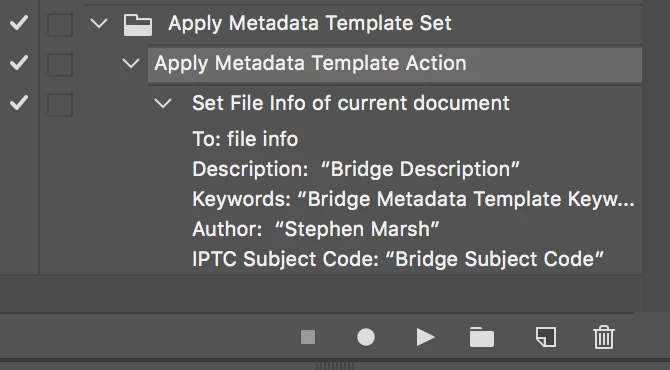
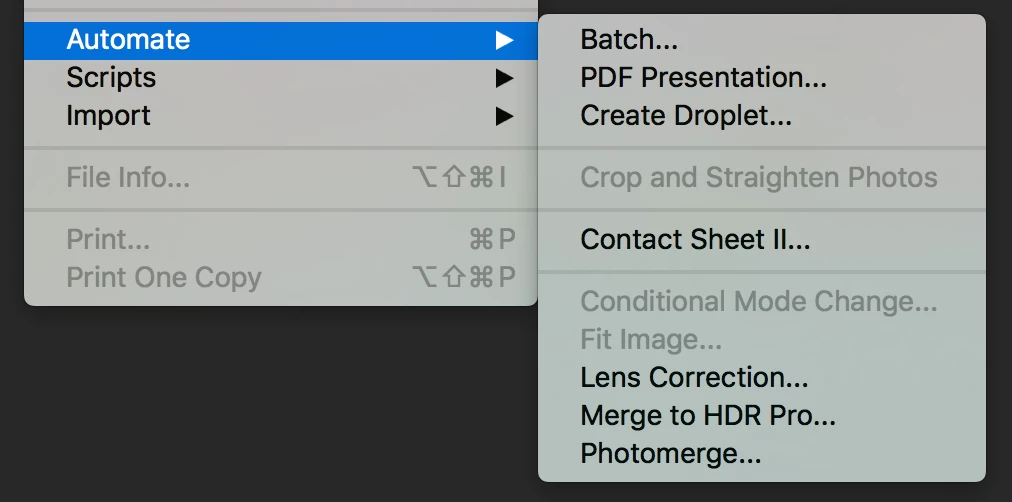
Here is a very rough step by step in screenshots:

1. Record an action that applies your Metadata Template from the File > File Info menu (no need to manually fill out the file info data)

2. Use the File > Automate > Create Droplet… menu option

3. Configure the (batch) Droplet settings:

4. Drag n drop files onto the Droplet icon to add the metadata:

NOTE: If you are using Photoshop for other tasks, then you may prefer a third party method to add the metadata so that you can continue to use Photoshop… However for small amounts of images this should not tie up Photoshop for a long time anyway. Bridge Metadata Templates are the fastest method. I would recommend ExifTool for a drag n drop alternative, however that is a separate discussion.

EDIT: It should also be possible to create a watched folder/hot folder using ExifTool and another program, or even just setup a scheduled task to run a batch script on a target folder at set intervals.

P.S.: Using Photoshop it is also possible to have the metadata template action applied when open files, saving files etc (using script events manager).

2 replies

Legend
December 12, 2017

There is a script called DIY Metadata which reads metadata from a file and applies it in Bridge. You could add some glue to auto-generate a .csv or tab-delimited file and run it if you have programming skills.

Stephen Marsh
Community Expert
Community Expert
December 8, 2017

Have you looked at Adobe Bridge’s Metadata Templates?

What program do you use to ingest/transfer photos from your camera to your computer? Bridge’s Photo Downloader (Advanced) can apply a metadata template.

Or Bridge can apply a Metadata Template to a batch of selected files already on your drive.

https://helpx.adobe.com/au/bridge/using/metadata-adobe-bridge.html#work_with_metadata_templates

https://www.photometadata.org/META-Tutorials-Adobe-Bridge-Creating-Metadata-Template

There are other methods, however I would start here first. Are you Mac or Windows based?

Mwarren
MwarrenAuthor
Inspiring
December 8, 2017

Oh yes, I already use Metadata templates. I'm just trying to speed my flow a bit more. During content pushes I'm doing a file here and there many times over the course of a day. Just trying to further automate.

Stephen Marsh
Community Expert
Community Expert
December 8, 2017

Great!

You can create an action that adds this metadata using File Info, then run the action as a batch or from Image Processor or Image Processor Pro and or create an action Droplet.

Are you Mac or Windows based if you are looking for other methods.