
stekau
Participant
October 17, 2018
Question

CC 2019 search engine delivers no results for keyword search

  • October 17, 2018
  • 4 replies
  • 2884 views

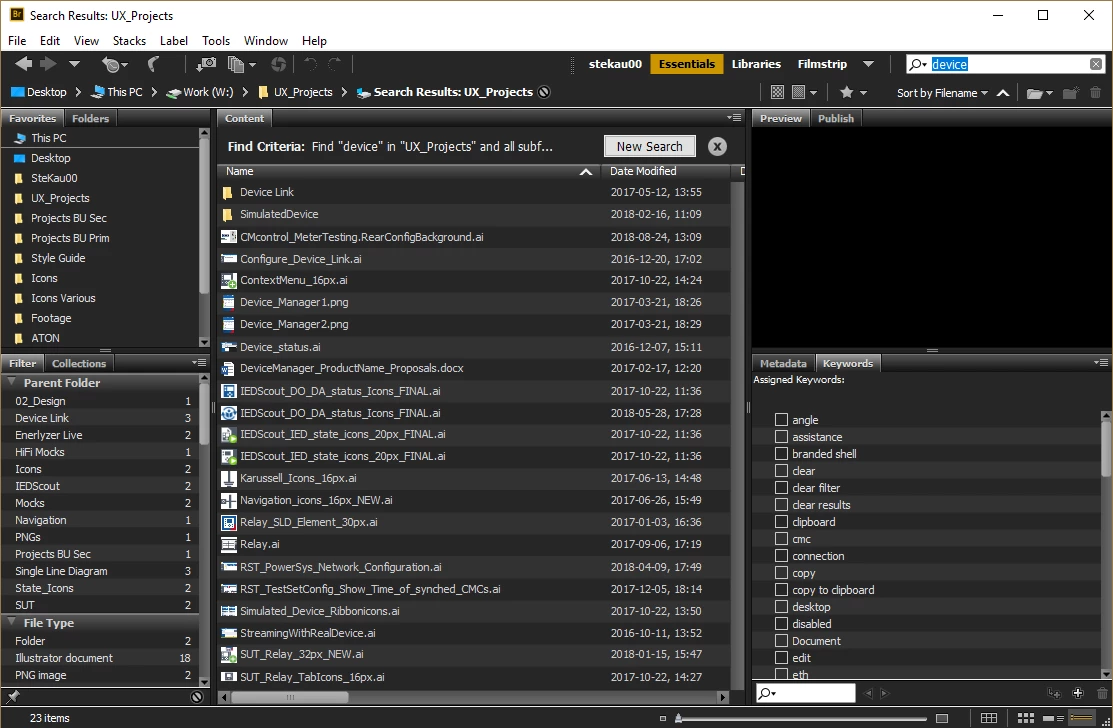
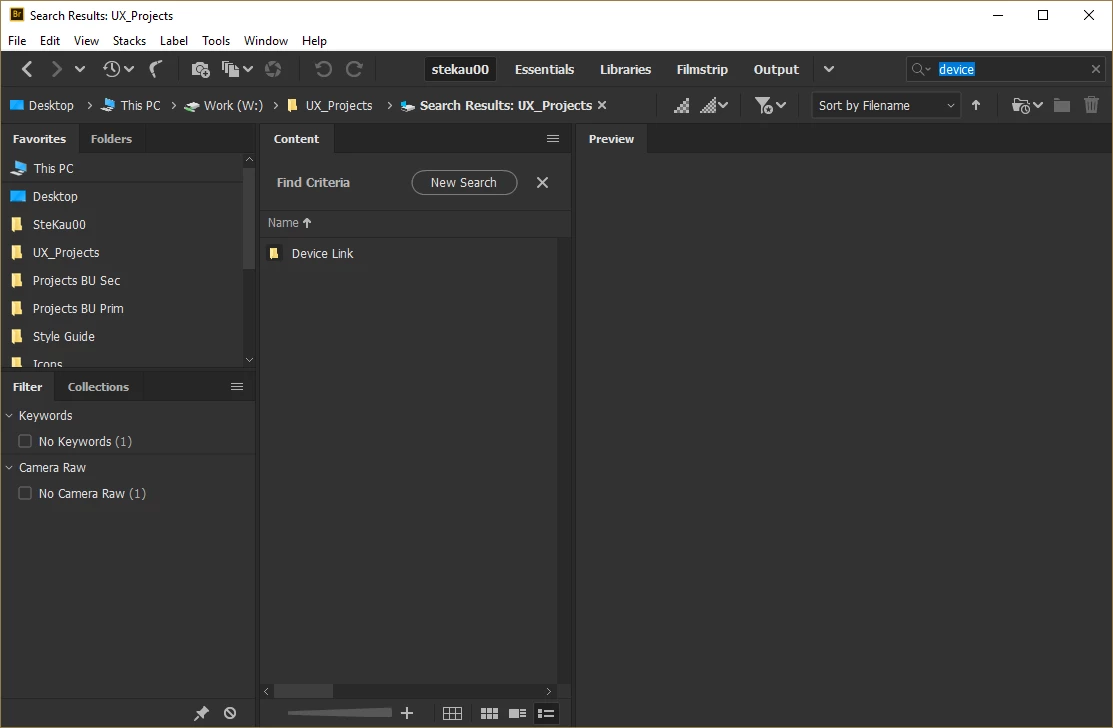
I'm having massive trouble with the search engine of Adobe Bridge CC 2019 which delivers no results in case

of searching for keywords. This is an essential function for my daily work. I have thousands of tagged files.
CC 2018 still works and is showing the correct results. Any idea?

Settings are the same in both applications.
This topic has been closed for replies.

4 replies

Participant
June 27, 2019

Change in preferences location to a new folder (best to create a new folder within whatever there is at the moment)

Participant
February 18, 2021

Now I get nothing in my search

ReformDesigns
Participating Frequently
October 30, 2018

I also am having this problem. I am using a Windows 10 PC and do not see an option to select non-indexed files.

Legend
October 30, 2018

Both screenshots above show a New Search button. Click that and then the checkbox for non-indexed files.

Legend
October 17, 2018

Click on New Search and use the option to search for non-indexed files.

Participant
October 30, 2018

At least for me it does not solve the problem.

Adobe Employee
October 31, 2018

To solve this problem, please go to parent folder in Bridge and select "show item from sub folders"

Allow Bridge to generate cache for all files and now search the assets.

Please let me know if the issue persists.

Regards,

Abhishek Seth.

Adobe Employee
October 17, 2018

Hi ,

Can you please let me know the Bridge search option you are using in both CC 2018 and CC 2019.("Bridge Search:Current Folder", or windows search :Current Folder\Computer")

Also please let me know if  you are facing issues in  finding keywords only or other metadata as well.

Regards,

Abhishek Seth

stekau
stekauAuthor
Participant
October 17, 2018

In both cases it's been "Bridge Search". Can't tell you about any other issues as I'm not working with other metadata or not been searching for it, as I'm mostly working with Ai files.