Omke, thanks. Would you mind embedding your monitor profile in your screenshot? Can't actually do a comparison otherwise.
I'm using just PS6.
Anyway, it looks like Bridge is showing you colors outside sRGB, which means I'm probably experiencing a bug. [I believe there's a flaw in your workflow. If the file was originally sRGB, you can't convert it to a wider gamut without being sure the actual values of the new image are correct. Although your colors also look out of the sRGB gamut, so not sure what's going on there.] The following look the same to me in Bridge but different in Photoshop:

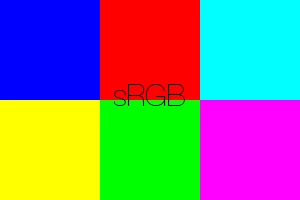
However Yammer's statement...
Bridge previews all images in sRGB regardless of the workspace. This is because Bridge generates previews in 8-bit sRGB (relative colormetric intent) and stores them in a cache as JPEGs. |
...makes a lot of sense. If that is the case, both images above will look the same when downloaded and previewed in Bridge.
Would anyone with a wide gamut monitor mind testing that out?
I think what happens is that Bridge initially displays thumbnails with an sRGB display profile, and when it's finished generating thumbnails, it switches them to the monitor profile. This would be more apparent with a wide-gamut display. |
On second thought, this also makes sense, since the sRGB previews when initially displayed should be oversaturated if Bridge initially pushes an sRGB display profile, essentially displaying sRGB images using an sRGB display profile on a wide-gamut monitor, explaining the oversaturation (like non-color-managed programs).
Thanks!
Sorry. Been a busy week...
Nrbelex wrote: The following look the same to me in Bridge but different in Photoshop: 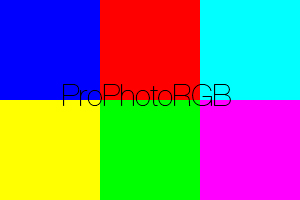
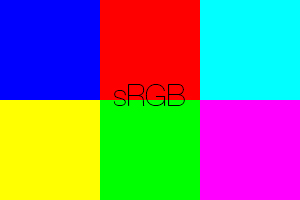
However Yammer's statement... Bridge previews all images in sRGB regardless of the workspace. This is because Bridge generates previews in 8-bit sRGB (relative colormetric intent) and stores them in a cache as JPEGs.
...makes a lot of sense. If that is the case, both images above will look the same when downloaded and previewed in Bridge. Would anyone with a wide gamut monitor mind testing that out? |
I have a wide-gamut monitor, and I can confirm that I see the same as you:
Both images look the same in Bridge, and markedly different in Photoshop (and Firefox*), with the ProPhoto image much brighter (especially the four patches on the right).
If you do a RC conversion to sRGB in Photoshop they look the same.
BTW, no need to keep saying "if Yammer is correct", I am 100% confident that this is the way Bridge does still image previews. Just look at your cache folders for proof. 
(* although, for some reason, the two image thumbnails in your above post above look the same until they are clicked on. Must be something to do with the Jive forum software.)



 AdChoices