
Degraded File info dialog in Adobe Bridge CC 2018
Dear Adobe Bridge CC Team,
in the new feature summary for the new Adobe Bridge version (2018) the new File info is advertised as followed:
"Improved File Info dialog - Enhanced in this release of Adobe Bridge CC
The improved File Info dialog (File > File Info) is now similar to the one available in Photoshop CC. When you edit metadata in the Metadata panel or assign keywords to a file, the same information is displayed in the File Info dialog, and vice-versa."
Serious? This basic - and in older versions already working (at least in my experience) - functionality is highlighted as "enhanced" new feature? If you really think about it, you will also find it strange, I am shure.
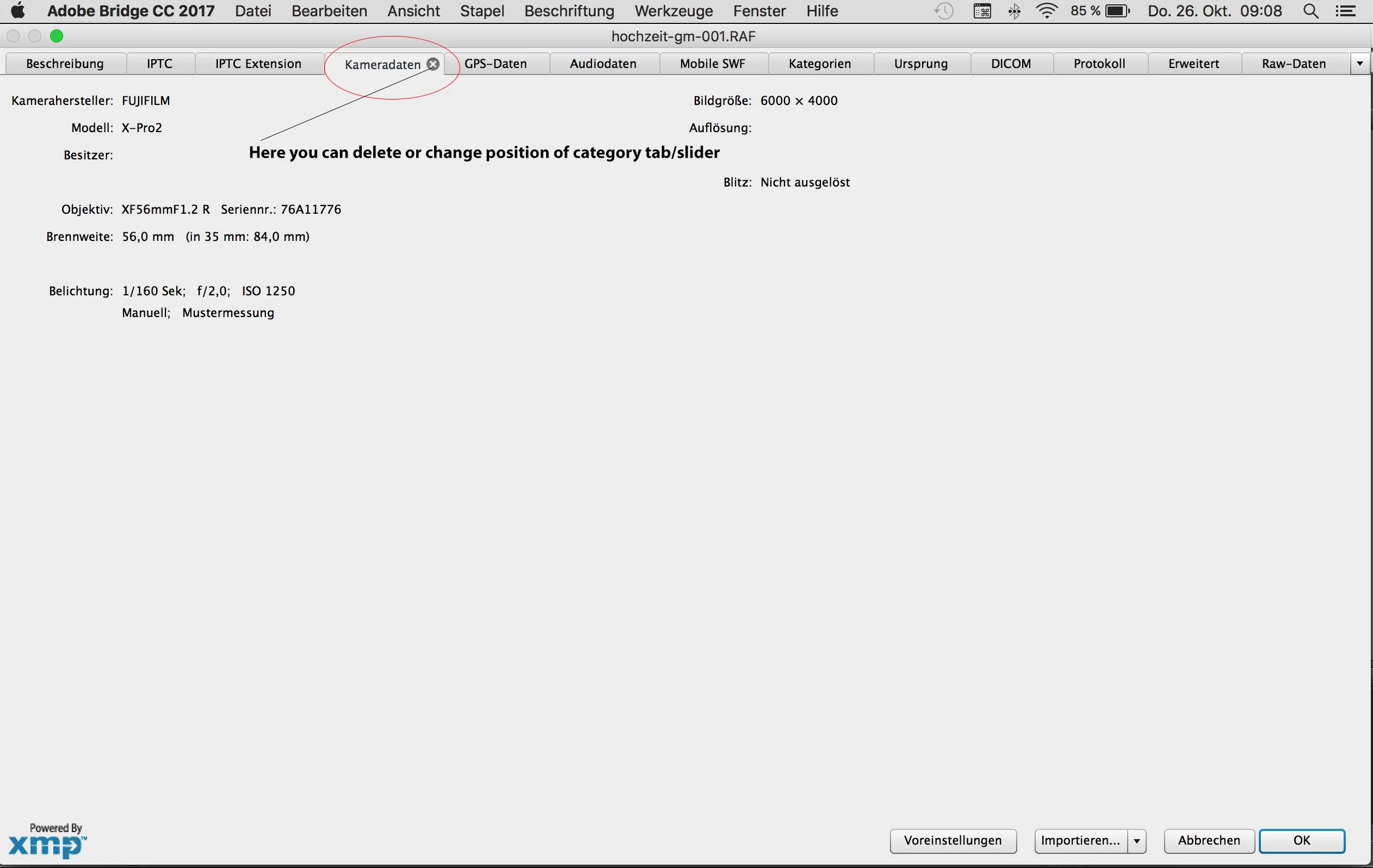
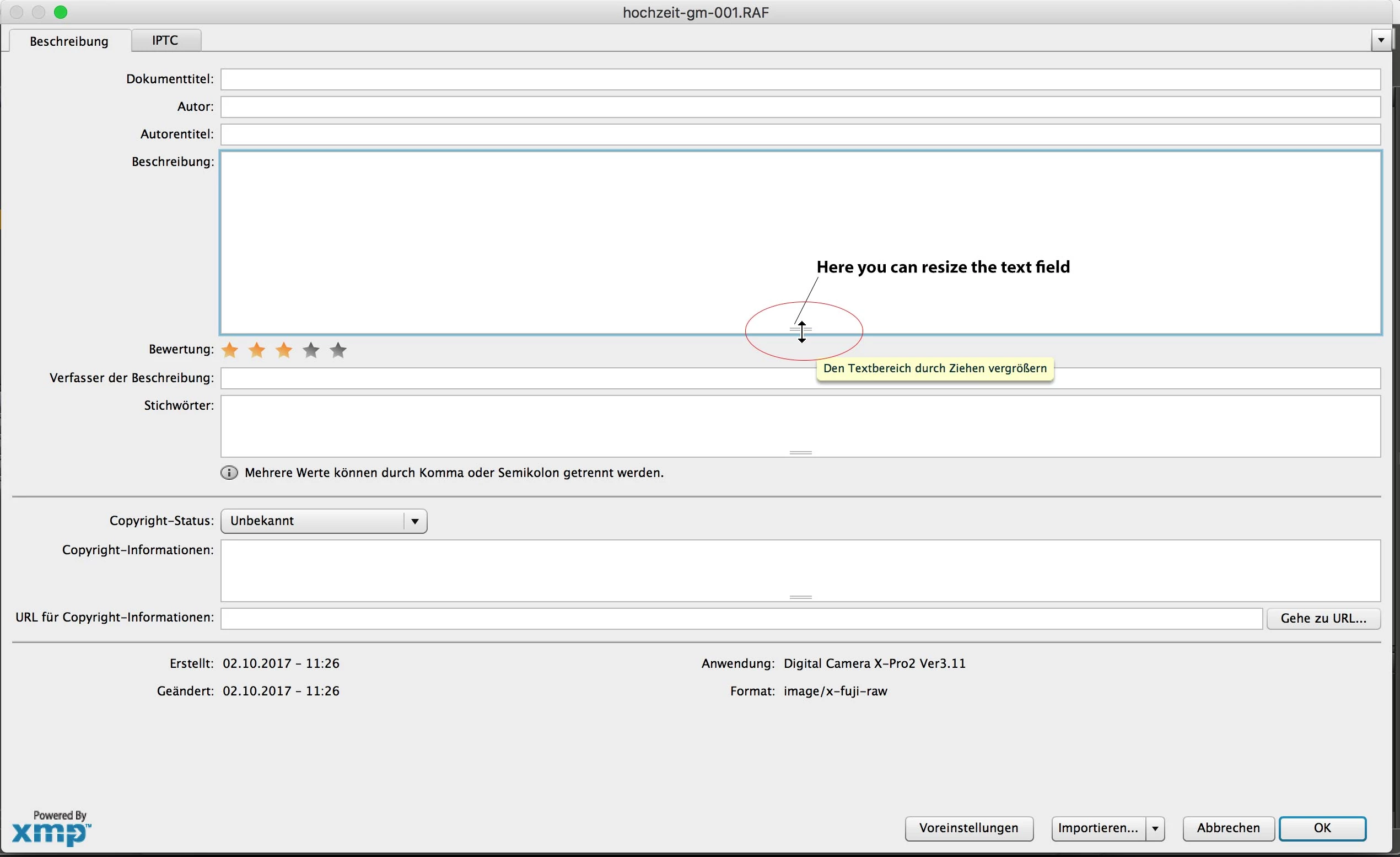
The biggest news here is, that all the good things of the old File info dialog (Adobe Bridge CC 2017) are gone:
1.) no resizing of the separate text fields (e.g. Description and Keyword) anymore,
2.) it is not possible to delete or rearange the single category sliders anymore
3.) and the color scheme is absolutely not ergonomic btw. eye friendly in dark mode UI mode: the contrast between the dark UI and the text/entry fields is far too high.
By the way: why is it not possible to change the color scheme in the File info dialog apart from the general color scheme of the UI?
Dear Adobe Bridge Team, please restore at least points 1.) and 2.) that would greatly improve my daily workflow (and not only mine, I am shure). For example: if you have to describe or inscribe a lot of pictures (e.g. as a photojournalist) the former possibilities to adjust the file info dialog to your needs has simplified the job.
I know, there far more better tools to add information such as captions, keywords, and copyright to images than Adobe Bridge (like photomechanic), but before the update to Adobe Bridge CC 2018 I had everything in one application: RAW workflow with - for my needs - adequate possibilities adding information to my pictures.
Above all these two points/questions/wishes will not challenge your engineers;)
Thanks a lot!
Attached two screenshots for better understanding
 AdChoices