Participating Frequently
March 18, 2023
Question

Docking logic?

  • March 18, 2023
  • 1 reply
  • 1067 views

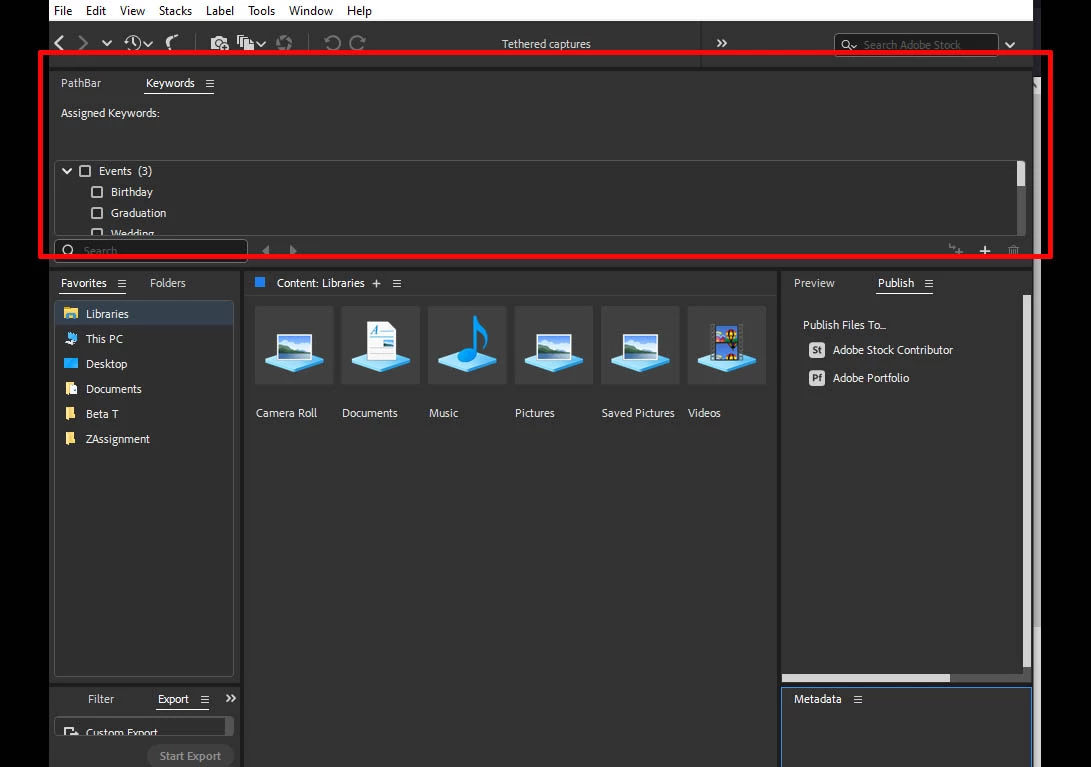
Where is the value in allowing vertically designed panels to be docked so that they occupy the full width of the pathbar location hiding important path info and wasting enormous amounts of screen real estate?

 

This topic has been closed for replies.

1 reply

gary_sc
Community Expert
Community Expert
March 18, 2023

That appears to be a Workspace of your own creation, is it? You are correct that these (not Pathbar) are better suited for a vertical location, but these were put in a location that spans the entire width of the Bridge Window.


Also, just to let you know, Bridge does not provide any real tethering as one can obtain in Lightroom Classic. There, you can get a full-screen view of what the camera is seeing before any photo is taken. That cannot be done with Bridge. At best, you can only see what the camera took after the photo was taken (but I'm not sure if the image file can automatically be transferred to the computer. Can it? Are you able to get that to happen?


Those Panels do not make any sense the way they appear. Pathbar shouldn't be there; it should rest below the icons just above it. 


Nonetheless, this is a Workspace of your own creation; I'd suggest you try again.


FWIW, I find my Workspace to be very functional and provides most of my needs, copy the design and see if it helps you. You are in no way obligated to duplicate this, but you may get some ideas that you can use.


Participating Frequently
March 18, 2023

Gary,

My question was based on a simple testing of the various docking locations available in the new Bridge.  The vast majority of panels in Bridge are designed to present information vertically.  What value does Adobe see in opening up the full-width pathbar location for the docking of vertically formatted information? What am I missing?

Participating Frequently
March 19, 2023

Sure, that's a possibility, and so is the possibility that they did that to bug people! (LOL)


Seriously, I've written in these forums multiple times that the Bridge team is small, and in a very small window of time, they were asked to update the entire structure of Bridge. (Much of the code was the original code from Bridge 1. This lets them ship a native M1 version for Mac and provide a number of features that could not have been added otherwise. Unfortunately, they did not have enough time to do it right the first time and released a product that was not ready for Prime Time. Plus, to save time, they removed the ability to have more than one window open at a time, and we all know how well that worked out.


So, dumb? Sure, possible, but I go with just assembling the whole thing and hoping that no one named Tyrehal289439821vx3 would notice! I wonder if there was an office pool on that!


Hey, you didn't answer my question: have you found a way to tether to Bridge? I'd be curious!


Gary,

Up above you said: "Much of the code was the original code from Bridge 1."

First, are you suggesting that the Bridge enginners went back 18 yars and started over again?  If so, how did you discover this fact?