

Files/Photo/Content not found in Bridge 2023 after reset
Macbook Pro 2020
Ventura 13.4.1
Bridge cc 13.0.3 (up to date) 2023.
I checked the preferences on the computer (allow full access to disk and files/folders), did the reset as suggested (Command, Option, Shift), reinstalled Bridge, clicked restore under theView tab - no thumbnails. The folders are all listed on the side - same as they are listed in finder - but when I click on them, there are no files/photos and no thumbnails. (see below)
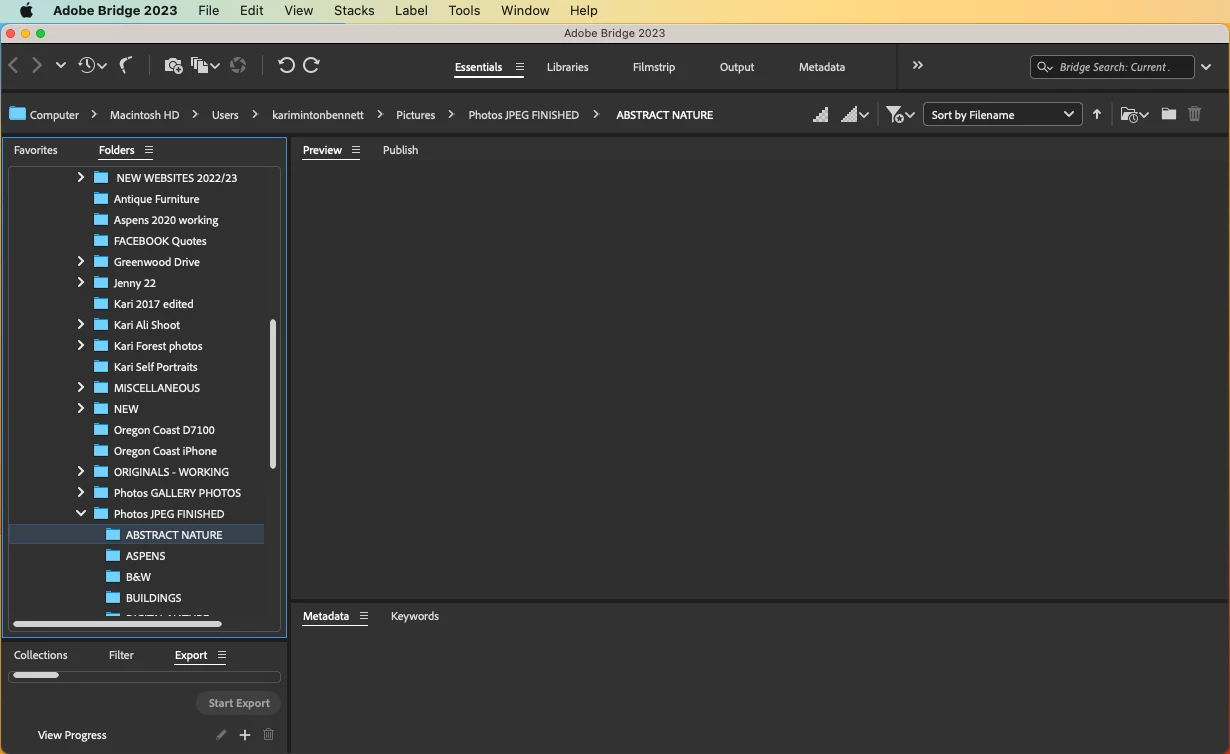
The files are still on the computer and I can "open with photoshop" to access any of them from finder. A quick note - I save photos/files to my computer, not to the cloud.
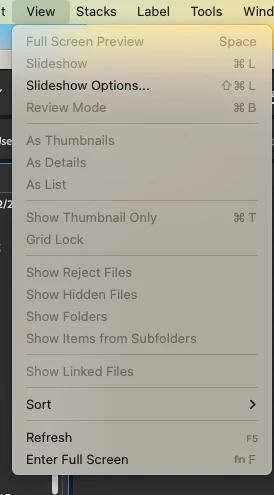
A couple of peculiarities: The thumbnail option under the View tab is greyed out (see below), and I cannot move a jpg from my desk top into Bridge (I get the circle with slash prohibiting the action). Normally I can just drop it in.
I'm at a loss.
 AdChoices