Participating Frequently
May 18, 2019
Answered

Filtering keywords by eliminating

  • May 18, 2019
  • 1 reply
  • 3819 views

Hello, I'm new to Bridge and the number one feature that I am looking for is described below. I'd like to know if Bridge can accomplish my needs or not. Your advice will be helpful either way... thanks!

Here's an example of my needs... I want to search for photos of my kid's soccer tournament that was played in Utah (assume there are 28 photos of this tournament), I select the keywords "soccer" (assume I had a total of 265 photos of my kid’s soccer games) and "Utah" (assume I had 900 photos taken in Utah) in hopes to get just those pics (the 28 photos of the tournament). Instead, the search will return ALL my photos that have been tagged "soccer" (265 pcs) PLUS all my photos that are tagged "Utah" (900 pics), a total of 1165 photos (the sum of those two keywords). In order to only get the photos I am looking for, the search would have to return pictures from "Utah" that ONLY have the keyword "soccer" associated with it (total 28 pics). Does Bridge do that?
This topic has been closed for replies.
Correct answer Stephen Marsh

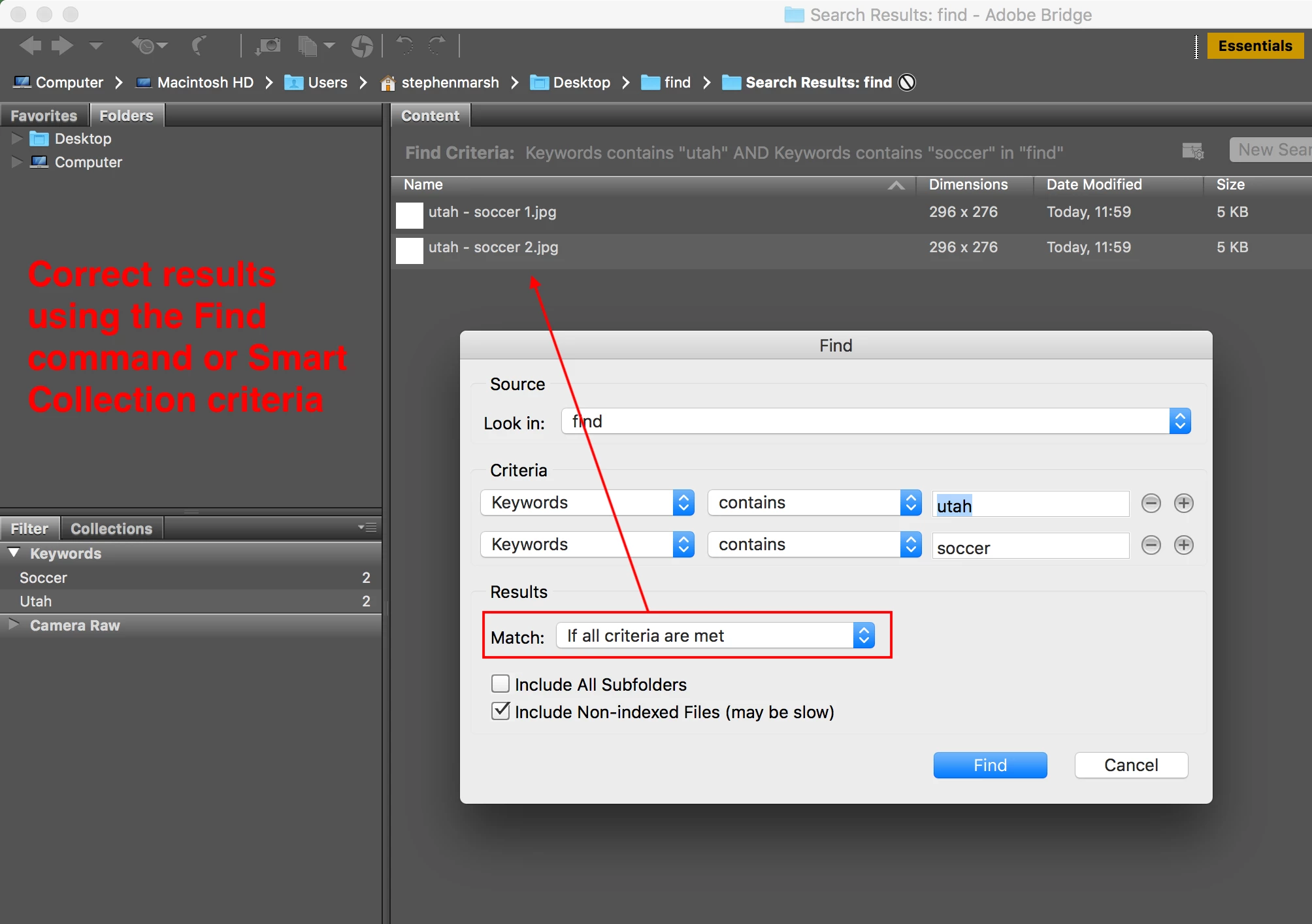
Yes this is possible.

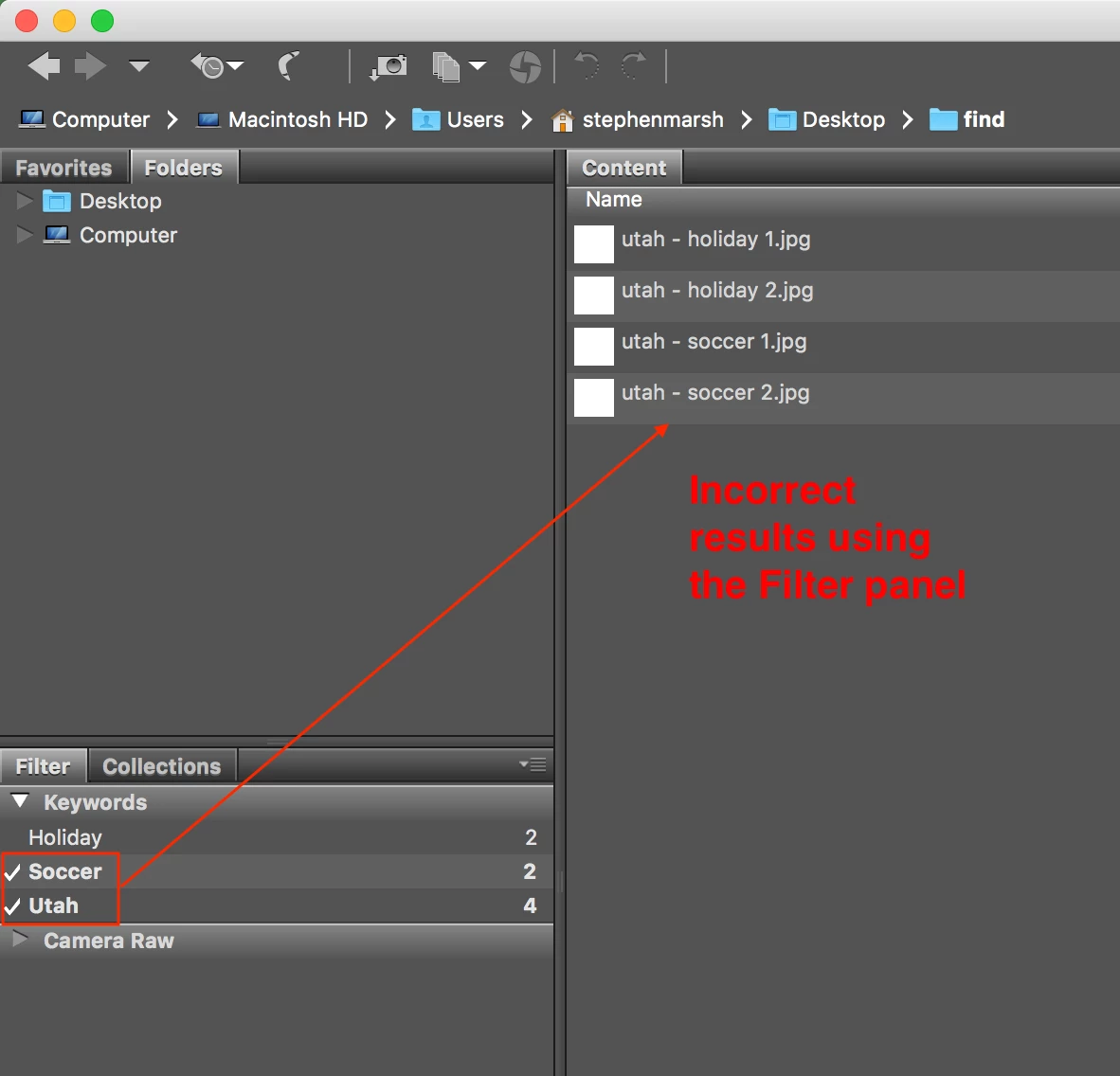
Presuming separate keywords, one common keyword for "Utah" and separate keywords for both "Soccer" and "Holiday" from two separate events...

Don't use the Filter panel, which will return all results:

Use the Find command instead, with multiple criteria and a match of all criteria being met (not any):

1 reply

Stephen Marsh
Community Expert
Stephen MarshCommunity ExpertCorrect answer
Community Expert
May 18, 2019

Yes this is possible.

Presuming separate keywords, one common keyword for "Utah" and separate keywords for both "Soccer" and "Holiday" from two separate events...

Don't use the Filter panel, which will return all results:

Use the Find command instead, with multiple criteria and a match of all criteria being met (not any):

Participant
April 13, 2022

Hi,

Is it planned, in a new version of bridge, to have the functinnality that sort negatively (by that I mean what Scott talked about in this thread) the filters? Maybe by adding a switch square to check on the bottom or on the top of the section.

Because what could take 2 or 3 clicks take like 10 clicks plus to write every keywords and swipe/check others stuffs with the solution you put here.

If i want to switch quickly with 2 other keywords, it would take again more actions.

That's really not ergonomic at all.


I'm literally looking for a software that doing it exactly this way, I don't know how it has not been added since 2019 on bridge. 

If it's not planned to, I will have to looking for another software or coding one by myself 😕😕


Legend
April 14, 2022

I don't expect to see changes to the Filter panel. That's just not how it works.