
Inspiring
September 11, 2020
Answered

Folders View Question

  • September 11, 2020
  • 1 reply
  • 355 views

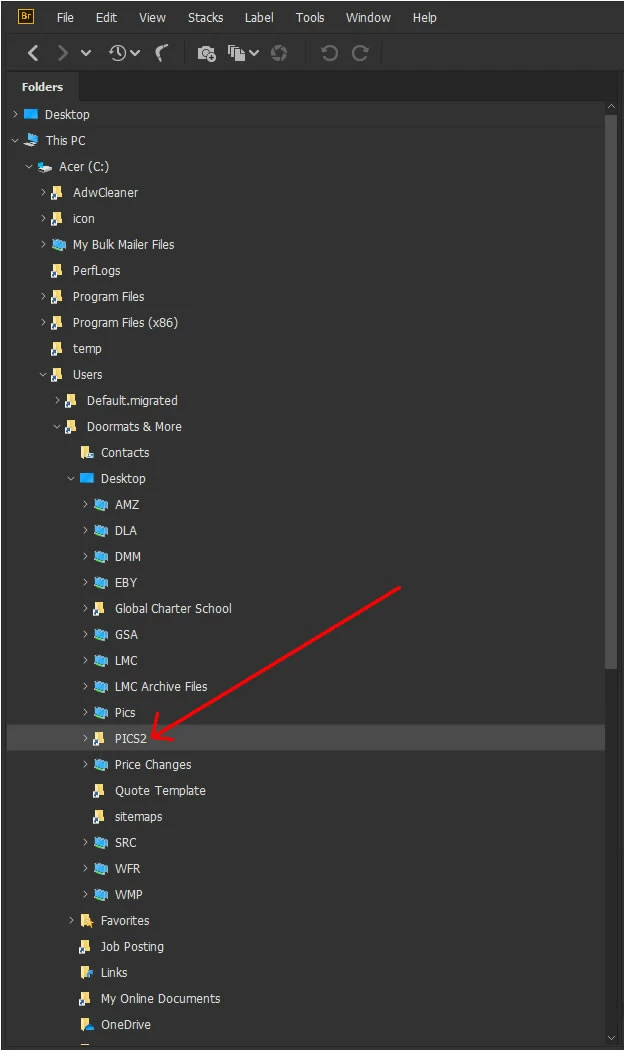
Is there a way to specify that Bridge only show a specific folder on my desktop in the Folders Pane? Bridge is having a hard time keeping up with all of the files & folders on my computer, it is very slow in responding to commands. To boost performance I want to specify that it should only keep track of one folder where my image files are & to not keep track of everywhere else. - Note that specifying this folder as a favorite is different behavior than what I am looking for, yes Favorites is helpful to narrow down the focus but Bridge is still looking after all of the files on my computer & resultingly is very slow.
 

This topic has been closed for replies.
Correct answer jbm007

Move it to the root drive.

C:\PICS2

You may have to create a folder with administrative rights and move it there.

1 reply

jbm007
Community Expert
jbm007Community ExpertCorrect answer
Community Expert
September 12, 2020

Move it to the root drive.

C:\PICS2

You may have to create a folder with administrative rights and move it there.

Inspiring
September 21, 2020

Thank you for your reply. I gave that a try. It did not do anything to improve speed in Bridge. I still have a several second lag time whenever I try to do any command, or right click to access a context menu.