Inspiring
August 18, 2020
Answered

How to convert a RAW file to TIFF

  • August 18, 2020
  • 3 replies
  • 10886 views

I open RAW files in Bridge, I don't use Lightroom. I recently updated to the most current version of Camera RAW. How to I convert a RAW file to a TIFF file? (I hope I make sense.) Thank you.

This topic has been closed for replies.
Correct answer gary_sc

Hi JB


If that's all you want to do, select the image(s) you wish to convert. 


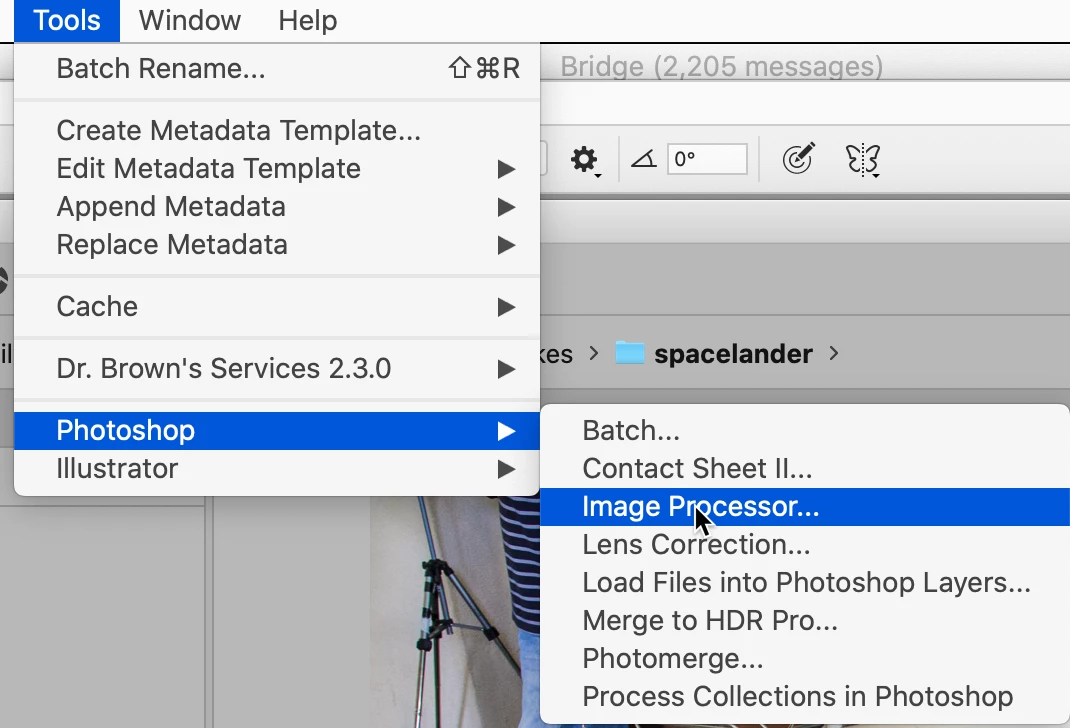
Then while the images are selected, go to Tools (menu) -> Photoshop -> Image Processor...
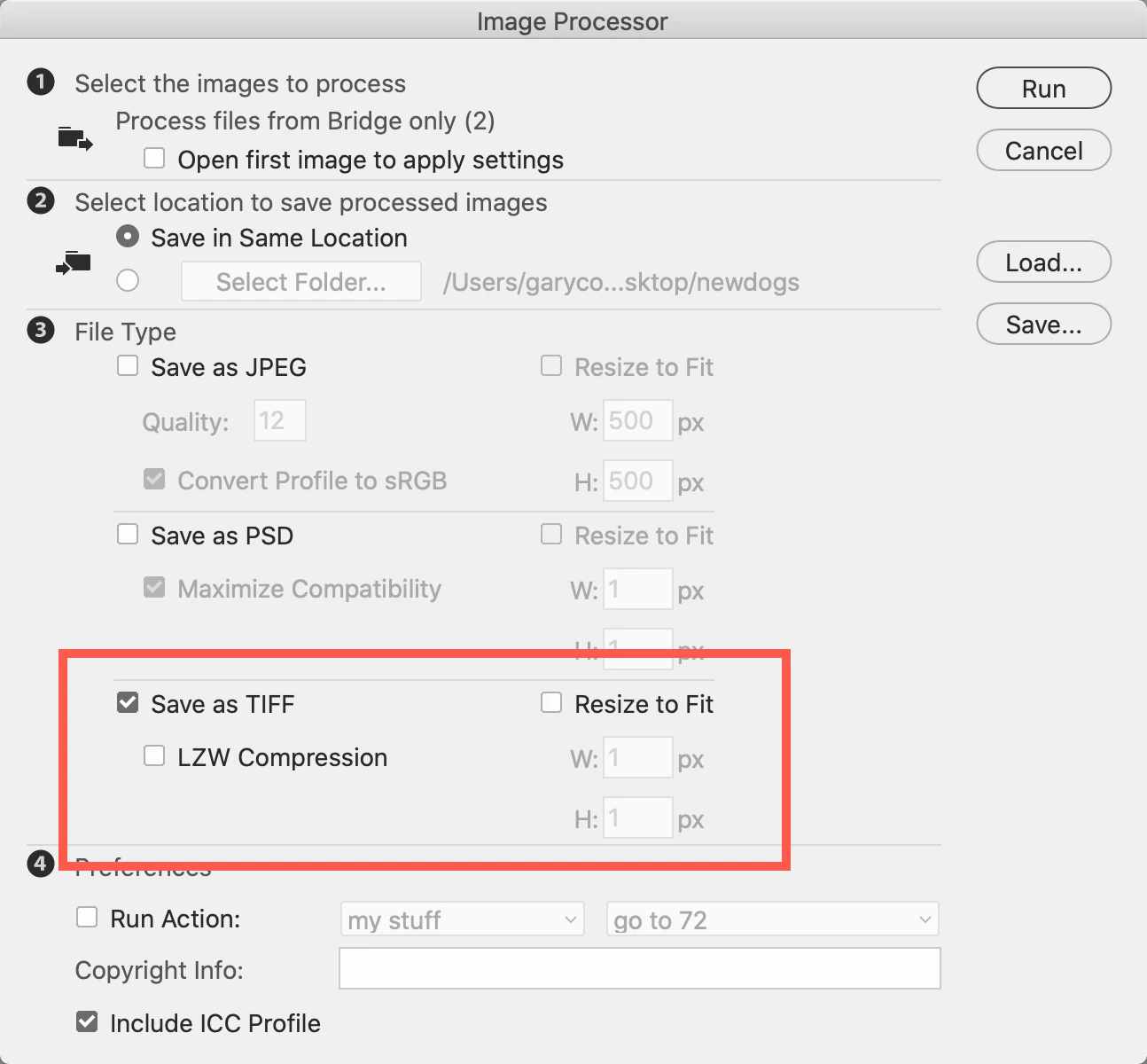
Then, in Image Processor, probably leave it as I have shown below. You'll need the Save as TIFF checked. The LZW Compression is only if you're saving as 16 bit images. If you do not need/want them resized, leave that unchecked. 


Click Run and then collect your TIFF images.
 

Let me know if you need anything else.

3 replies

Legend
August 19, 2020

You can save from Camera RAW, you can use the Export feature in Bridge, you can use Image Processor or Image Processor Pro (which calls Photoshop.)

JB SlingAuthor
Inspiring
August 19, 2020

Hi Gary, many thanks for your prompt reply. What you suggested works fine. I also found that in Camera RAW the small box with a download arrow in it, in the upper right hand corner, also opens the dialog box. So all is good.


I do have two more questions if you don't mind; if you can't answer them in this post it's ok. When I open a RAW file the Sharpening is always set to 40; is it possible to set the default to be 25? And, is it possible so that every time I open a file the "Use profile corrections" box (in Optics) is always checked? Thanks again for any help!

gary_sc
Community Expert
gary_scCommunity ExpertCorrect answer
Community Expert
August 18, 2020

Hi JB


If that's all you want to do, select the image(s) you wish to convert. 


Then while the images are selected, go to Tools (menu) -> Photoshop -> Image Processor...

Then, in Image Processor, probably leave it as I have shown below. You'll need the Save as TIFF checked. The LZW Compression is only if you're saving as 16 bit images. If you do not need/want them resized, leave that unchecked. 


Click Run and then collect your TIFF images.


Let me know if you need anything else.