
Keyword Search Across Entire Computer/Hard Drive
Please forgive me if this discussion already exists. I've been searching around for days and can't seem to find what I'm looking for.
I work at a college and I film all sorts of events and other projects throughout the year. I also produce a variety of interview-based projects and I use the aforementioned footage for b-roll. I have footage stored across a couple different drives and in a variety of subfolders. However, I can't seem to find a good way to search through these clips short of manually scrolling through each project and folder individually. I've included a screenshot so you can see what my folder structure looks like:
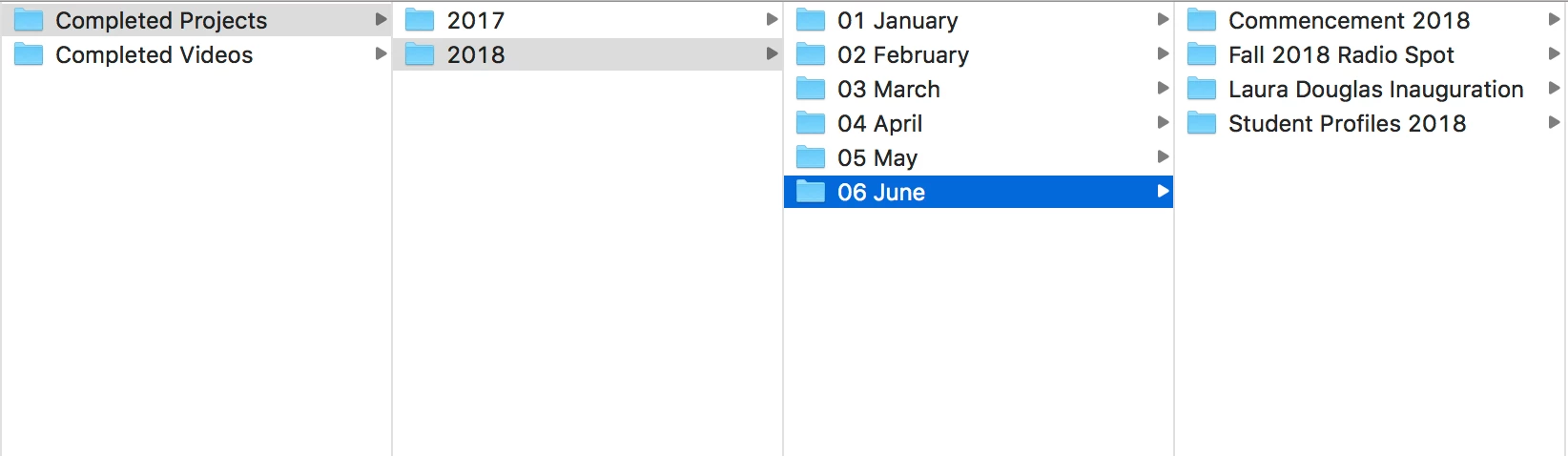
So, let's say I'm interviewing someone and they say something about how the President of the college develops close relationships with students. As I'm filming and ingesting footage throughout the year, I want to be able to apply tags to my clips such as "president" and "students." Then, when I'm editing this interview piece, I want to be able to search my entire hard drive for these tags, preview the resulting clips, and pull ones I like into Premiere.
I have played around a little bit with Prelude and Bridge. In Bridge, it seems you can filter by keyword but you have to be in the subfolder to do so. Meaning, I would have to still go folder by folder and filter by keyword to find clips. If I were to go up into the search bar and search "president," it will only show results with "president" in the file or folder name.
Right now, the best solution I have come up with is to apply tags to files in Finder and then search for them in Spotlight (I'm on a Mac). However, I'm thinking this functionality has to exist somewhere in Adobe. I just can't seem to find it.
Thank you.
 AdChoices