- Home
- Bridge
- Discussions
- No way go back to Bridge 12. Bridge 2023 is a mess...
- No way go back to Bridge 12. Bridge 2023 is a mess...
No way go back to Bridge 12. Bridge 2023 is a mess! any options?

Copy link to clipboard
Copied
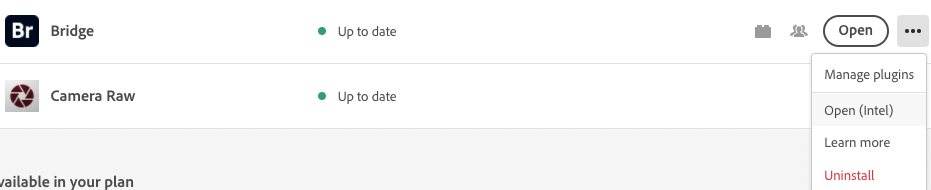
Unfortunately, Creative cloud does not have an option to revert. (tried all apps, 3 dots- to all versions, but not there)
Is there another app that does the same thing in organizing files, with the option to move things around manually? I can't believe Bridge would mess this up.


 4
Replies
4
4
Replies
4




Copy link to clipboard
Copied
Could you try log out and login back to Creative cloud and check if that solves the issue, please share the screenshot for the behavior you are observing for Bridge.
Also please share the logs using adobe log collector tool and share on sharewithbr@adobe.com
Thanks,
Bridge Team
Copy link to clipboard
Copied
logged out and in of CC - no change
img 01 - look at selected files bottom left (12,13,14)
I drag them up to another spot - and they automatically reorder to 14,13,12
Also notice all the files have shifted up. I did not scroll up, it just 'jumps' when I drag and drop.
All of this was not happening on the older Bridge.
So if I move anything, it reorders them. It's a real mess- it makes it unworkable.
Please provide a direct link to a way to get old Bridge back in CC. Right now I don't have the option.
Copy link to clipboard
Copied
Just to update- I believe this is a PROBLEM/GLITCH with Bridge 2023. If I move the files, they will reorder, then go back to the correct order, every time I move them. So it alternates.
Bridge BETA does the same thing.
Adobe, PLEASE REVERT TO THE OLD BRIDGE AND LET PEOPLE USE BETA IF THEY WANT TO UPGRADE

Copy link to clipboard
Copied
Hi,
Issues reported in this and some other threads are fixed in the latest patch release #13.0.1.583. Please install and confirm if it fixes the issues you are facing.
You can refer to the issues fixed in the patch at the following link https://helpx.adobe.com/bridge/kb/fixed-issues.html
Thanks,
Bridge Team


 AdChoices