
Answered
Output Settings Panel Missing Bridge cc 2018
I am trying to use the output workspace in bridge cc 2018 but I don't have an output settings panel. All I have is the Output Preview panel. Can anyone help me with this as I output to pdf a LOT

I am trying to use the output workspace in bridge cc 2018 but I don't have an output settings panel. All I have is the Output Preview panel. Can anyone help me with this as I output to pdf a LOT
Hi Gary, sadly your suggestion didn't work and no-one else has said they have the same problem so I don't know where to turn next. Trying to actually talk to someone at Adobe in relation to Bridge seems almost impossible. If you have any further suggestions I'd be most appreciative otherwise thanks for your help.
Hi Kevin,
When I responded the other day I was very short on time and hoping that what I wrote made sense. I'm still not completely convinced that I'm wrong here so let me try again but this time with some screenshots. Forgive the vertically long message here but I wanted to show full sized screenshots to make this more like you might be seeing. (Get ready to scroll!)
First I'm hoping that you can see some small dots/handles/not sure what the formal name for this is but see if you have them on the right side
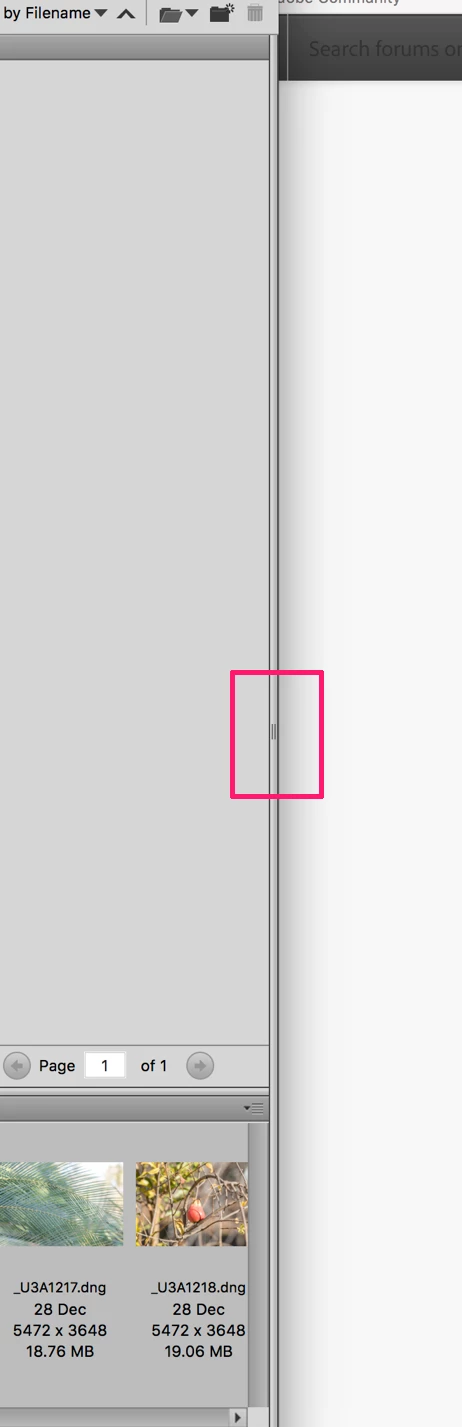
Now, see if you can mouse-down on that edge and drag left like below
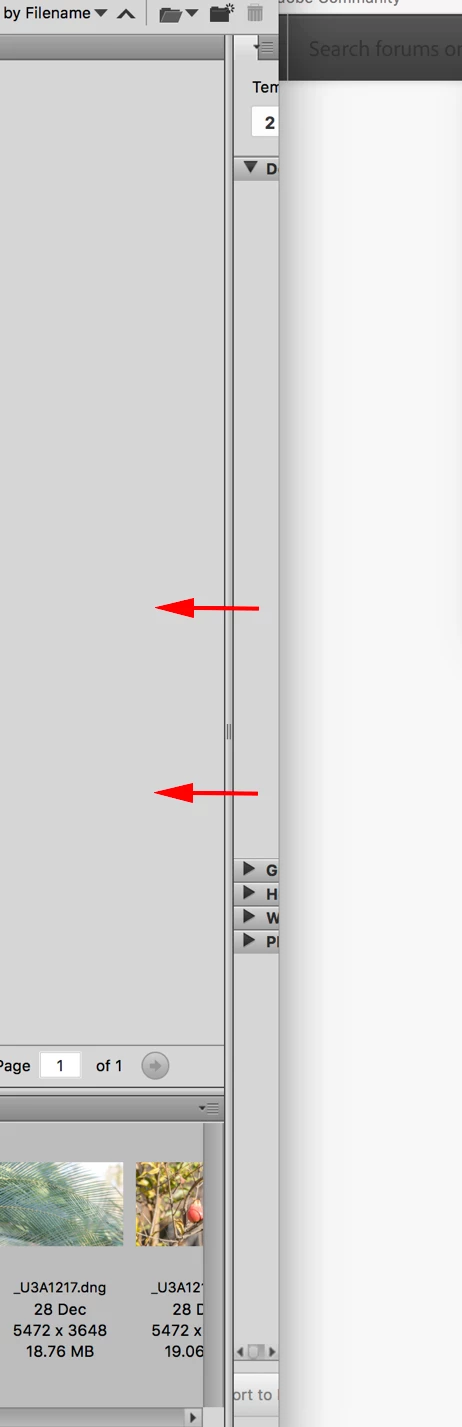
Now, even if those do not work, please do try this:
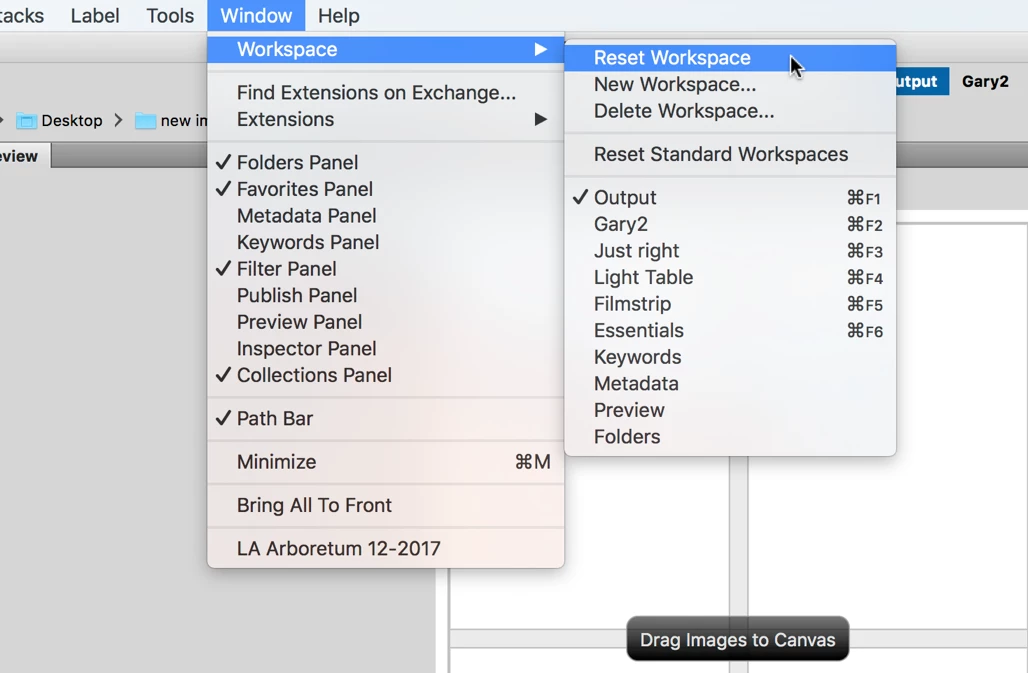
While in the Output Workspace, go to Window (menu) and select Reset as shown below. Did that do anything???? Let me know.
Already have an account? Login
Enter your E-mail address. We'll send you an e-mail with instructions to reset your password.
 AdChoices