



Problems installing Image Processor Pro in Bridge (Win 11)
Hello!
I have an issue installing Image processor Pro on Bridge on a PC (I managed to install it for Photoshop),
Basically I wondered if anyone knew where to put
photoshop_ximage_processor_pro.jsx
as I got conficting advice
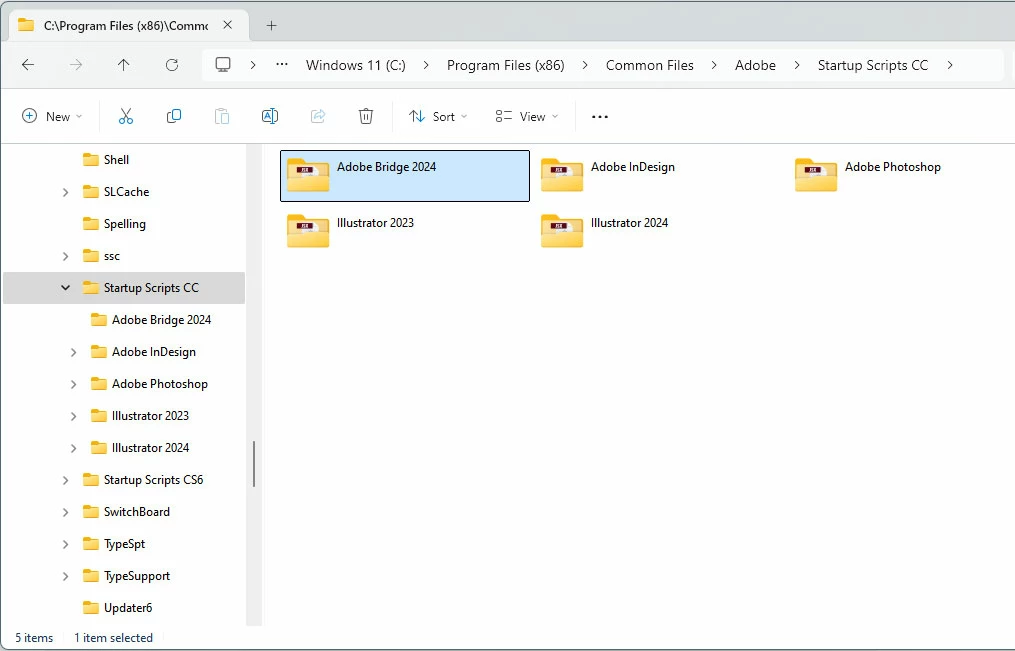
either in the common files
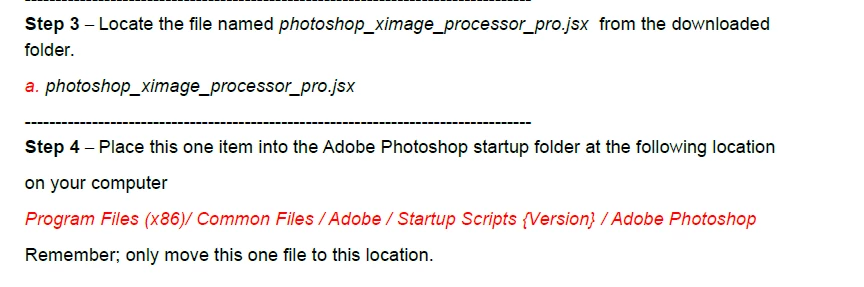
Which doesn't make much sense since I am not using the x86 file forder for anything (That's the "official doc advice")
Or placing in in the C:/user/appdata/roaming/.../startup scripts like I saw elsewhere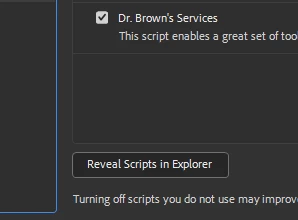
(basically the folder that opens when you show the start up scripts folder in the preferences)
Anyhow, neither of those options work for me, the Image processor pro doesn't appear in the tools>photoshop list
I remember always having a hard time installing this since the extention installer had disapeared (why, oh why?)
Any help will be graciously received,
Thanks!
 AdChoices