



"File info" menu shows/doesn't show depending on files
So I have a minor issue which hopefully is due to my own ignorance.
Some files don't show the file info option when right click, in the file menu or with the shortcut CTRL+ALT+SHIFT+I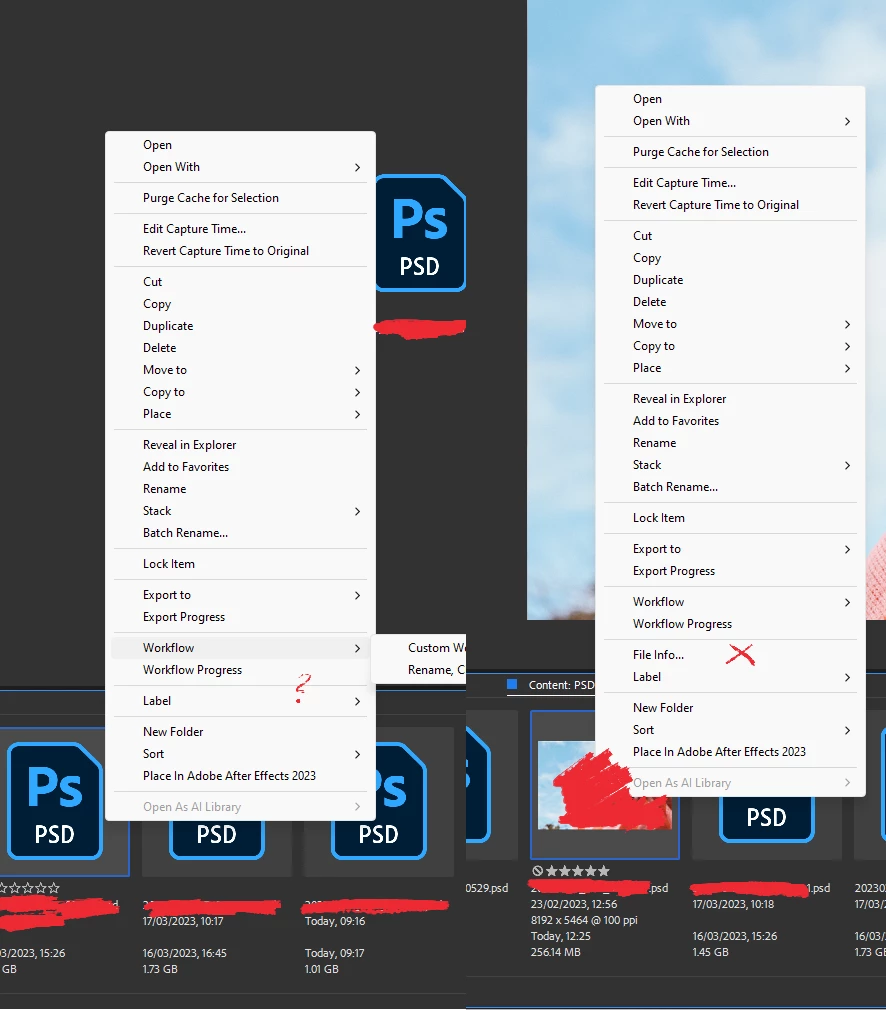
In the same series (same photoshoot) some do, and some don't
The files that don't are all very large files, all PSD and all with multiple smart objects embedded.
In the same photoshoot, those that show the file info, are the ones where little retouch was needed, hence smaller sizes.
My cache is set at the max:
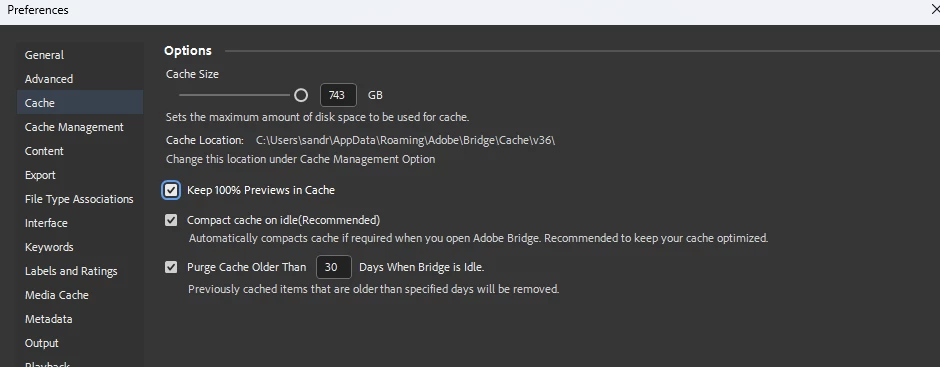
I cannot obviously apply my metadata presets in Bridge to those images, although I can do it when I open them in Photoshop and do it individually (which is a pain)
Is there anything I'm doing that prevents me from accessing the file info?
(I get that larger files cannot have their thumbnails showing - stuck in "generating thumbnails/generating previews for hours on end)

the files open fine in photoshop, only takes a couple of seconds.
Windows 11
computer specs:
Processor Intel(R) Core(TM) i7-10700K CPU @ 3.80GHz 3.79 GHz
Installed RAM 64.0 GB (63.9 GB usable)
GPU: Nvidia RTX 2070 8192 Mb GDDR6
System type 64-bit operating system, x64-based processor
Bridge V 13.0.2.636
Thanks in advance!
 AdChoices