
Rob_Cullen
Community Expert
Community Expert
March 14, 2024
Pregunta

Show Files in Sub-Folders causes Bridge to Crash

  • March 14, 2024
  • 2 respuestas
  • 1437 visualizaciones

Anyone else see this problem?

If I have a parent folder selected and I choose this from the [View] menu-

Bridge always gives the error message and shuts down-
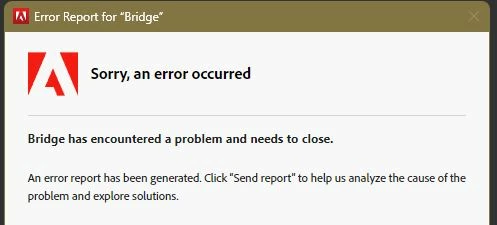
I don't understand Reports. Restarting Bridge doesn't change the problem.

Bridge 14.0.2 Windows-11


Este tema ha sido cerrado para respuestas.

2 respuestas

Community Manager
May 14, 2024

Hello,


The fix is now available in production released version 14.1.0.257. We would love for you to try it out and share feedback.   


Regards,   
Bridge Team 

Rob_Cullen
Community Expert
Community Expert
May 14, 2024

@pankajg6675616  Thanks for the update. Tested 14.1.0 and do not have any crash as I first reported. Although deleting and re-defining my personal desktop layouts in 14.0.xx solved the 'show images in sub-folders' problem.


Regards. My System: Windows-11, Lightroom-Classic 15.0, Photoshop 27.0, ACR 18.0, Lightroom 9.0, Lr-iOS 10.4.0, Bridge 16.0 .
Erik Bloodaxe
Legend
March 14, 2024

Same versions of Bridge and Windows.

I use "View Items from Subfolders" frequently and do not experience any issues. One minor difference is that, rather than use the View menu, I made a custom keyboard shortcut (I use Shift+S).

This is not a great deal of help for you except to confirm that the issue is not universal.

Rob_Cullen
Community Expert
Community Expert
March 14, 2024

Thanks for the reply @Erik Bloodaxe  Your suggestion for a KB shortcut prompted me to experiment more.

I now find that it is only particular workspaces, ones that I have created (left over from previous Br versions?), that cause my crashes. All the default workspaces happily accept [Show items from sub-folders].

I will re-write my personal workspaces to see if the problem persists.


EDIT:  Success!  Redefined my workspaces. No more crashes.

Regards. My System: Windows-11, Lightroom-Classic 15.0, Photoshop 27.0, ACR 18.0, Lightroom 9.0, Lr-iOS 10.4.0, Bridge 16.0 .
Erik Bloodaxe
Legend
March 14, 2024

Great news that you solved the problem. Still a bit of a mystery as to why your workspaces were to blame.