

Question
Thumbnails oversharpened since Bridge CC 2019
Hi there,
I noticed that since Bridge CC 2019 the thumbnails appear way sharper than in previous versions – I hope it's visible in attached screenshot. I'm on macOS 10.14.6 and tried it on two different macs. One of which is basically a new system and has a more or less fresh install.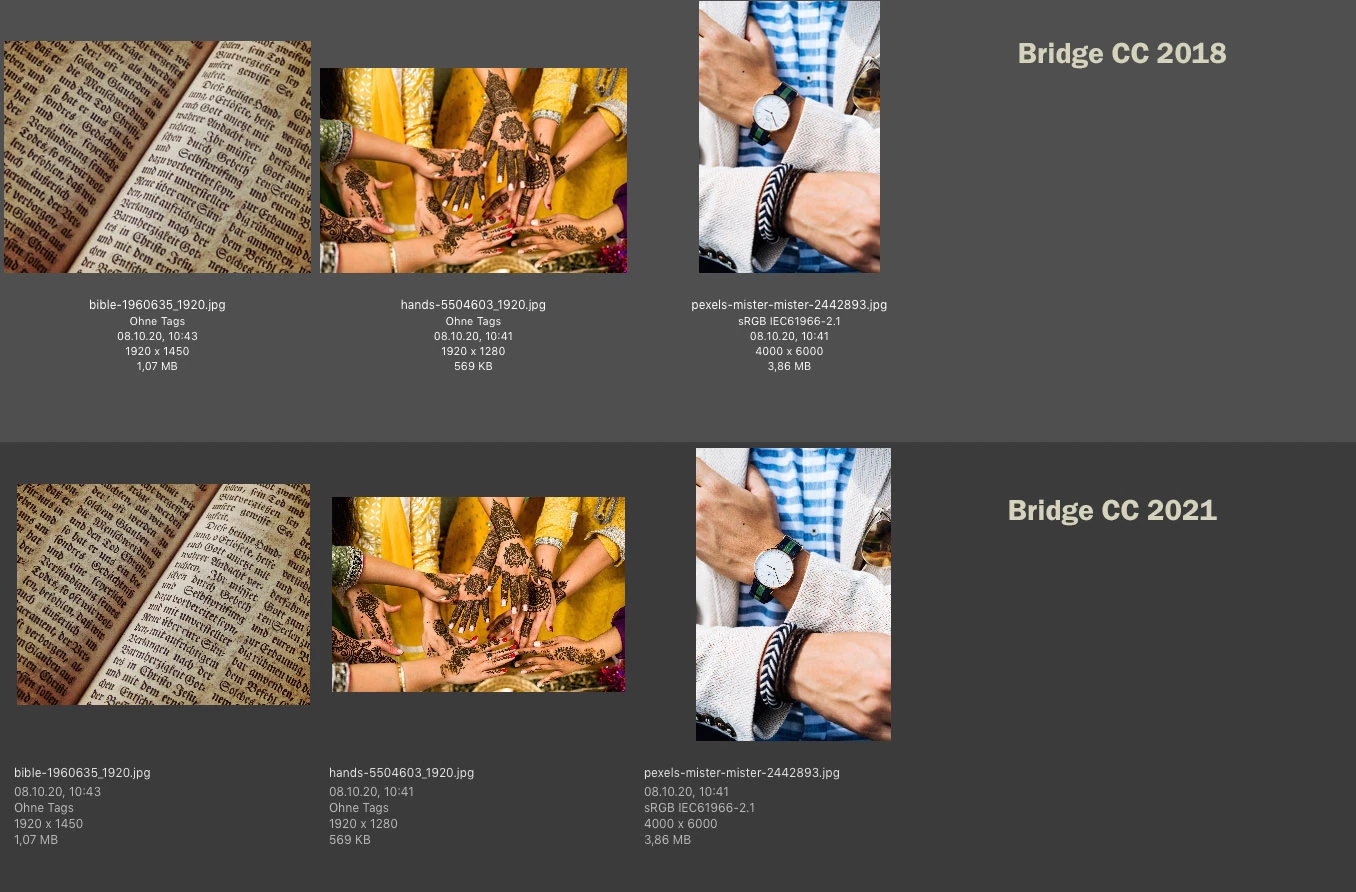
In this case the difference is not so apparent but I have a lot of images where it just looks terrible (product shots of packaging).
I already tried setting different quality settings, prefere embedded, disabling the transparency grid.
Edit: also tried resetting the cache via context menu, settings menu and by deleting the cache files directly.
Does anybody know if this normal now or how I can restore the old behaviour? Did I miss a setting somewhere?
Thanks!
Jens
 AdChoices