
bocamag
Participating Frequently
January 26, 2018
Question

Viewing PDF's in Bridge

  • January 26, 2018
  • 1 reply
  • 833 views

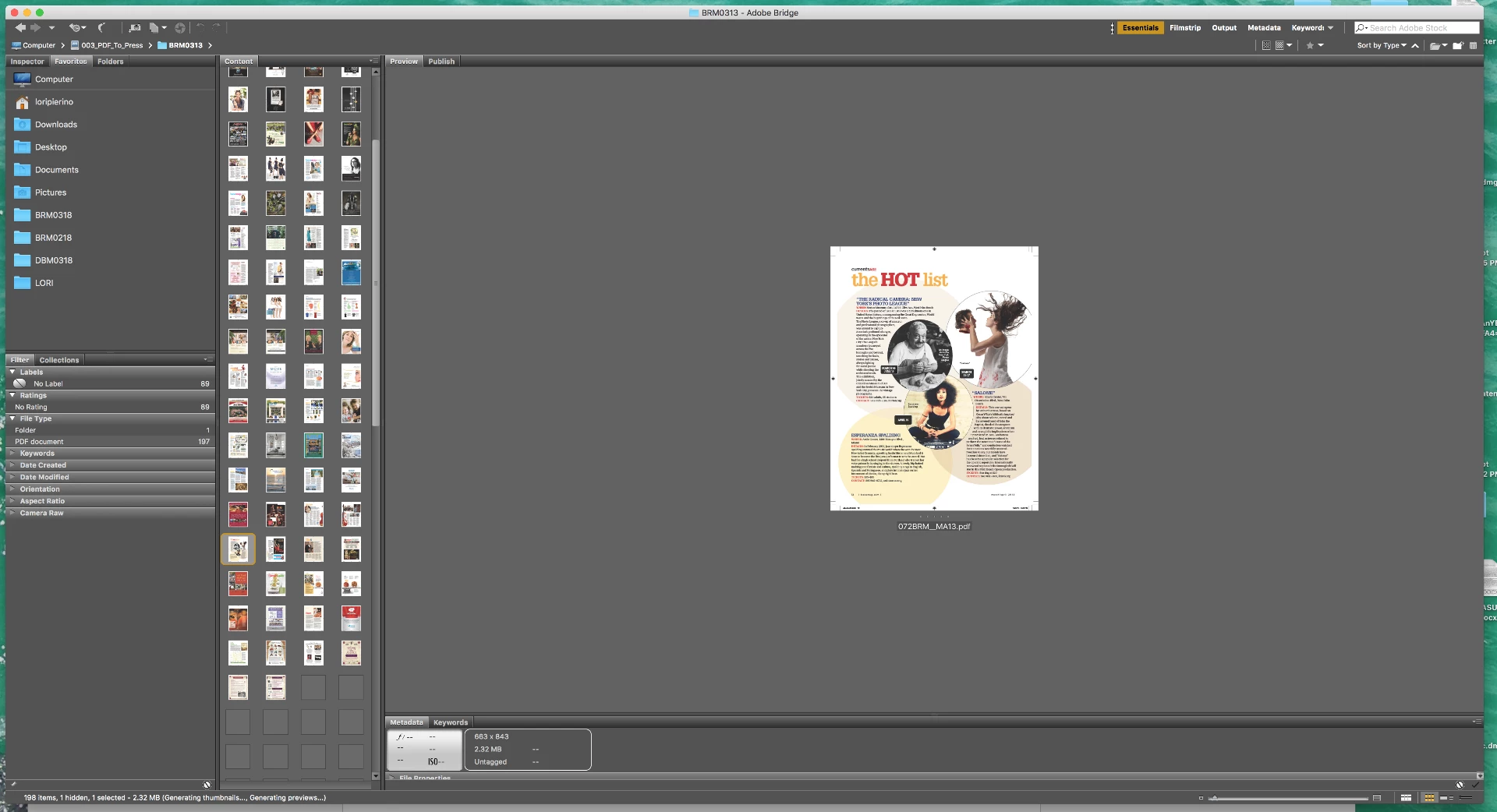
When viewing a PDF, how do I make the image in the preview tab fill the space? I recently updated to bridge 2018 and this was not an issue prior to the update. BTW a photo will fill the screen but a pdf will not. I am viewing high res pdf files.
    This topic has been closed for replies.

    1 reply

    Norman Sanders
    Legend
    January 26, 2018

    Once you have chosen a pdf page, use the slider in the bottom right of Bridge to enlarge the view

    bocamag
    bocamagAuthor
    Participating Frequently
    January 26, 2018

    the slider controls the content window not the preview window and will only enlarge so far and not to full screen.

    Bojan Živković11378569
    Community Expert
    Community Expert
    January 27, 2018

    I am viewing high resolution press quality pdf's. I was able to view the same size PDF's prior to upgrading to Bridge 2018 without a problem. ie the pdf's would fill the screen as apposed to the way it appears on the screen shot shown above. Also I can view the same PDF's in a finder window and they will fill the screen. However I prefer to use bridge. Isn't that the point of Bridge after all? I am thinking it is a setting or preference but I have not been able to find a solution. Very frustrating!!


    Which application do you use to save PDF? I am testing with Bridge 5 (CS6) and I do not see any change.