

Roland_Rick
Known Participant
June 16, 2022
Answered

When will Bridge for Apple Silicon M1 M2 be available?

  • June 16, 2022
  • 3 replies
  • 3559 views

The current version of Bridge still is natively Intel compiled and not available as native M1 resp. M2 aka Apple Silicon version. Does someone know, when we will get a M1 resp. M2 version no longer using Rosetta 2?

Thanks for feedback and help,

Roland
This topic has been closed for replies.
Correct answer Conrad_C

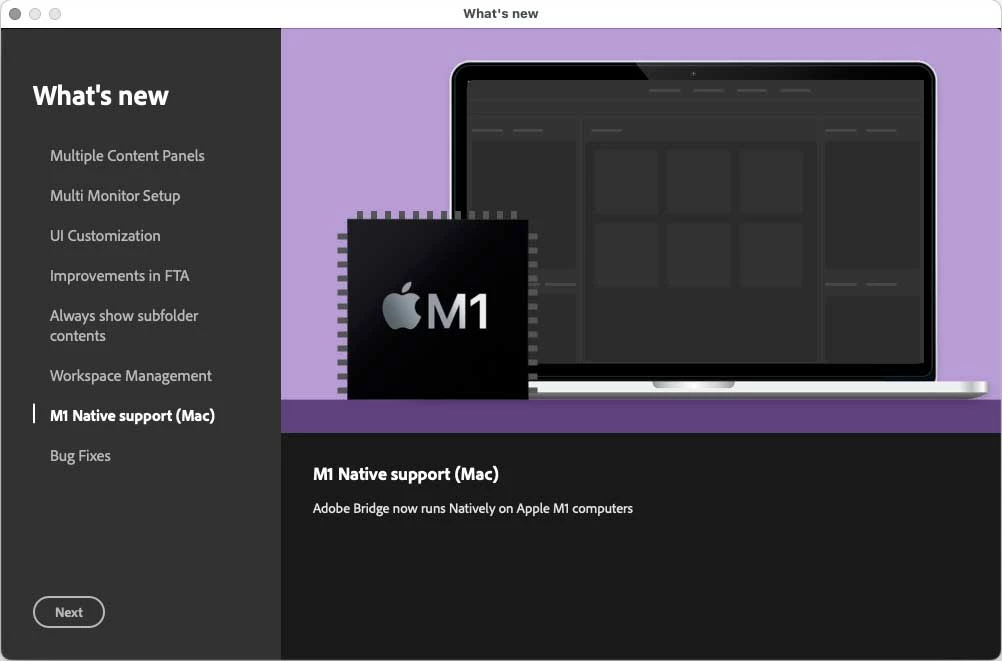
Bridge is now Apple Silicon native as of the Bridge 2023 release this morning (no longer beta).


It’ s probably worded wrong…it says M1 support, but there is so little difference between M1 and M2 that Bridge is likely to run fine on M2 too. They probably mean Apple Silicon support, not just M1.

3 replies

Conrad_C
Community Expert
Conrad_CCommunity ExpertCorrect answer
Community Expert
October 18, 2022

Bridge is now Apple Silicon native as of the Bridge 2023 release this morning (no longer beta).


It’ s probably worded wrong…it says M1 support, but there is so little difference between M1 and M2 that Bridge is likely to run fine on M2 too. They probably mean Apple Silicon support, not just M1.

Participant
January 30, 2023

Of of Jan 30, 2023, Bridge works on the new M2 Macbook Pro  BUT  it disables GPU support.  Waiting for Adobe to support the GPU.

Known Participant
June 5, 2023

Photodownloader in Bridge running the M2Pro chip does not work at all.

PECourtejoie
Community Expert
Community Expert
October 11, 2022

The answer is NOW... for a beta version: https://community.adobe.com/t5/bridge-discussions/an-update-for-the-adobe-bridge-beta-is-now-available/td-p/13251390

And remember that Adobe Max is around the corner...

gary_sc
Community Expert
Community Expert
June 16, 2022

#1) The vast majority of folks here do NOT work for Adobe. We do this because we like helping folks. So we do not know.


#2) Adobe has been very good over many many years of not divulging any upcoming or updated projects. Yes, over the years there have been leeks, but very very few.


#3) Yes, of course, there will be an update to be M# native but when? Anyone who does know that is not currently talking. 


Now you know as much as anyone here does. 

Roland_Rick
Known Participant
June 17, 2022

Hi Gary


First of all thanks for your reply.


I couldn't find any other channel to ask.


The Adobe feedback system is super inconvenient and I have nor the time neither I'm keen of to wasting my time by searching the correct feedback channel in the maze of the Adobe pages. Honestly, it's a catastrophe how Adobe does everything to avoid customer feedback. As soon Serif releases a DAM replacing LrC, I'm done with Adobe.


I really would appreciate if you could show me an appropriate channel to reach out to Adobe directly.


Cheers, Roland

Roland_Rick
Known Participant
October 15, 2022

Hi Roland,


Because you commented on one small issue with LRC, perhaps you do not know that in LRC you can either have it store all edits in the catalog OR, also place the sidecar file(s) into the folder containing the images. If you convert your images to DNG (as I do), the sidecar files are contained within the DNG. Otherwise, they will simply be sidecar files. 


This gives you both of the best worlds: you maintain the history in LRC to go back to any previous iteration, AND in the event of a catalog collapse, you still have all of the edits for all of your images. What you lose is the history of each image's edits. A small price to pay for not losing the results the end result of all your work. Plus, since they are sidecar/contained files, they still have not permanently changed the pixels (even in JPG images).


Anyhow, if you were unaware of that aspect of LRC, I thought I'd share that with you. 


Best,


Thanks for your hints. But I never turn NEF or CR3 or ORI or RAF (working with a 4 systems) into DNG, I realised that some lens information are not correctly transferred. So, I always have sidecar files.

Also totally missing in Bidge: Match Total Exposure. No only me, also some popular YouTube channels saying the same thing.