
Win10 Scaling window text too big or to small. "Goldilocks Zone" size needed.
Hello,
I started fresh on a new PC with Win10 and a 4k 27" monitor before purchaing and installing Adobe Ps, Lr and then Bridge. I'm tring to move from FastStone Image Viewer to Bridge as FastStone is bogging down on my catalog size and slowing down. Thoght I would get Bridge a try.
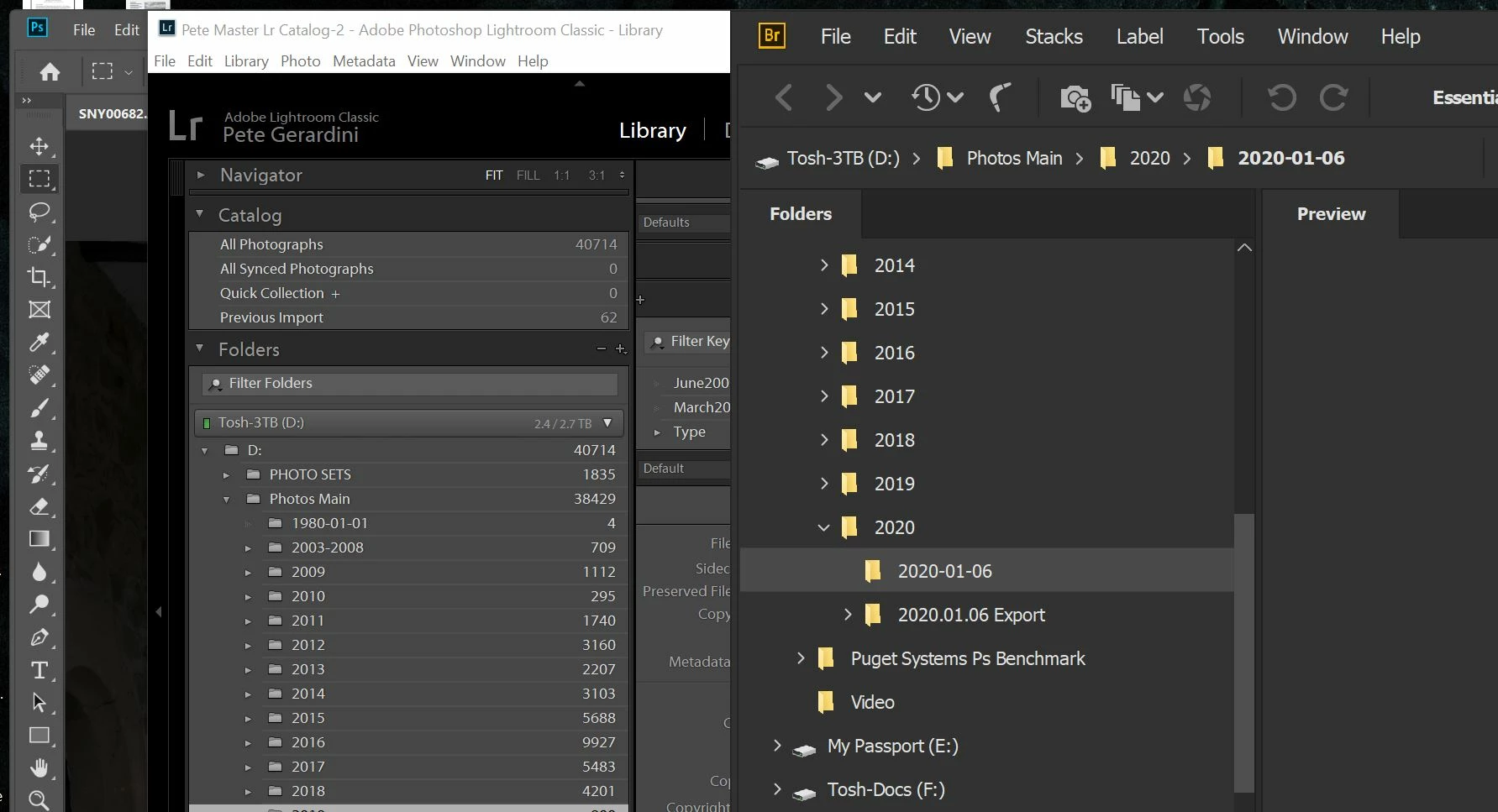
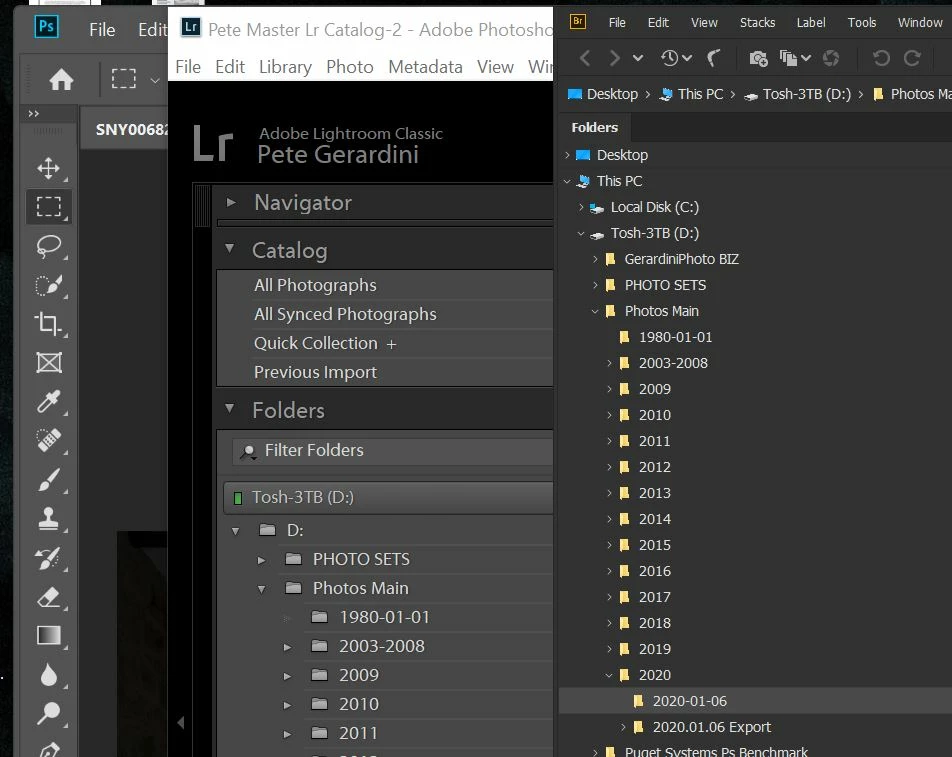
One big problem is window font sizes. As you can see it is way too small or big. The small I can't read and the big defeates having the larger monitor real estate to work with.
I have adjusted Pr and Lr to scale correctly as per solutions provided in this community, but have not for Bridge.
I have tried changeing to threads in this community:
- Changing the DPI bridge.exe peferences.
- Changing Bridge perferences for text scaling and user interface scaling; Auto, 100% & 200%.
All to no avail.
As you can see from photos I have fixed he scaling problem out with both Ps and Lr to get workable results.
There is just no way I have found to get a size that is inbetween the two too small or to big.
Why can Ps and Lr to get this "Goldilocks Zone" size, but not Bridge?
Please help, I would really like to use this tool in my workflow as it's mush more powerful than FastStone.
Regards,
Pete
 AdChoices