
jessek96650440
Participant
January 20, 2017
Answered

Working with Blackmagic Ursa footage in Bridge

  • January 20, 2017
  • 2 replies
  • 495 views

Hi all,

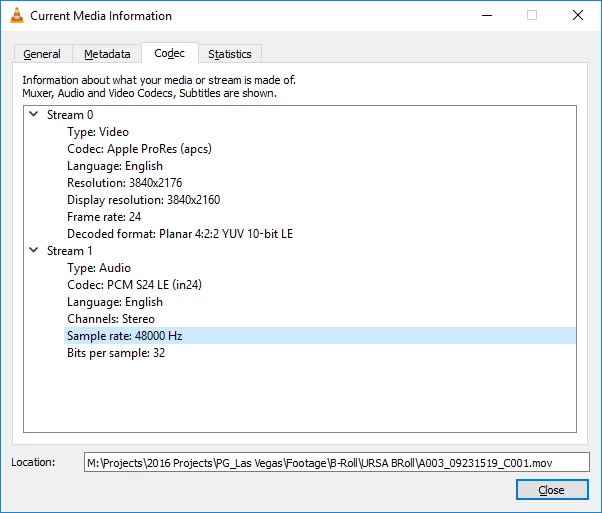
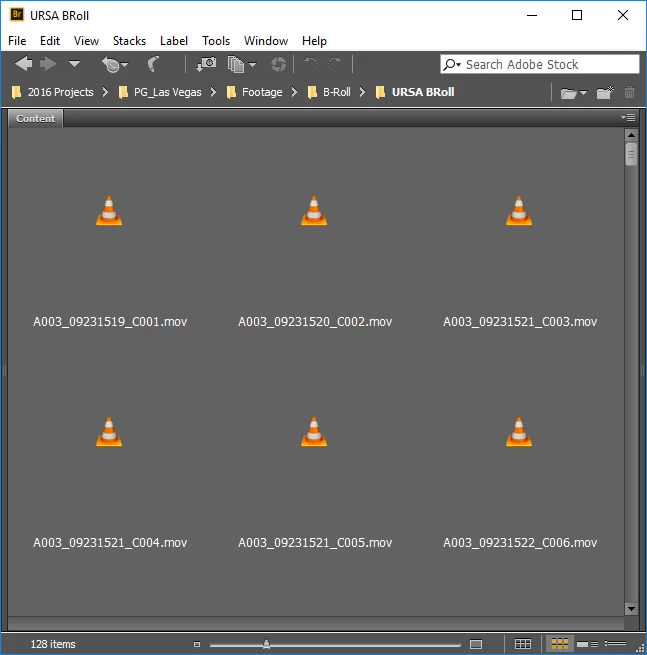
We recently got a Blackmagic Ursa Mini and are recording to the ProRes UHD codec. However, when we bring it into Bridge for Windows, there is no preview and we can't play back the video in the Preview tab. The files play fine in VLC. 

This is a screenshot of the video codec:
And this is a screenshot of viewing the clips in Bridge:
Any ideas? Thanks!

This topic has been closed for replies.
Correct answer Sahil.Chawla

I suggest you post this as a feature request on the below link so that our engineering team can put this feature in the upcoming update.

Photoshop Family Customer Community

2 replies

jessek96650440
Participant
February 6, 2017

Thanks, Sahil.Chawla That's helpful to know. It seems to mostly be with the ProRes codec. We switched to DnxHR wrapped in .mov and it plays back now. If there is a way to support .mov file playback in the preview tab, that would be really helpful!

Sahil.Chawla
Adobe Employee
Sahil.ChawlaCorrect answer
Adobe Employee
February 6, 2017

I suggest you post this as a feature request on the below link so that our engineering team can put this feature in the upcoming update.

Photoshop Family Customer Community

Sahil.Chawla
Adobe Employee
Adobe Employee
February 6, 2017

Hi Jessek,

.Mov file playback is not supported in bridge preview tab.

Regards,

Sahil