
Question
Adobe Bridge CC (2017 and 2018) show hidden directories macOS High Sierra
Hello,
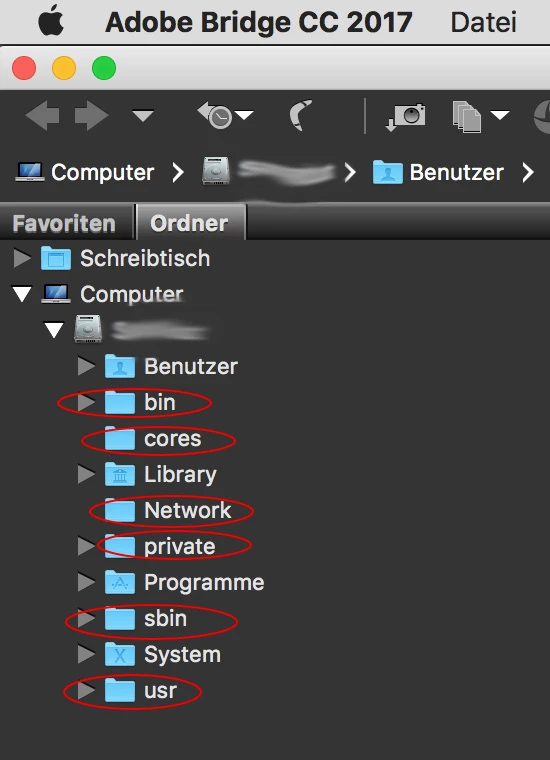
in Adobe Bridge CC (2017 and 2018 versions) folders view hidden system directories are visible in macOS High Sierra 10.13.3 (I think also in 10.13.2). The hidden folders are in the macOS root directory: "private", "Network", "usr", "sbin", "cores", "bin" normally these folders are not visible.
Not a big deal, more or less a cosmetic bug. Does anyone know a solution or do we have to wait for a new Adobe Bridge CC update? I guess version 2017 is not updated anymore? Too bad, because of the degraded file info panel (e.g. no autofill anymore) in Bridge CC 2018 I stay on version 2017.
I am thankful for any thoughts or suggestions ... thx!


 AdChoices