

Duduf | RxLaboratory
Participant
November 4, 2022

AE 2023 performance issue

  • November 4, 2022
  • 39 replies
  • 7389 views

I have a comp with 51 shape layers & lots of expressions, which makes After Effects lag a lot (as usual), BUT it's worse in Ae2023 than previous versions.
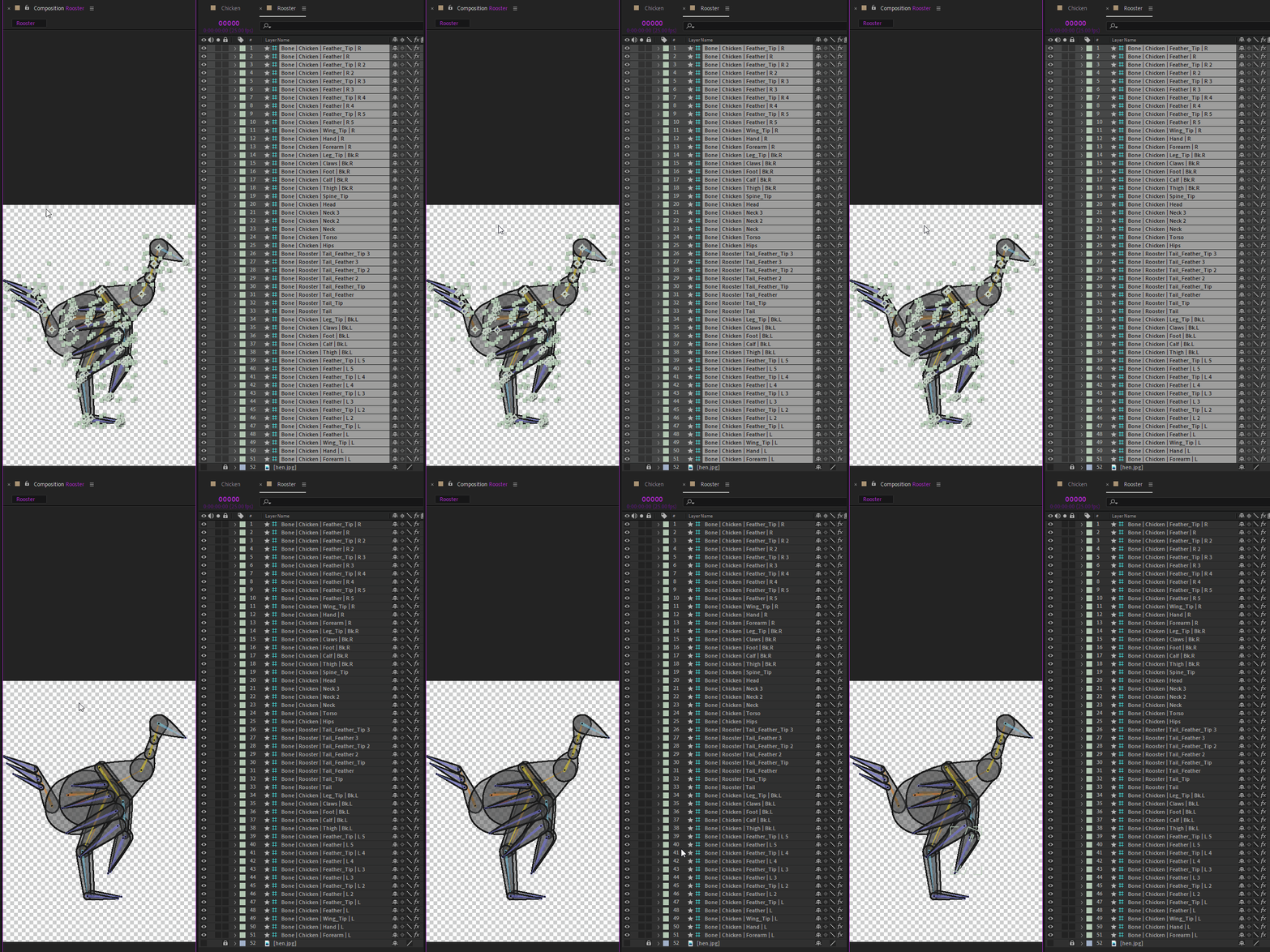
To show the issue, I've made these two GIFs, from Ae2021 and Ae2023, to show how long it takes to just deselect all the layers.
The click is shown by a yellow circle under the mouse cursor at the beginning.
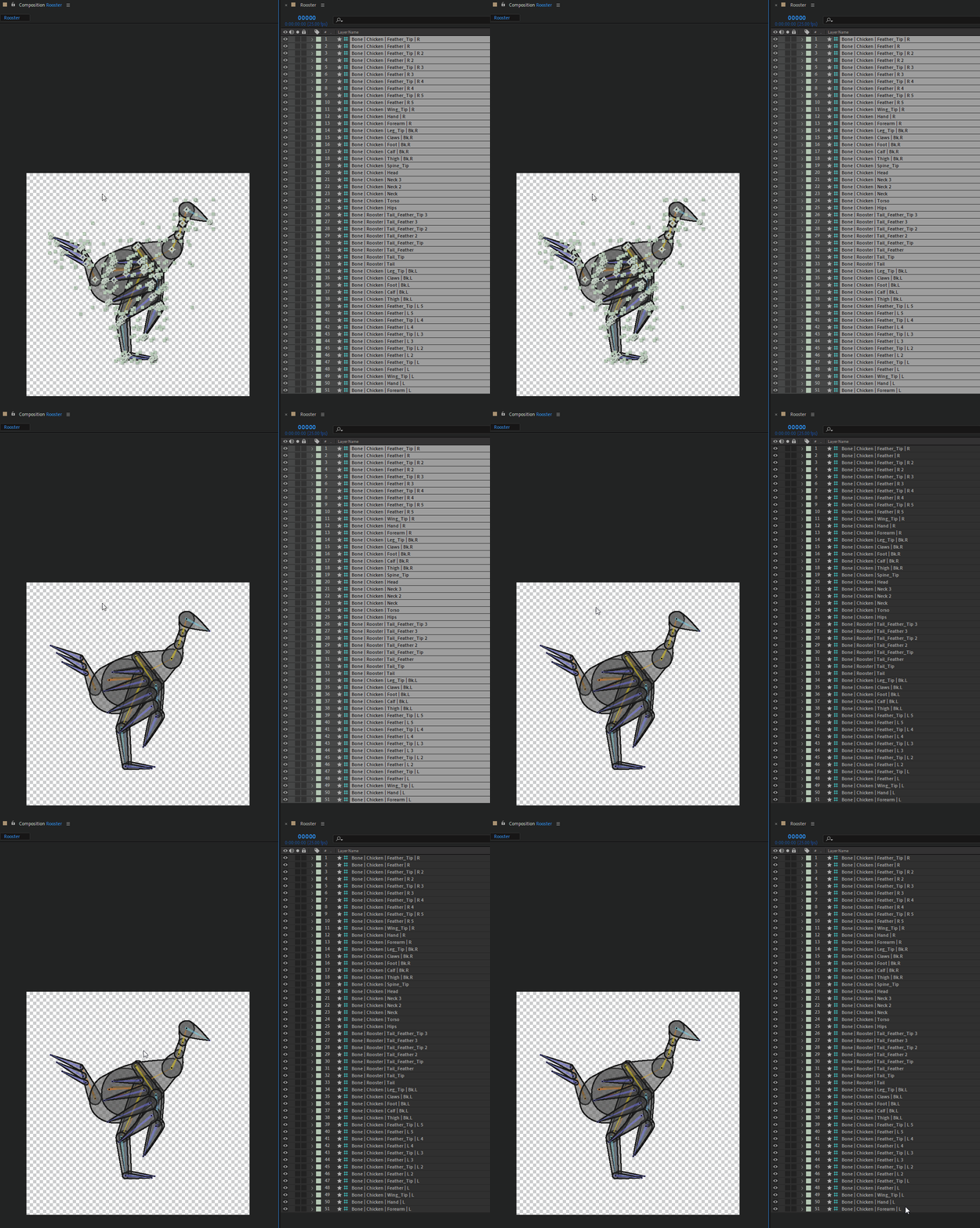
 

The first one is Ae 2021, and the delay between the click and the actual deselection is already quite annoying, I've measured it to be 1.5s (I've run the test several times to get the average time)

The second one is Ae 2023, the delay is 2.5s. I just can't work anymore with After Effects with this lag, it's just a no-go, and I'm going to recommend to everyone to not update if they're going to work with Duik. One just can't work correctly with that.

If it lags so much for simple actions like (de)selection, just imagine how painful it is to precisely adjust any value.


IMHO it is more than urgent that After Effects lags like this are fixed, I don't know of any other software where I experiment this kind of sluggishness, it's not the case in any other compositing, animation, or 3D software I know of.

Computer specs:
- AMD Ryzen 7 2700X Eight-Core, 3.7GHz
- 32 GB RAM
- Nvidia GeForce GTX 2060, Studio Driver 517.40

This topic has been closed for replies.

39 replies

vjcodec
Participating Frequently
February 2, 2023

FOUND A SOLUTION FOR ME. if you use Nvidia cards please check if you're using the studio drivers in the GeForce experience. I was, and replaced them with a clean install of the latest game ready drivers. Choose custom install and select "clean install" after reinstall and reboot. After effects will recognize the new driver and reconfigure something. After that my interface response was "normal" again. This was a major issue for the last couple of days. I missed deadlines and could not open my project in 2022. So Adobe should be on this asap. Hope this helps. Also I disabled multi frame rendering aswell maybe that is also necessary. I don't want to test anything now till I got this project exported.

vjcodec
Participating Frequently
February 2, 2023

yeah, the interface is running like windows xp. and the mouse button release is a mega pain in my... what is going on here??

Alexanderl3679
Participant
January 31, 2023

The same issue for me too, since 2023, After Effect lag made the work extremely annoying, I have a powerful comp that can run everything with ease but not After Effects. Even simple projects with 10-15 layers now have delays. Most annoying one is when After doesn't recognize on time that mouse button was released.

CREAM Motion
Known Participant
December 14, 2022

I work on AE 22 actually because AE 23 is sluggish... Same preferences.
--> Moving keys or comps around is x2 times slower in the 23 version compared to 22.
I have a very powerful computer (Ryzen 5950x + 128Gb Ram + SSDs + RTX video card)

Duduf | RxLaboratory
Participant
November 30, 2022

Hi John,
I've sent the project files to Sébastien at the time I posted this, here it is: https://cdn.discordapp.com/attachments/422137414497337344/1038023470287704074/OCO_Chicken_perf_test.aep


I've just opened this same project right now, and it seemsI can't reproduce anymore (I mean, it's still (very) slow, 1.5s, but not as slow as it was on Ae 2023 when I noticed this, just the usual sluggishness). The context must be important here, but I don't know what's changed. When I test this kind of thing, I always make sure only After Effects is running, to clear cache, etc etc.
I hope you'll be able to reproduce the issue on your side!

Cheers!

JohnColombo17100380
Community Manager
Community Manager
November 30, 2022

Hi Nico,

Thank you for reporting this issue! I can definitely see the performance regression in the two GIFs you've posted. Would you be able to provide this project to our team so that we can profile what is going on during the delay? Do you also see a similar delay when adjusting values in the Timeline?


Thank you again for reporting this, and for any additional info you can provide,

- John, After Effects Engineering Team 

nubnubbud
Inspiring
November 18, 2022

welcome to the future. past? welcome to yesterday now!... no, that's not right...
these things happen. it's an old program, and new features and speedups are essentially changes, patches, or additions, not refactors, meaning how well the program works will actively change from version to version, not simply get better... so they usually change it in ways most people would appreciate, and niche users probably won't. like, say, people who animate using dozens or hundreds of very small objects, control points, or nested parent/child relationships.

AE is simply not going to get much faster, and adding features, plugins (472 at last count I think. golly!), and trinkets to keep shareholders happy has resulted in a fairly old program from the 90's not being rewritten, like blender or Trello, or many others, and is going the way of autodesk's suite. After all, shareholders are day traders, businessmen, and the odd foaming-at-the-mouth cryptobro. They don't care about or consider the future or the product in any light beyond profits, and Adobe has a legal obligation (yes, as in it is illegal not to) to do what is the best for them. which means you're not getting that refactor, and a rewrite, which would take several years and tens of millions at least, would probably be financially infeasible due to the concerns of non-artists, non-programmers, and about a dozen other groups who have probably not even touched the software. They live in a world where it's unthinkable that software has a limited lifespan, and it's simply going to keep making money forever as long as it's a subscription, so making another is self-competition and utterly unfathomable.

Simply put, it's technical debt. New devs didn't make it so they're more likely to have issues fixing and upgrading it, issues that should have been a refactor or deep level fix were patched, over and over, so that now the cost of fixing these issues, then updating the entire codebase to actually use multiple cores and be efficient with RAM and use GPU in a general sense, is greater than making a new program.

Participant
November 4, 2022

I recommend not upgrading until performance issues are fixed. This mostly has been the case with previous AE updates.

The features are nice to have, but getting projects out quickly to clients is way more important.

The rotobrush actually feels faster this time, but layers with heavy expressions feel extremely slow, viewport and in render.


If you need to work in the new AE, converting to the old version and rendering is the way to go.


-i7 11800H

-RTX 3080

-32GB

Mylenium
Legend
November 4, 2022

I would try to disable Fast Draft/ hardware acceleration. This often adds an extra step where AE needs to fetch the buffers. there's a good chance your project may run faster in software-only rendering mode since it uses expressions, anyway. Of course the usal things apply, too: Check your cache and multiframe render settings, update your graphics driver if necessary.


Mylenium