
Participant
April 13, 2025

Footage gets overexposed when imported to AE

  • April 13, 2025
  • 3 replies
  • 1162 views

Hi,

I have a new problem. I'm using Adobe dynamic link in Premiere quite often, and it almost always works just fine. Today, I used it just as always, and suddenly, the imported footage into AE got really overexposed. I tried to import the same footage directly to AE (without Premiere), and I had the same problem. It is not possible to work with it. Even when I tried to dial it down with Lumetri color, it didn't work. Those whites behave like they are just blown out. But they are not as you can see at screenshots. It is footage from A7IV in Slog3 (it does the same with LUTs on it).
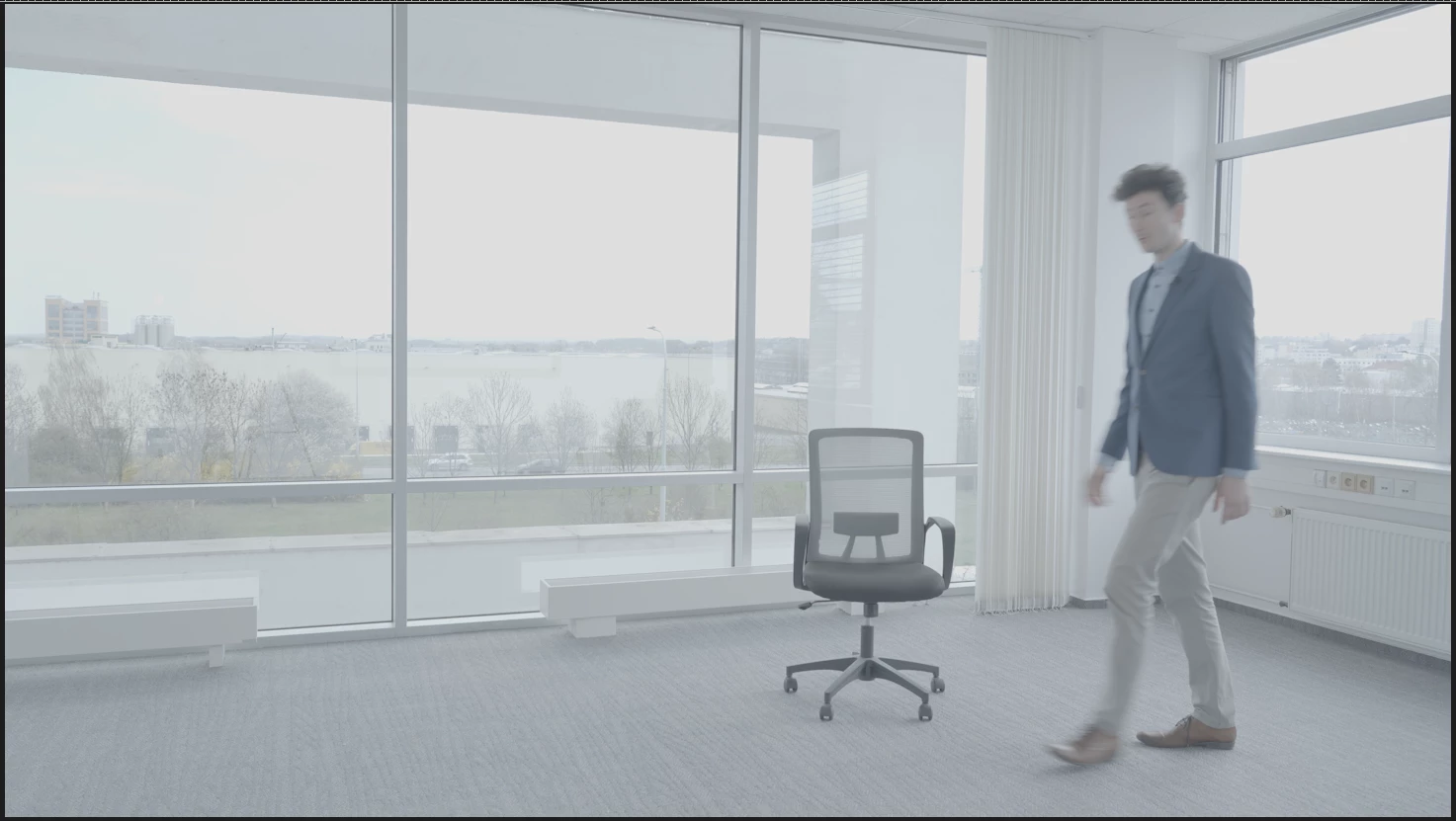
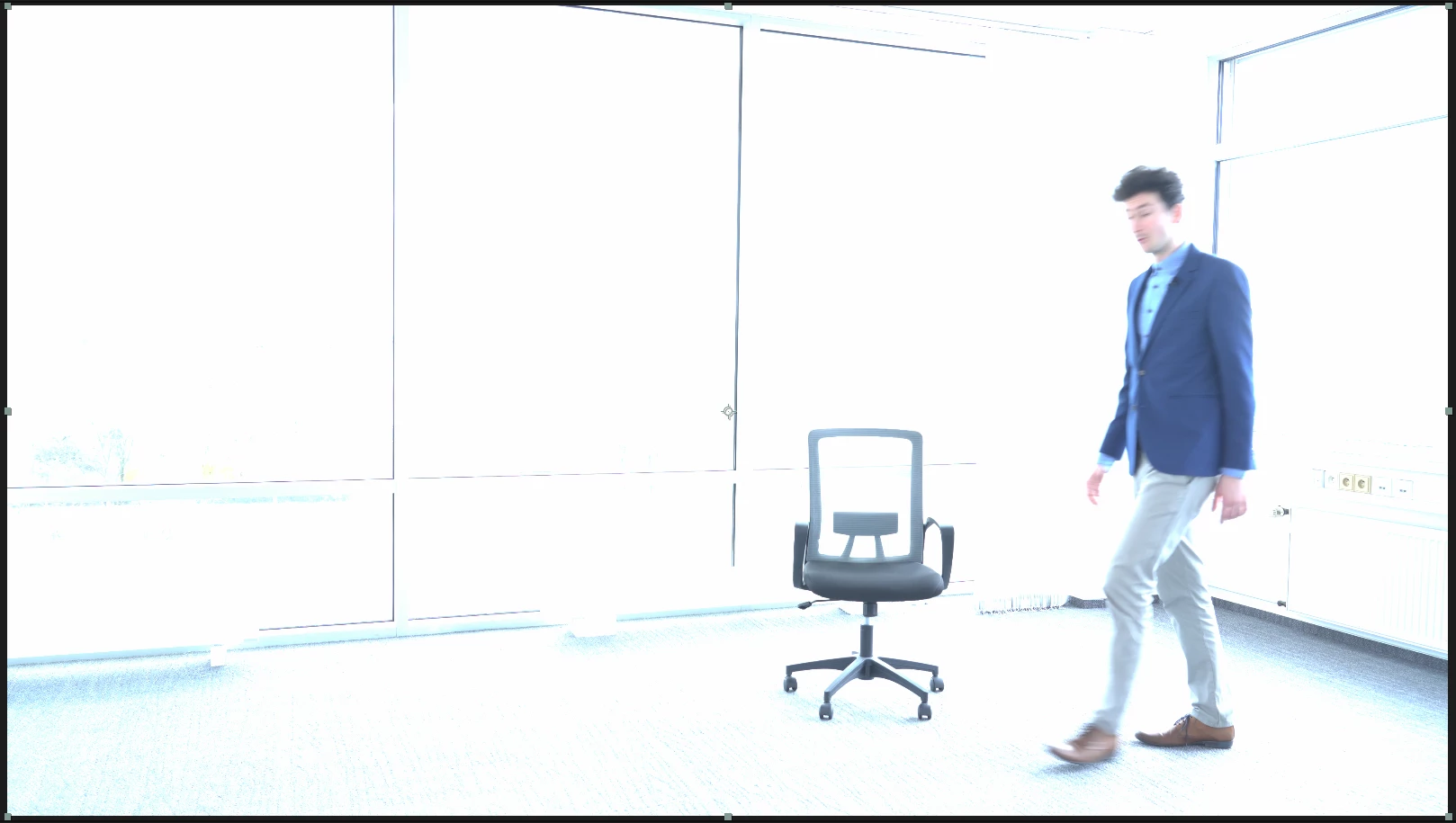
3 replies

Participant
November 14, 2025

I’m having the exact same issue. I'm using the latest After Effects 25.6. How can I fix it

Participant
April 14, 2025

Hi,

Thank you for your response. I'm using After Effects 25.2 and the project color space is Rec709 Gamma 2.4.

I'm working with Intel(R) Core(TM) i5-8600K CPU @ 3.60GHz, 32 GB RAM, NVIDIA Quadro P2000. My monitor isn't able to display HDR. 

I also found out that my footage from the drone (which is 8bit) looks just fine in AE. The problem is with footage from the A7IV, which is 10bit.

Thank you for your time.

JohnColombo17100380
Community Manager
Community Manager
April 14, 2025

Hi @tomášh66049311,

Thank you for reporting this issue. What version of After Effects are you currently using? The most recent version (25.2) has some changes related to HDR footage and color management that may be involved with what you're seeing.


What color space is your AE project currently using? And what are your system specs (GPU, RAM, etc)? And is your monitor able to display video in HDR?


Thank you for any additional information,

- John, After Effects Engineering Team