


Participant
March 23, 2021
Question

Bridge - Camera Raw - Heic & Hevc Issues

  • March 23, 2021
  • 4 replies
  • 1246 views

In Bridge, thumbnails and full screen are blurry for HEIC.

If I double click on a HEVC file it opens in windows media player.

I have the CC photographers subscription

The version of Camera Raw is 13.2.0.738

The version of Bridge is 11.0.1.109

I have downloaded both codecs from Microsoft and paid my 99 cents.

Here is an example of what it looks like

If i look at the images in windows photo viewer they look great.  My workflow is Bridge and I need this to work.

Here are my RAW settings in Bridge:
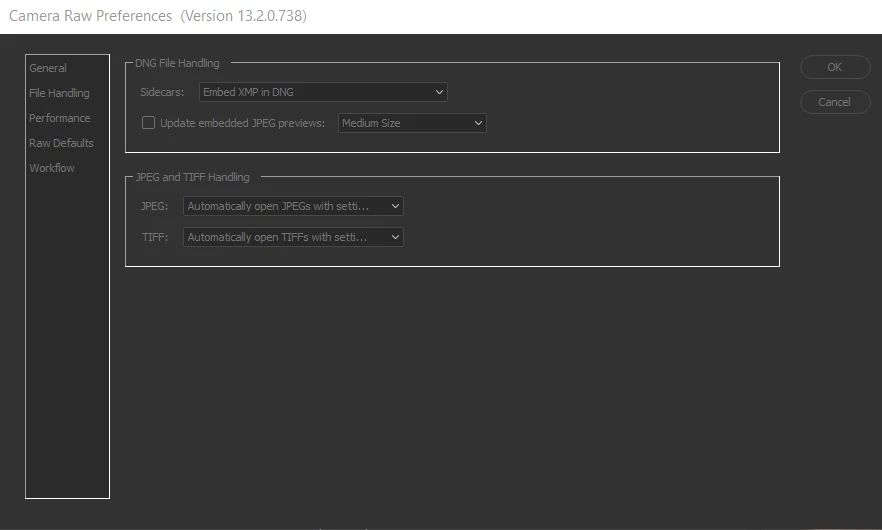
 

Any help would be appreciated.

This topic has been closed for replies.

4 replies

Participant
August 2, 2022

I am having the same issue.    However, when I open the same HEIC image file in Photoshop it previews correctly.   I can output from photoshop but batch is way easier in Bridge.    My workflow has completely slowed to a crawl.   When I open the same jpeg image file in 

Participant
March 1, 2022

I have still this issue, do you?

Participant
March 1, 2022

Unfortunatley, Yes, The issue persists.  It is very frustrating that a bohemouth like this just doesnt care.  They just don't want to spend the .05 cents per user they would have to pay to Apple to do the right thing.  But turn things around and they would expect Apple to pay them.

Its amazing that most of the photos that are taken today are by iphone users and this could be just overlooked somehow.

Known Participant
June 27, 2021

Bump 🙂


Sorry still having this problem 😞

Known Participant
May 30, 2021

Hi, I'm having the same problem - did you ever find a solution? 🙂