Inspiring
September 22, 2023
Answered

Camera Raw De-Noise changing the color of images

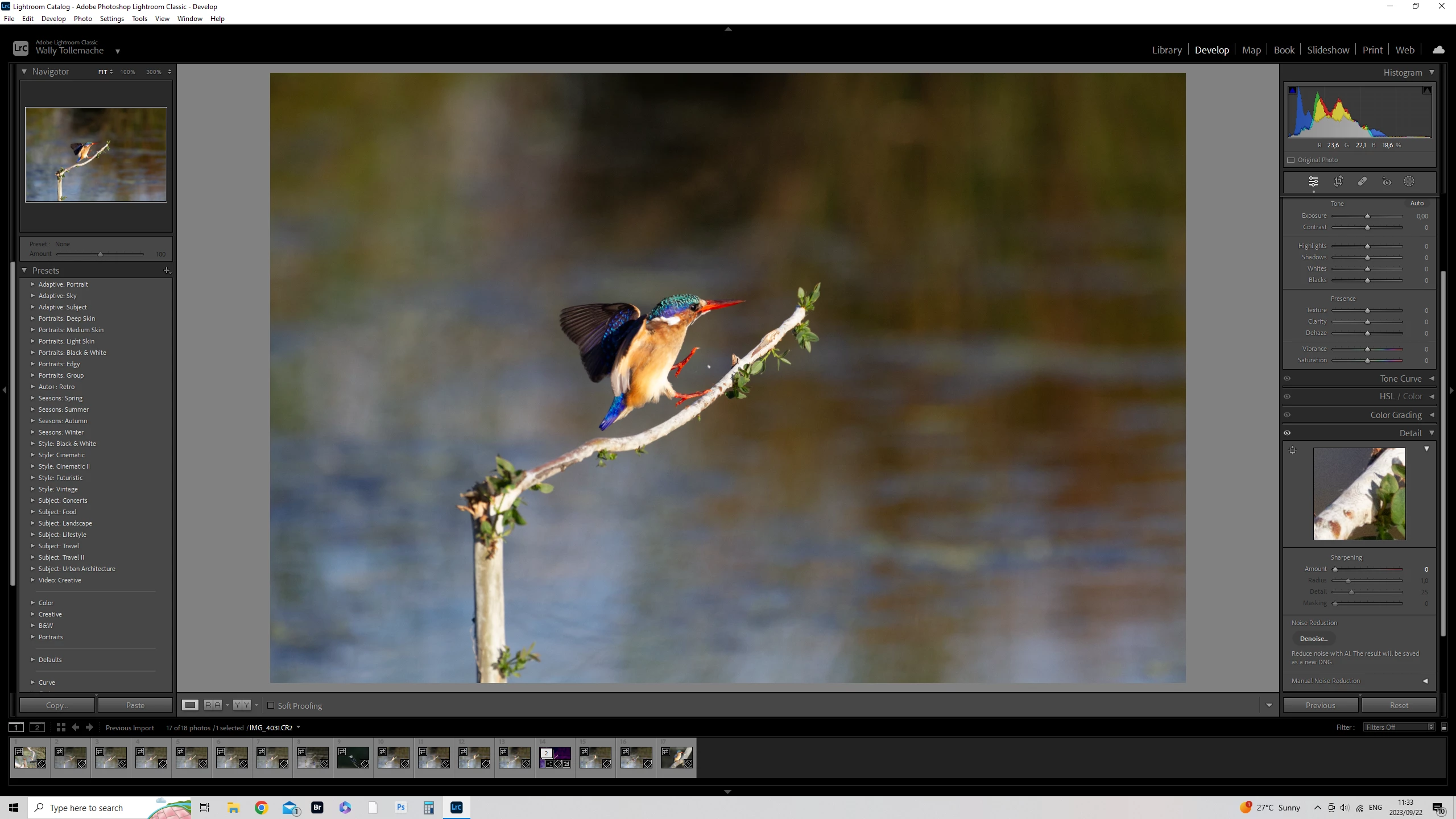
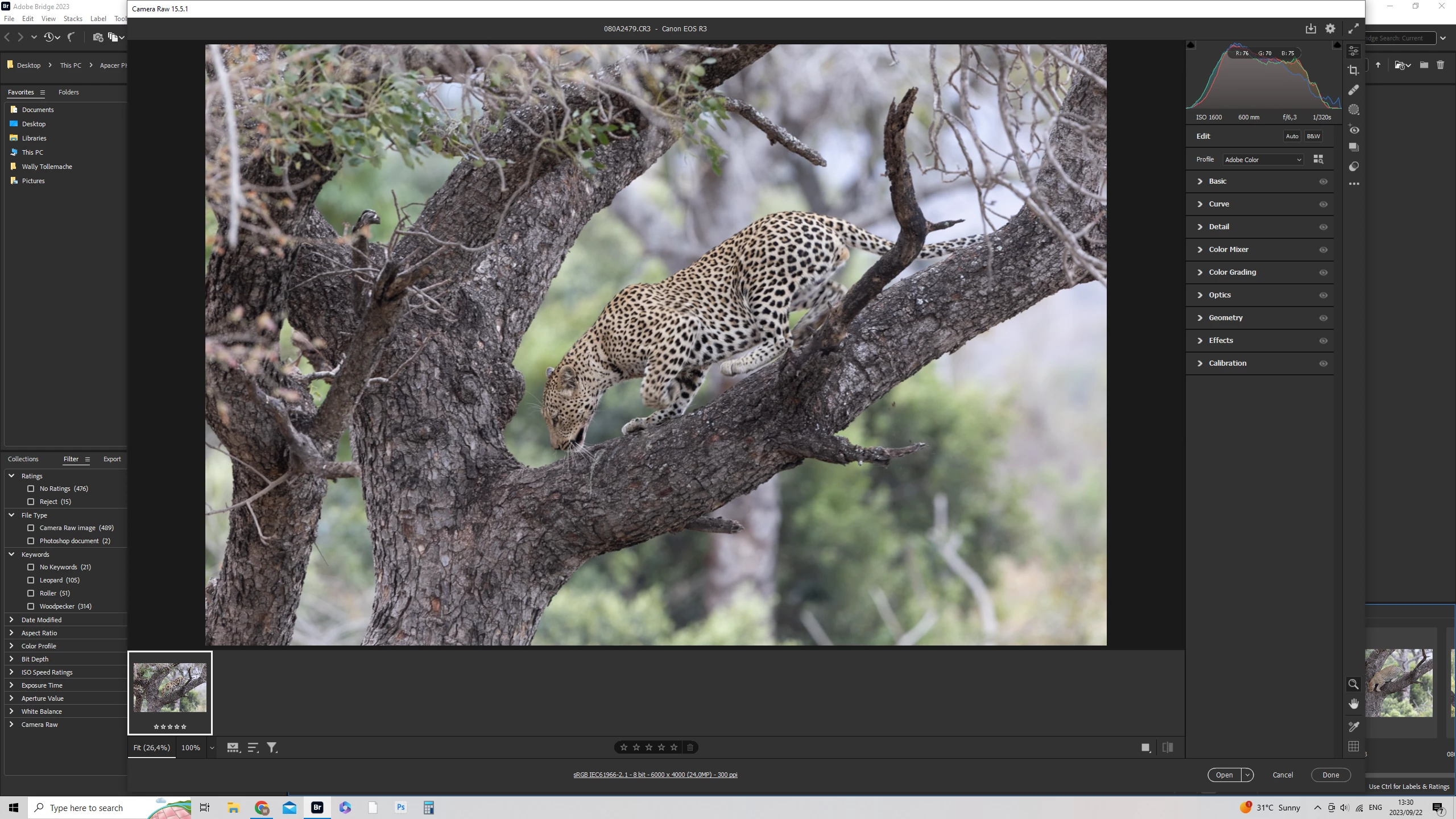
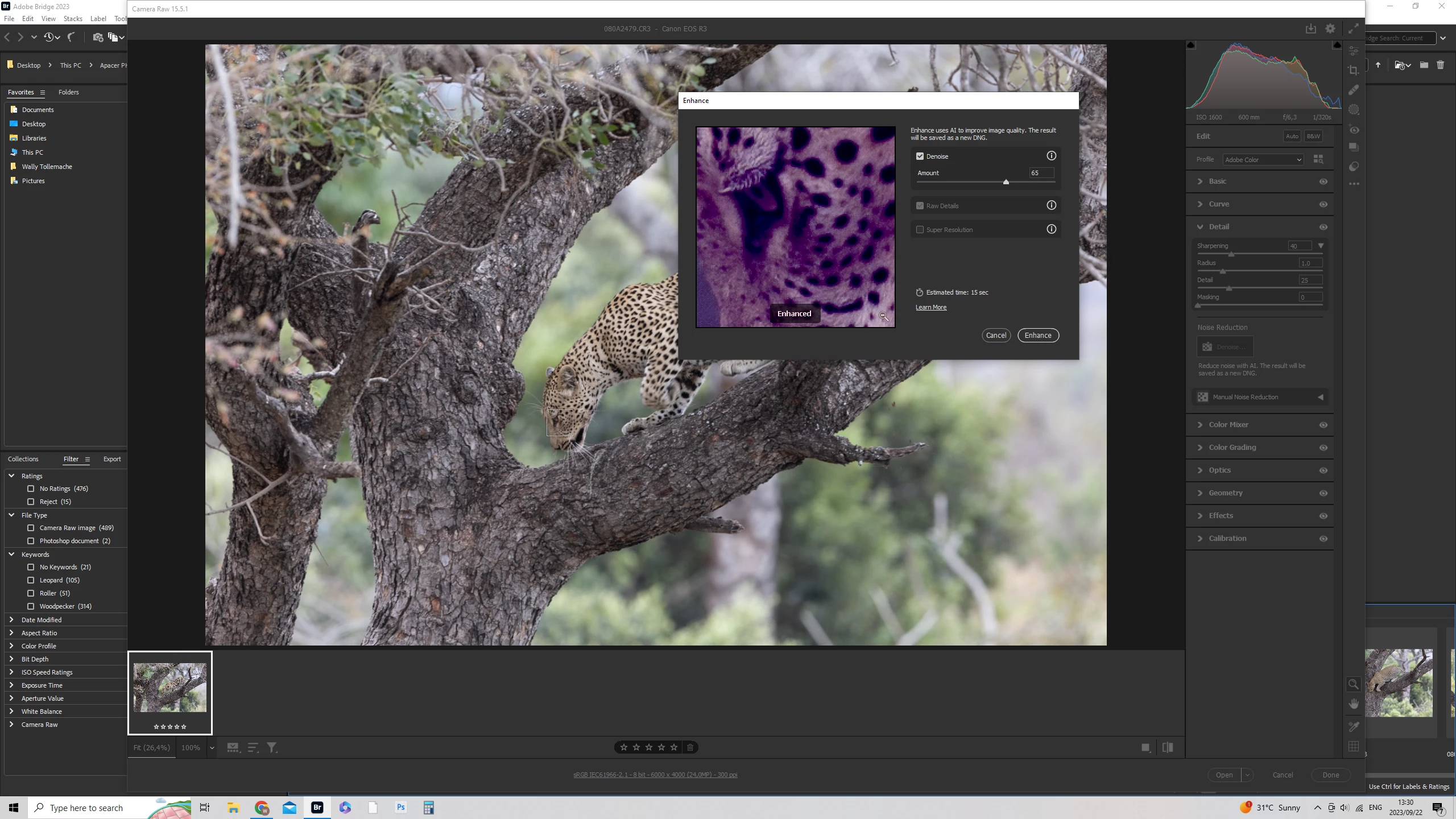
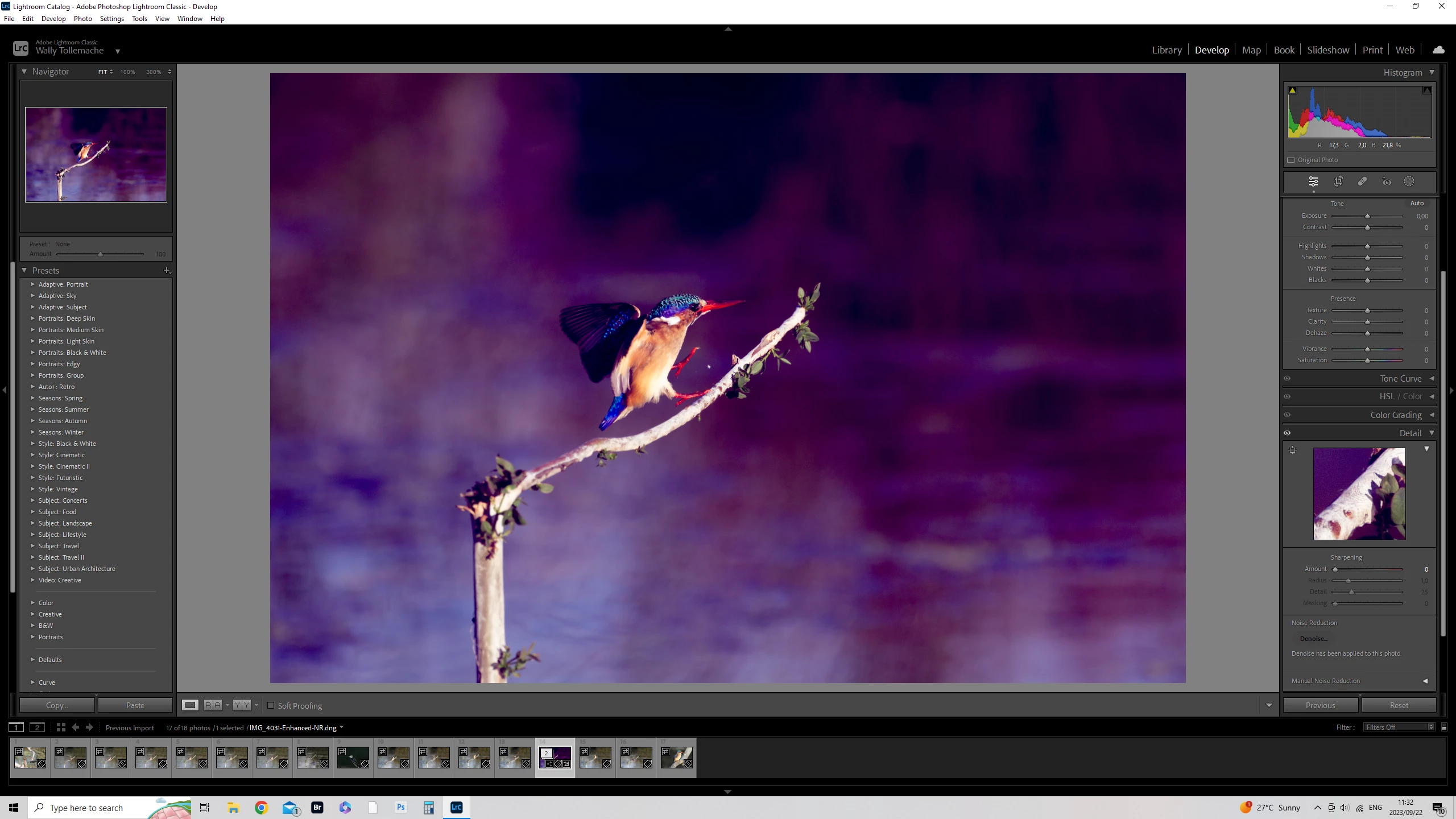
I need help please. Camera Raw De-Noise changes the color of my images automatically and I cant figure out why. Any Idease please. 
This topic is closed to new replies. Start a new post to keep the conversation going.
Wally31673192486pCorrect answer
Inspiring
September 23, 2023

I took a screen shot of another image in Camera Raw and it does the same thing. I took the screen shot earlier in Lightroom as I tried to see if it was a Camera Raw problem but it happens in both. Appologies if im not answering the question correcty but hope this helps. Regards Wally


Problem solved thank you. I had to update my drivers

15 replies

Inspiring
September 22, 2023

If apply De-Noise im camera Raw the images change colour. Any Advise please.


Translate
jane-e
Community Expert
Community Expert
September 22, 2023


Locked. Please see duplicate thread:

https://community.adobe.com/t5/camera-raw-discussions/camera-raw-de-noise-changing-the-color-of-images/m-p/14104414


EDIT: Staff has merged the locked duplicate post with the original thread, which unlocked the duplicate.


Jane

Translate
c.pfaffenbichler
Community Expert
Community Expert
September 22, 2023

Did you change the Shadow Clipping Warning (U) between the tw screenshots? 

Translate
Inspiring
September 22, 2023

No I never changed the shadow settings

Translate
c.pfaffenbichler
Community Expert
Community Expert
September 22, 2023

The screenshots seems to indicate a change. 

Please verify if it is on or off in both cases. 

Translate
Ged_Traynor
Community Expert
Community Expert
September 22, 2023

@Wally31673192486p try the Lightroom Classic or the Camera Raw forum

Translate
Inspiring
September 22, 2023

Camera Raw and Lightroom Clasic. It happens in both. Sorry I should have metioned that.

Translate