


Inspiring
October 2, 2022
Answered

DNG Converter issues - Preferences Dialog not displaying propertly

  • October 2, 2022
  • 1 reply
  • 526 views

Hi,

 Hi, I'm having an issue with the DNG Converter Utility. The Preferences dialog box isn't displaying correctly. I can't enlarge it or scroll to reach the bottom of the dialog to save changes.  I'm running Win 11.
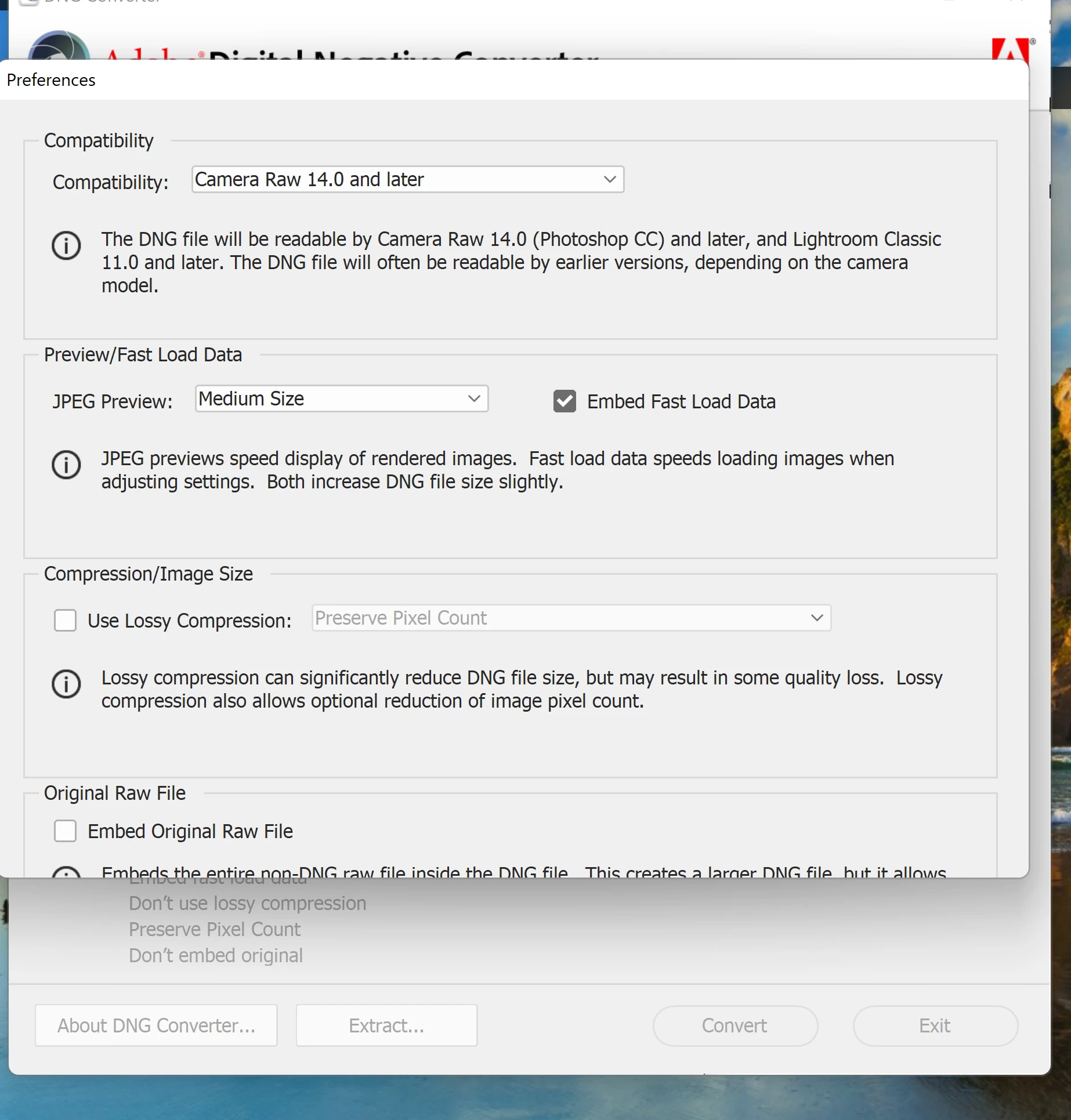
 

As you can see the dialog is cut off.  Any help appreciated. Thanks.

This topic has been closed for replies.
Correct answer Ohboy108

try resetting the dng convert preferences.


<moved from download&install>


The problem is that I can not change the preferences.  The part of the screen allowing me to save doesn't show.  In any event I chatted with support and it's a resolution issue.  It works if I lower the screen resolution.  The support tech said it's a Win 11 issue.

1 reply

kglad
Community Expert
October 2, 2022

use compatibility mode to install.  without knowing which dng converter version you're trying to install, i don't know which os you should designate, but try win 10.  


if that fails, which  dng converter version?

Ohboy108Author
Inspiring
October 7, 2022

thanks for the advice.  I'm trying to use the latest version downloaded from Adobe. Version 14.5.0.1177.  The only compatability mode available in properties in Win 8.  I tried that and the same problem persists.  Any other suggestions?

kglad
Community Expert
October 7, 2022

try resetting the dng convert preferences.


<moved from download&install>