


Participating Frequently
July 18, 2025
Answered

Masking problem

  • July 18, 2025
  • 3 replies
  • 886 views

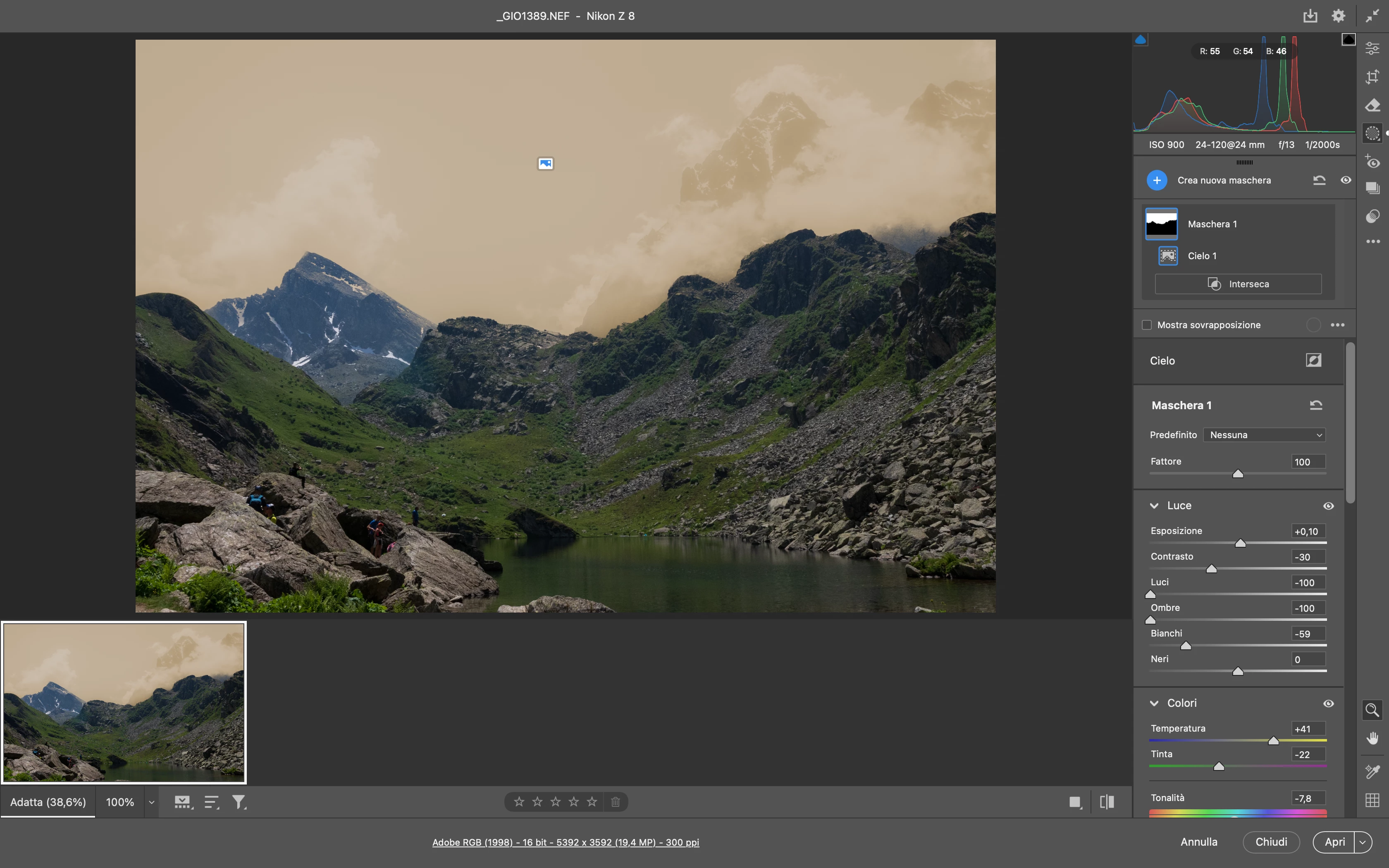
Hello everyone, I'm having a problem with the way masks work in Camera Raw: when I apply a mask, the colors appear completely distorted for the selected area, even though I haven't applied any adjustments yet... all the sliders seem to be going haywire. I've attached an example. Thanks for your help.

Giovanni
Correct answer Rob_Cullen

@jane-e  via Filter menu or directly opening raw image with double click.

Same problem in both cases anyway...

Giovanni


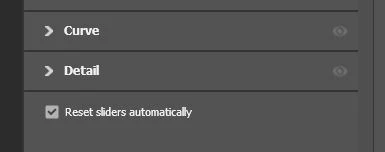
@Giovanni22402547bgxm   (Maybe not relevant) How have you set the option [Reset Sliders Automatically] at the very base of the Masking panels?

If left unchecked the sliders will always be how you left them last time used.

-


3 replies

Chuck Uebele
Community Expert
July 19, 2025

Moved to the Camera Raw forum, from the Photoshop forum.

Participating Frequently
July 19, 2025
Brainiac
July 18, 2025

Giovanni, are you concerned about the sky's color? It could be your mask overlay color.


Larry
Participating Frequently
July 19, 2025

@LAMY2017  the problem isn't the color changing on masked area, so if you choose Show Overlay the colors changes.The fact is that the exposure, contrast, saturation and other sliders change immediately, without me doing anything.I'm attanching another example.Of course, everything works fine in Lightroom.Thanks for your support.


 Giovanni

Sameer K
Community Manager
Community Manager
July 18, 2025

Hey, @Giovanni22402547bgxm. Welcome to the Photoshop Community. We'll need more information to help you figure this out. Please share the system information from Photoshop Help > System info > Copy and paste into a text document > upload and attach here. 


In Photoshop, press & hold the CMD OPT key, go to Photoshop > Preferences > Camera Raw Preferences, and select 'Yes' when prompted to reset Camera Raw preferences. 

After this, restart Photoshop & check if the issue exists. 


Let me know how it goes. Thanks!
Sameer K

(Type '@' and type my name to mention me when you reply)

Participating Frequently
July 18, 2025


@Sameer K , thanks for the reply. I've already tried resetting Camera Raw preferences, but it didn't solve the problem.

jane-e
Community Expert
July 18, 2025

@Giovanni22402547bgxm 


Are you using Camera Raw itself or the Camera Raw filter in Photoshop?


Jane