Exit
  • Global community
    • Language:
      • Deutsch
      • English
      • Español
      • Français
      • Português
  • 日本語コミュニティ
  • 한국 커뮤니티
0

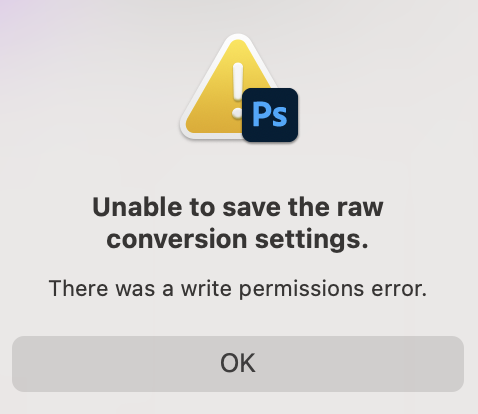
Unable to save raw conversion settings, the file could not be created/write permissions error

New Here ,
Sep 01, 2022 Sep 01, 2022

ever since i updated my operating system last month i have had this issue - i went back to an older (2021) version of bridge and photoshop, but apple wont allow me to revert to the older OS. i can only save .xmp if i work from my desktop, if i open something and edit it on an external drive, it will not save the .xmp and the work is lost. this is slowing me down as i need to transfer all my work to desktop to edit, then back to an external to store.


i have searched this phrase and all posted solutions have been attempted.

pleae advise!

TOPICS
macOS
1.4K
Translate
Report
Community guidelines
Be kind and respectful, give credit to the original source of content, and search for duplicates before posting. Learn more
community guidelines
LEGEND ,
Sep 01, 2022 Sep 01, 2022

In System Preferences, >Security & Privacy, >Full Disk Access, do you see Photoshop listed? If not, add it and try again.

This explains how to do the same process in Lightroom, just pick Photoshop instead:
https://community.adobe.com/t5/lightroom-classic-discussions/quick-tips-how-to-give-full-disk-access...

Author “Color Management for Photographers" & "Photoshop CC Color Management/pluralsight"
Translate
Report
Community guidelines
Be kind and respectful, give credit to the original source of content, and search for duplicates before posting. Learn more
community guidelines
New Here ,
Sep 01, 2022 Sep 01, 2022

i did try this, it was listed.


Translate
Report
Community guidelines
Be kind and respectful, give credit to the original source of content, and search for duplicates before posting. Learn more
community guidelines
New Here ,
Sep 01, 2022 Sep 01, 2022

it did not fix the issue i am afraid.

Translate
Report
Community guidelines
Be kind and respectful, give credit to the original source of content, and search for duplicates before posting. Learn more
community guidelines
LEGEND ,
Sep 01, 2022 Sep 01, 2022
LATEST

It is some permissions issue, try running a free utility like Onyx:

https://www.titanium-software.fr/en/onyx.html
Also view:
https://www.macworld.com/article/352902/onyx-review-macos.html
https://www.macworld.com/article/224955/how-to-reset-a-macs-nvram-pram-and-smc.html
From Adobe:
https://helpx.adobe.com/photoshop/kb/basic-troubleshooting.html

Author “Color Management for Photographers" & "Photoshop CC Color Management/pluralsight"
Translate
Report
Community guidelines
Be kind and respectful, give credit to the original source of content, and search for duplicates before posting. Learn more
community guidelines
New Here ,
Sep 01, 2022 Sep 01, 2022

ever since i updated my operating system last month i have had this issue - i went back to an older (2021) version of bridge and photoshop, but apple wont allow me to revert to the older OS. i can only save .xmp if i work from my desktop, if i open something and edit it on an external drive, it will not save the .xmp and the work is lost. this is slowing me down as i need to transfer all my work to desktop to edit, then back to an external to store.


i have searched this phrase and all posted solutions have been attempted.

pleae advise!

Translate
Report
Community guidelines
Be kind and respectful, give credit to the original source of content, and search for duplicates before posting. Learn more
community guidelines