



xmp files in different locations-some present in ACR, some not.
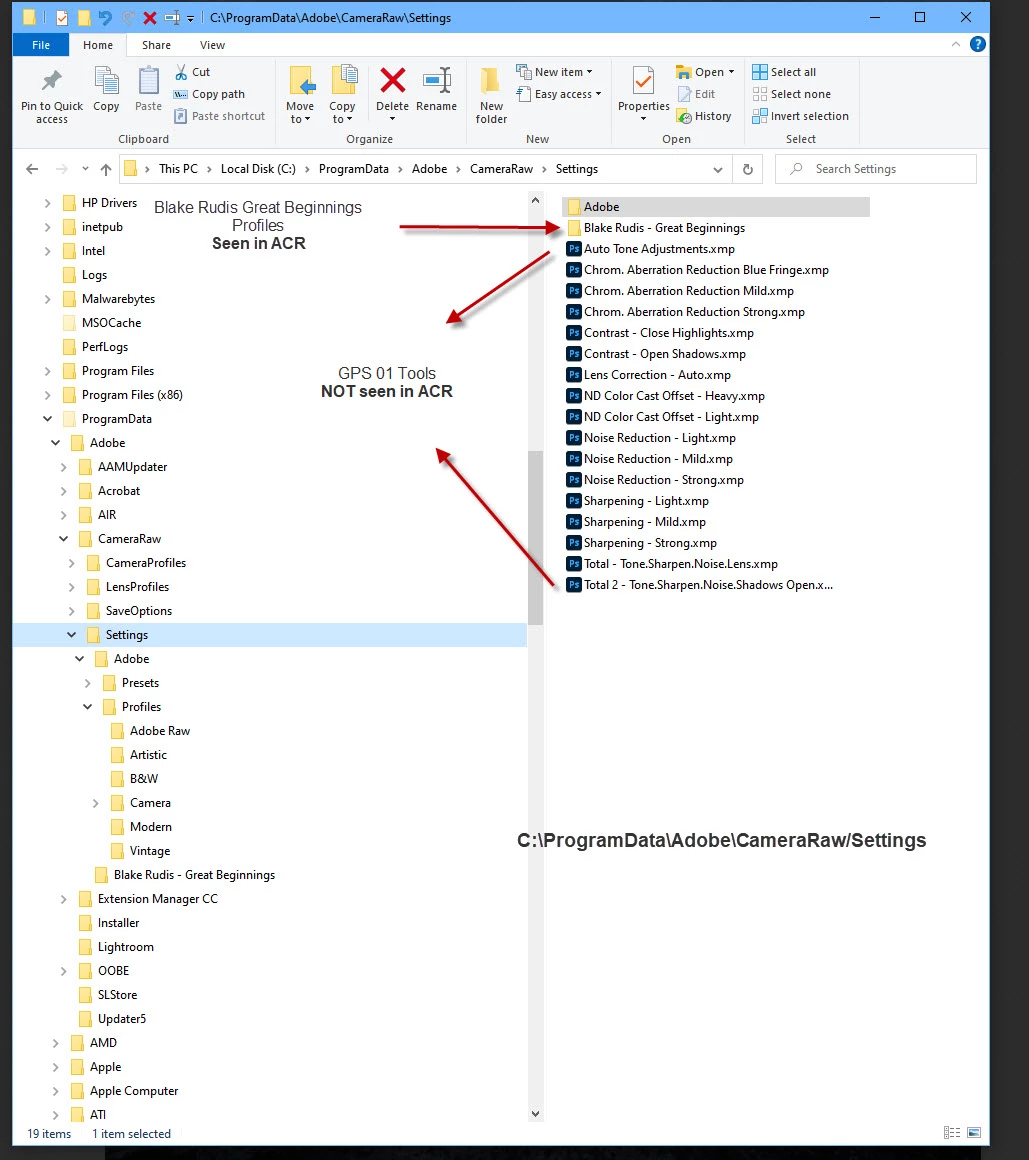
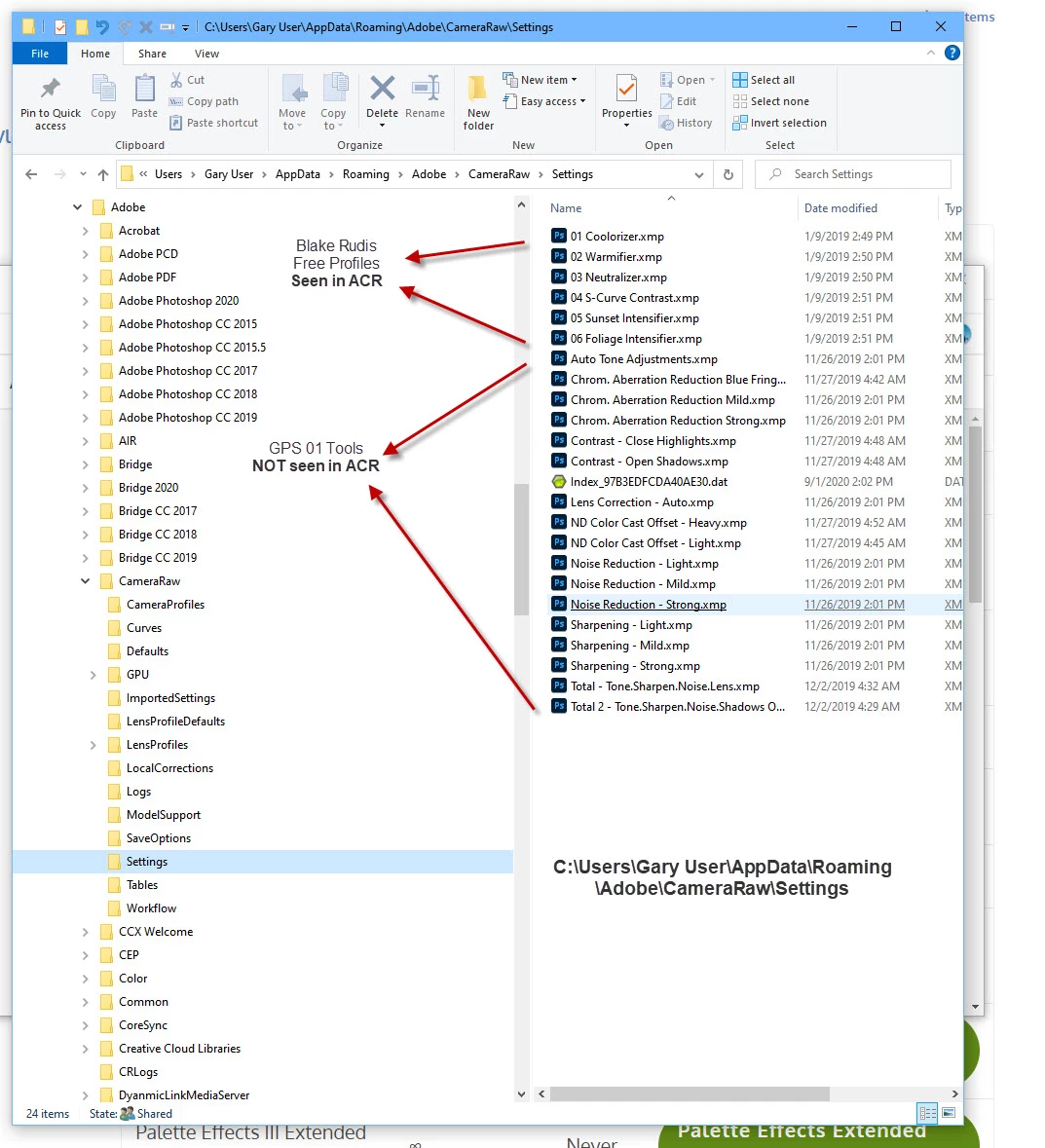
Hello-I work exclusively in ACR and Photoshop. I have purchased Profiles and Presets (and also made up some of my own. Recently I noticed that some of the Profiles were not present in my Profiles Tab in ACR. I've tried to reinstall them and I get an error message steing 'already installed'. Questions- Why do I have 2 different adresses where these are located (both viewable and not viewable)? What is the correst address? I've tried clicking on the zips, extracting them and dragging and dropping the xmp's into the different folders. Just about everything! I've looked at the preferences in both ACR and PS CC to see if I could find the address or select an address to look at. No luck. I am not a computer guru but do know my way around a bit. I'm enclosing 2 screen shots that show the 2 different addresses and what is viewable and not viewable in ACR. I've thought that maybe I just need to uninstall PSCC and start over. This all started after the last update.Thanks in advance for any help.
 AdChoices