

Known Participant
December 12, 2011
질문

How do I hide or show player bar on certain slides only (not the entire Project)

  • December 12, 2011
  • 2 답변들
  • 1608 조회

Hello,

Is it possible show or hide the player bar on certain slides only rather than the entire project?

    이 주제는 답변이 닫혔습니다.

    2 답변

    Known Participant
    December 20, 2011

    As RodWard noted, captivate in captivate will cause you no end of pain and suffering (well, irritation).

    As Rick pointed out, you CAN communicate from a Flash created .swf to Captivate. You need to use actionscrip 3 (AS3).

    Disclaimer: I am NOT an actionscripter...I only learn what I need to get my task at hand done and this resolved my problems.

    Again you need to be in FLASH, not captivate.

    stop();

    function openMenu2(event:MouseEvent):void {

        MovieClip(root).rdcmndNextSlide = 1;

    }

    btn_selection.addEventListener(MouseEvent.CLICK,openMenu2);

    MovieClip(root) communicates from your FLASH created swf with the Cpt .swf.

    rdcmndNextSlide = 1 is the action to go to the next slide.

    Caution: Using Movie clips inside your FLASH swf adds a layer of complexity that I've not been able to comprehend, so your button and AS needs be on the main timeline of the FLASH created swf.

    Cheers,

    Michael

    RodWard
    Community Expert
    Community Expert
    December 13, 2011

    You can set up Advanced Actions that either SHOW or HIDE the playbar by manipulating the system variable as shown below:

    You can trigger these actions On Slide Enter as needed to hide or show the playbar on particular slides.

    stebrown작성자
    Known Participant
    December 20, 2011

    Hi Rod,

    I tried what you showed me and it did hide the player bar on a slide. I am have another issue now:

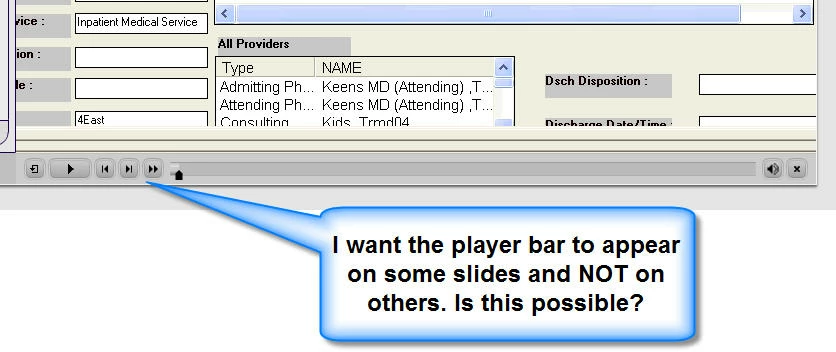
    I hid the player bar on a slide. Then I embedded an SWF file on the slide. The swf slide has button that is set to go to the next slide when the use clicks on it however it is not going to the next slide. Is it because I embedded the swf on a slide? The reason why I embedded the swf is because I want the user to be able to scrub 1 slide only (not the entire course). However I also want the user to be able to click a button to go to the next slide? See screen shot of embeded swf with a button below

    RodWard
    Community Expert
    Community Expert
    December 20, 2011

    Is this embedded SWF another Captivate SWF?