




Feature Focus: Speech-Aware Animation
Using the power of Adobe Sensei you can create automatic animation from speech. Character Animator will generate head and eyebrow movements corresponding to a recorded voice.
Note: On macOS, 10.15 or later is required.
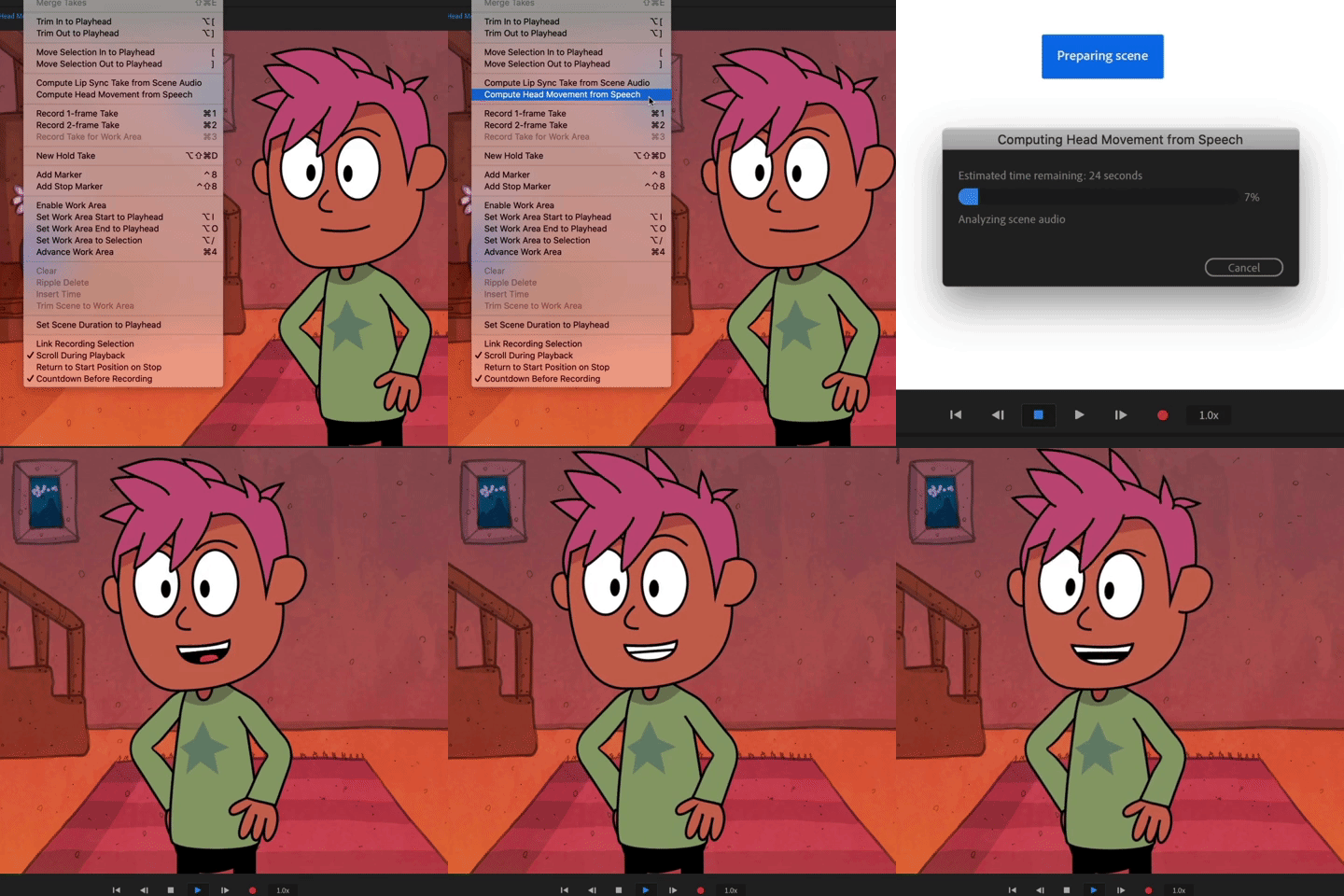
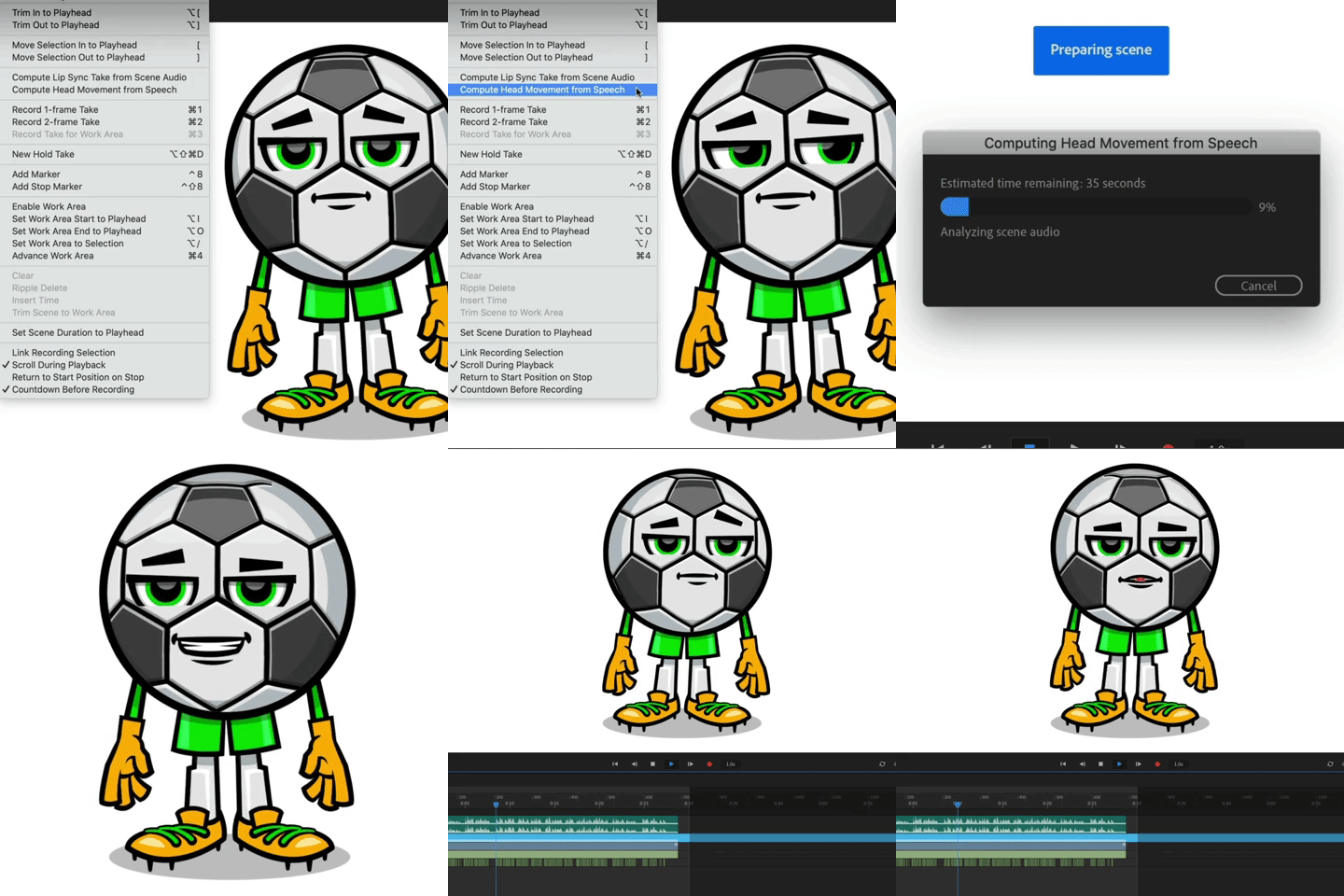
Try out Speech-Aware Animation by importing an audio file and adding it to a scene with your puppet, then choosing Timeline > Compute Head Movement from Speech. A Camera Input take for the puppet's Face and/or Head Turner behavior (whichever ones are currently being used on the puppet) will be created with the automatically generated head movement.
Exaggerate or minimize the computed head movement by adjusting the following parameters in the Properties panel:
Face behavior:
- Head Position Strength
- Head Scale Strength
- Head Tilt Strength
- Eyebrow Strength
- Parallax Strength
Head Turner behavior:
- Sensitivity
The computed head movement can still be blended with manual Face and Head Turner recordings for more refinement.
Note: The Compute Head Movement from Speech does not change mouth shapes, so you'll want to also use the Timeline > Compute Lip Sync Take from Scene Audio menu command to generate lip sync for your puppet.
(Use this Beta forum thread to discuss this feature and share your feedback with the Character Animator team and other Beta users. If you encounter a bug while using this feature, let us know by posting a reply here or choosing "Report a bug" from the "Provide feedback" icon in the top-right corner of the app.)
 AdChoices