
Known Participant
October 27, 2019
Question

Basic Layer Questions

  • October 27, 2019
  • 2 replies
  • 578 views

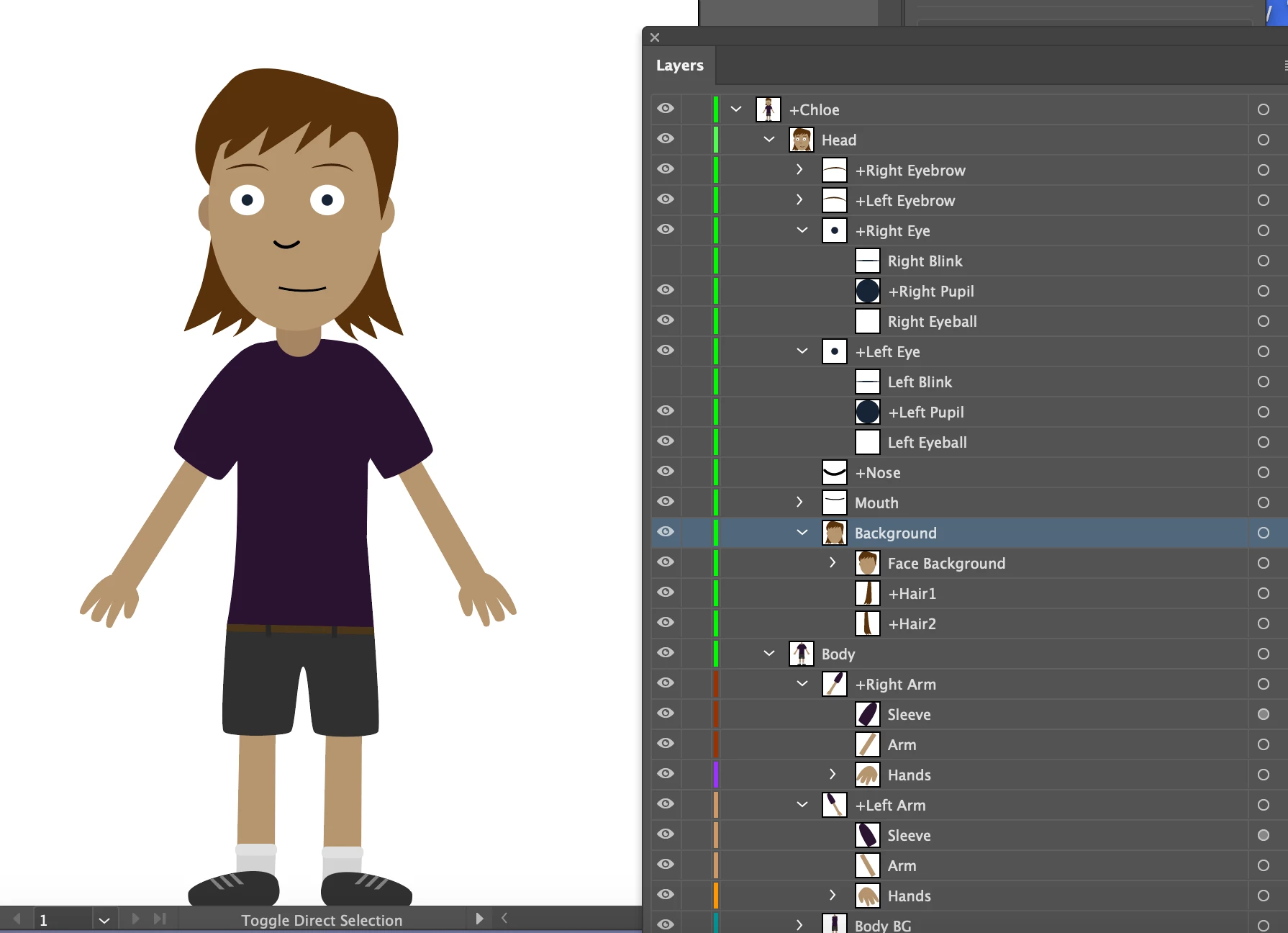
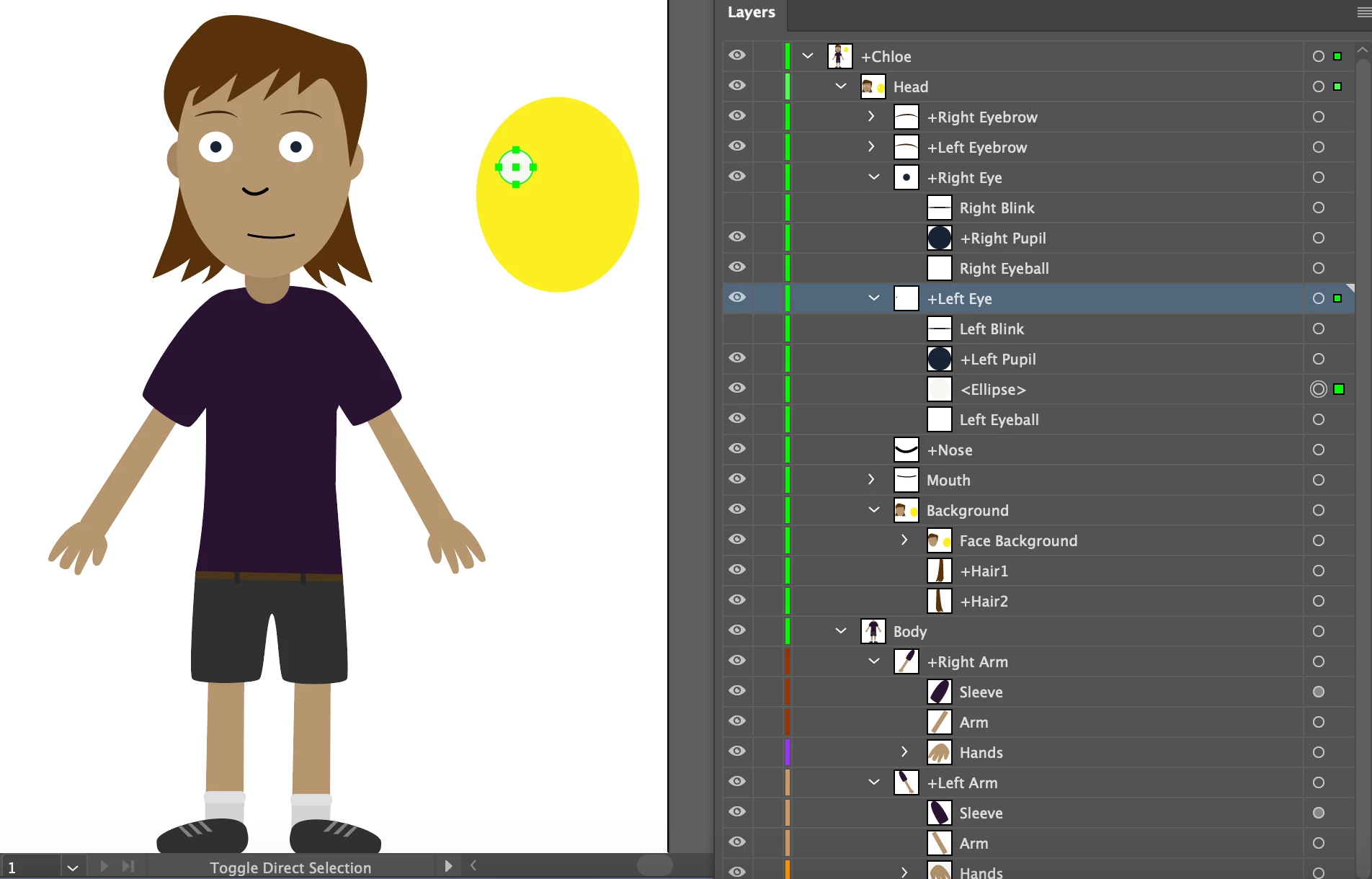
I'm using a Template for Character Animator that I downloaded from Adobe, and I'm trying to simply create my own artwork for each layer and sublayer of the template. I started by creating a simple eliptical shape and I was able to click on the square and drag it to the face background layer, though when I try to create simple shapes for the eyeballs, I am not able to drag them to the right layer. It creates a new <elipse> sublayer, take a look at +Left Eye layer on the second screenshot. How would I replace the Left Eyeball artwork with my own? Thanks!


    This topic has been closed for replies.

    2 replies

    alank99101739
    Legend
    October 27, 2019

    In the artwork file there are two types of layers: groups (think like folders in the file system) and artwork (think like files). You cannot drag something into artwork, only into groups. (you cannot drag things into a file, only into folders.) So either you need to create a new group to put your artwork in, or rename the old layer so you can give that name to your layer.


    Kshinabery's advice I think is good. If you import a puppet it makes a complete copy so you can edit without messing up the original. So just edit the artwork and replace with your own - don't try to keep both sets at the same time. Stray layers can create all sorts of problems.


    There is a layer mode where you can go into a protection mode where you can only edit that layer. I find that useful to not mess anything else up. So i would just edit the current artwork, not introduce new artwork in parallel. I think it will be easier.

    KShinabery212
    Community Expert
    Community Expert
    October 27, 2019

    I use Character Animator.  What I would consider doing is using the template as idea.  Then create a new Illustator document and copy the layer format.  


    This is one of the simpler templates.  So it should be farily easy to do.  Or that is how I learned how to use it.

    Here are some of my projects.

    https://kennshinabery.myportfolio.com/sample-design-animation-idle-miner

    https://kennshinabery.myportfolio.com/adobe-tech-wednesday-lecture-adobe-character-animator

    https://kennshinabery.myportfolio.com/factory-campus-social-media-content


    Also David Werner from Adobe has YouTube channel called Okay Samurai.  He has so many tutorials and shares a lot of tips!

    https://www.youtube.com/user/okaysamurai


    Let's connect on LinkedIn. https://www.linkedin.com/in/kshinabery/