

Character Animator Not Update My Project File
I am working in Character Animator CC 2019 on a Windows 10 platform (version 1809). I been creating characters in Character Animator and then importing the scenes into After Effects CC 2019 so I can add some text animation and other visual effects to the scene. Everything has been working great until today.
All of sudden Character Animator does seem to update my project file, when I make changes to a character or record something new in a scene. As a result, the scene does not update in After Effects.
If I close Character Animator and open it back up again, all my changes are there, but the time date on my project file hasn't changed. Here is a shot of my Windows Explorer. My project file shows a date modified time of 10:59 AM. I've been working in this file all afternoon and it is now 3:23 PM.
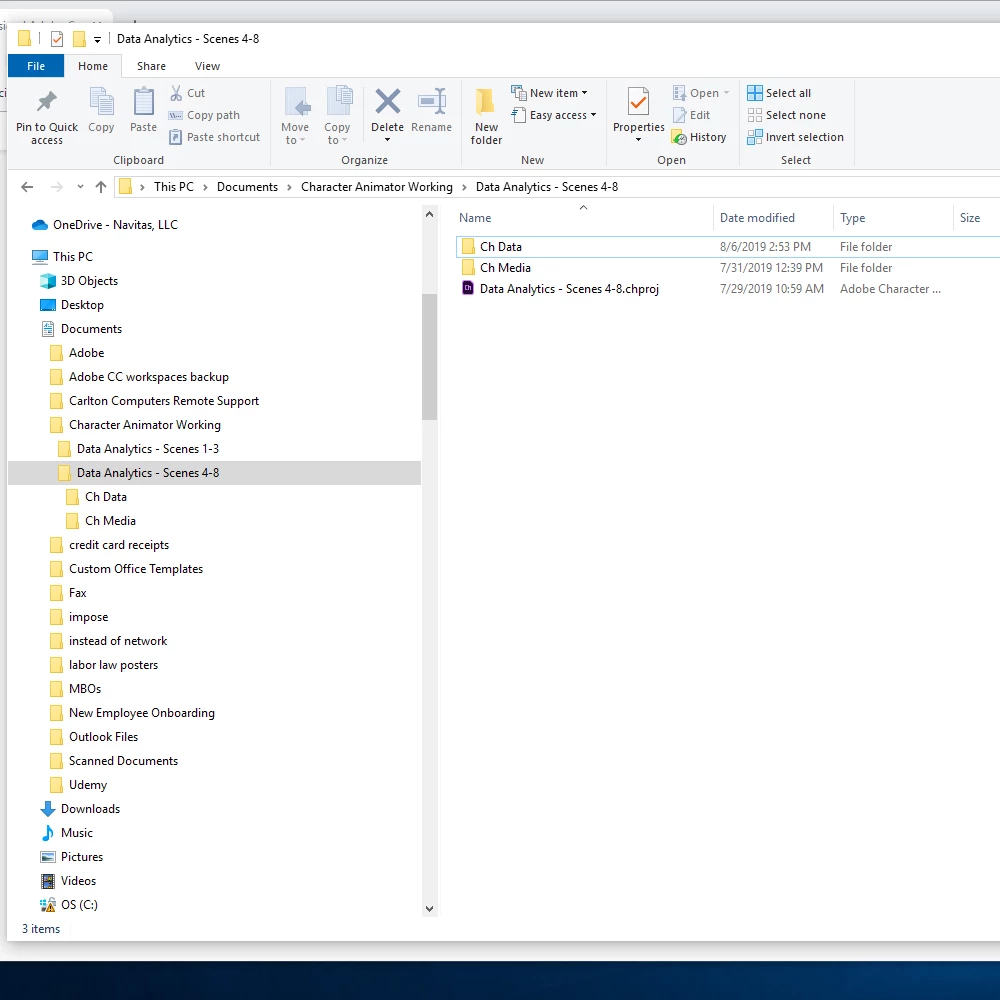
Like I said, everything was fine until today. I've been using this same file for several weeks now. Is there a way to force Character Animator to save a file? I don't want to do a Save As, because then I lose all my history and my bookmarks.
Any help would be appreciated. Thanks.
 AdChoices