
Ric5
Inspiring
August 10, 2019
Question

Chopping up a sock puppet (photo) for CH?

  • August 10, 2019
  • 2 replies
  • 761 views

I'm looking for a good strategy for chopping up some images of a sock puppet (see photo) pulled from a video to use as a CH puppet. (I also have the option to reshoot, if I need to. The character is already the centerpiece of a cybersecurity program at our school and I don't really have the option (or time or talent) to try to retool it as a drawing.

Like most Muppet-style sock puppets, talking involves the head tilting up rather than the jaw dropping down. In this case, the head tilt will obscure the bottom of the eyes as the mouth opens. Of course, the eyes also move up and down with the head. Will CH understand if I want to use the entire top two-thirds of the head as the mouth action?  I'm planning on using the Photoshop template and these are frame-grabbed from 4K green-screen footage in Premiere Pro. (Ultra Key rocks!)
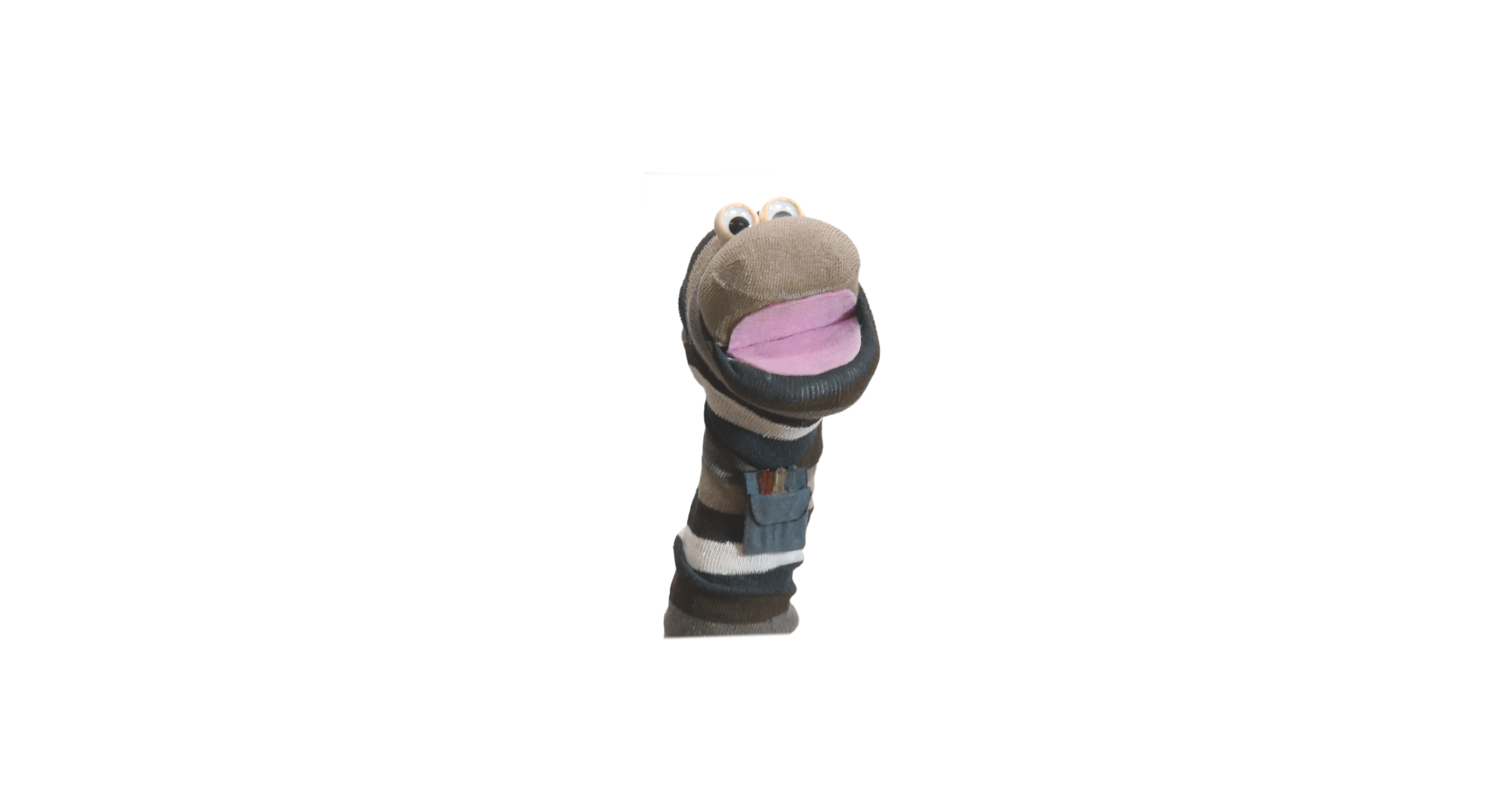
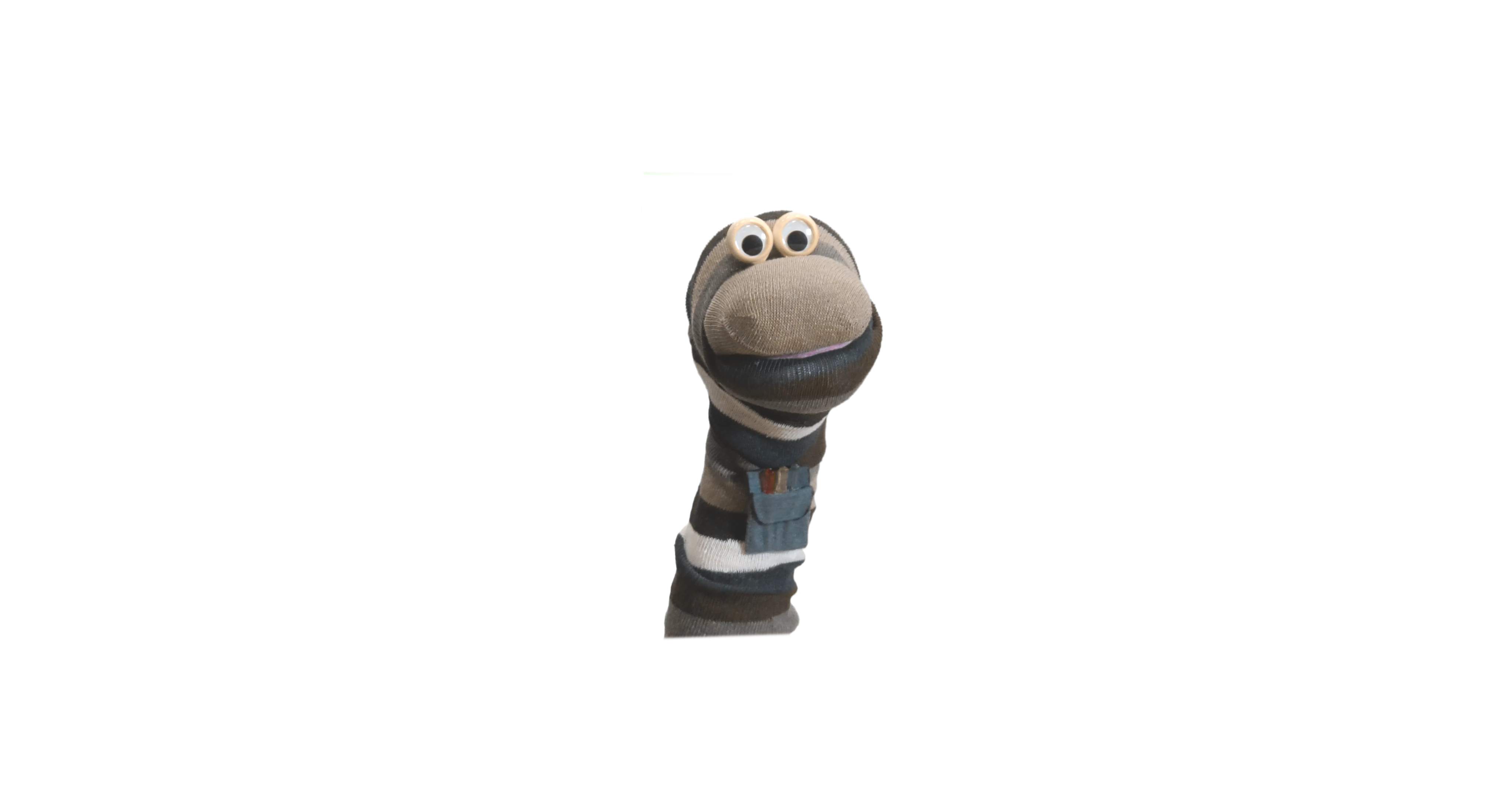
(There are a bunch of intermediary position not shown) And yes, if you look close that is a pocket protector.

Thanks,

Ric

This topic has been closed for replies.

2 replies

alank99101739
Legend
August 15, 2019

Cool! You could replace the top half of the mouth image  as well (just move it up a touch), but you dont really need to I think. Looks pretty good!

alank99101739
Legend
August 10, 2019

There is a question of how much effort you are willing to go to. If you want to keep the effort lower, what i suggest doing is create a head with the eyes in it and do not move the head or eyes when talking (don’t tilt back). Only change the mouth in front of the head.

You can achieve it, but its tricky - not my suggested first project!! Keeping the eyes static will make life much easier.

I would take the artwork with mouth closed as the head. I would then take different mouth positions and chop out just the mouth to overlap on top of the default mouth. CH does not care how big they are. You will just put that mouth cutout over the top of the default head image. You can do intermediate layers using cycle layers, but I would start without that if new to CH. Just create single frames for all the mouth positions, capture so when displayed over the top of the puppet it obscures the default had position.

The you will be doing a standard sort of puppet, just with enormous mouth images (which is fine).

If you want the eyes to move during talking, life becomes harder. you need to turn the head into an upside down nutcracker so the top part goes up behavior and attachthe eyes to the bit that moves. But i would avoid this as unnecessary complexity.

Ric5
Ric5Author
Inspiring
August 14, 2019

Alan,

This is just an early version, but it looks like all the pieces are working. I haven't gotten too much into playing with CH settings, but I did get a prerecorded audio track to sync up. This will serve as a proof of concept for us. I am seriously impressed with the software and the design.

Thanks for your help. It gave me the start that I needed.

Ric