

alank99101739
Legend
April 5, 2018
Answered

Dangles, hair bounce, gravity, v1.5 (bouncing much more than before)

  • April 5, 2018
  • 1 reply
  • 1963 views

Trying out 1.5 it feels like like hair dangles bounce more. Here is exactly the same scene before 1.5 (I had a saved video file) and after. Note: changing the Dangle/Strength value seemed to have no effect. The hair at the front is 3 sections with 2 dangles each.

Is this expected? Is there any way to control the amount of bounce?
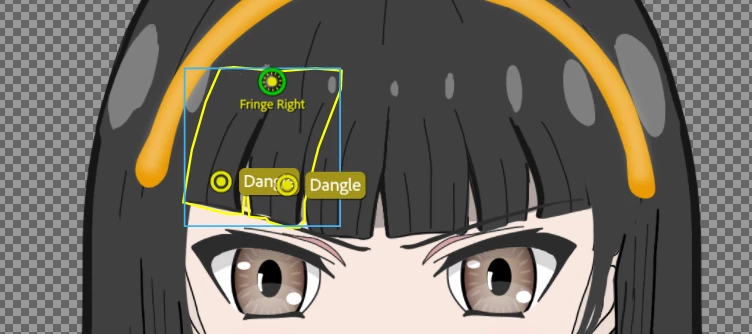
The old effect of walking. If you look closely, you can see some movement in the fringe (but not much). This is was generated in the previous release.

The new walking impact shows a lot more bounce. Increasing gravity drags hair down more at front (as you would expect) but no impact on amount of bounce. Changing the Dangle/Strength from 1 to 200 has no effect I can notice as to the degree of bounce. This is v1.5.

This topic has been closed for replies.
Correct answer Jeff Almasol

I did some more experiments - the Strength for dangle *is* making an effect, but at 200% stiffness it is still a lot more bouncy than in 1.4. So it is not a question of not working, it is a question of degree of stiffness compared to previous version (and the inability to make it very stiff)


Thanks. I'm able to see the issue here as well. The bug has been logged.

1 reply

Jeff Almasol
Adobe Employee
Adobe Employee
April 6, 2018

In the Physics behavior, try decreasing the Gravity Strength to see if that helps. If not, can you export a .puppet file (File > Export > Puppet) and post a shared link (via Dropbox, Google Drive, etc.) to the file for us to diagnose? Thanks.

alank99101739
Legend
April 6, 2018

Changing the gravity to 1 did not affect the amount of bounce. Changing the gravity to 100 made the hair hang down further at the front, so you could see it had an effect, but it was hard to work out if the amount of bounce was changing. So gravity was doing something, but did not change bounce amount.

Titusx
Participant
May 30, 2018

Thanks. I'm able to see the issue here as well. The bug has been logged.


Hi,

I have found that the behavior of the dangle has a lot to do with the scale of the character, if you set the scale of the character to 200% the dangle will act with double the force, the same if you scale to 50% will reduce the force.