

Handle Tags not showing up in properties (WALK)
I've been working and learning CA now since December, and I'm loving it. I created a regular full on puppet and it works great.
I just now started to play with the Walk Cycles, and I created a new side-view puppet for this purpose. I followed the video tutorial and my puppet would not walk. I got two of the heads (it has five heads) to bob up and down, disconnected from the body (*note below that those two heads' tags do show up in the WALK handles properties, and FYI I added fixed points on the head and did exactly as I did on my first original puppet, and only 2 of the 5 heads bounce while walk cycle is in effect).
I realized that the tags I was creating for the body, the limbs and heads were not showing up in the WALK handle properties. I have tagged them correctly, I've removed the tags and re-added them, yet they don't show up. I've tried closing the app and reloading, nothing.
I downloaded WALKBOT, and I removed tags and re-added them successfully. It's just not working on my puppet.
I have rigged all the points just as the video tutorial shows (head, heels, toes, ankles, knees, wrists, etc.), but they don't show up in the WALK handles properties...
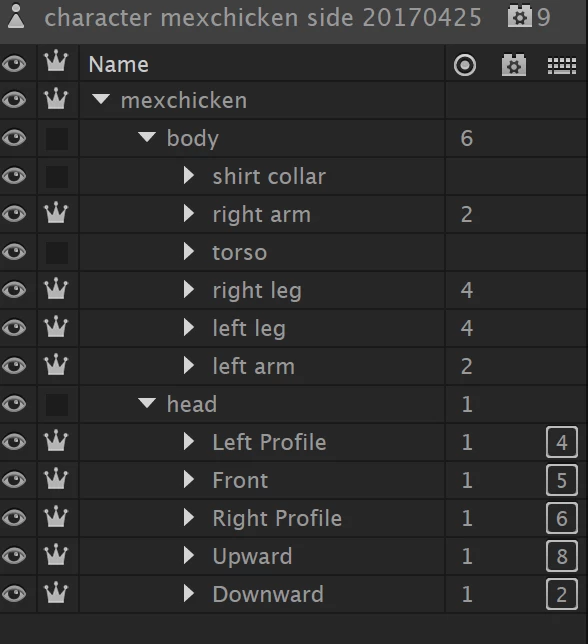
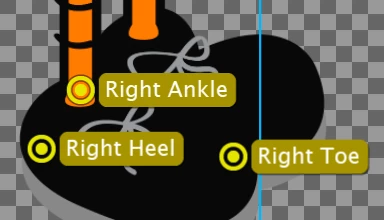
Here are screen captures of the Right Heel so you can see what I mean:
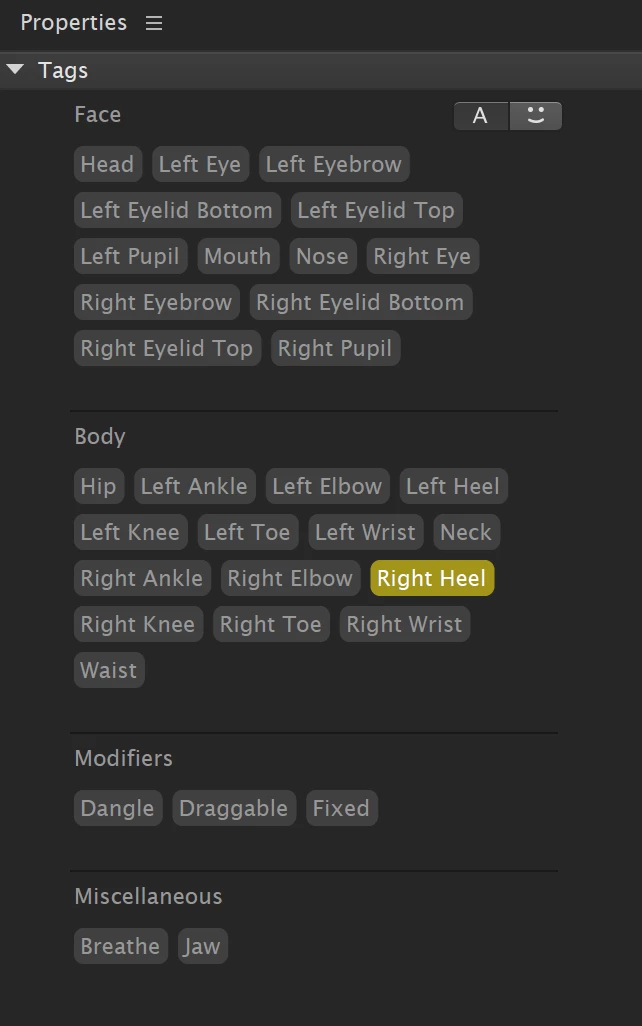
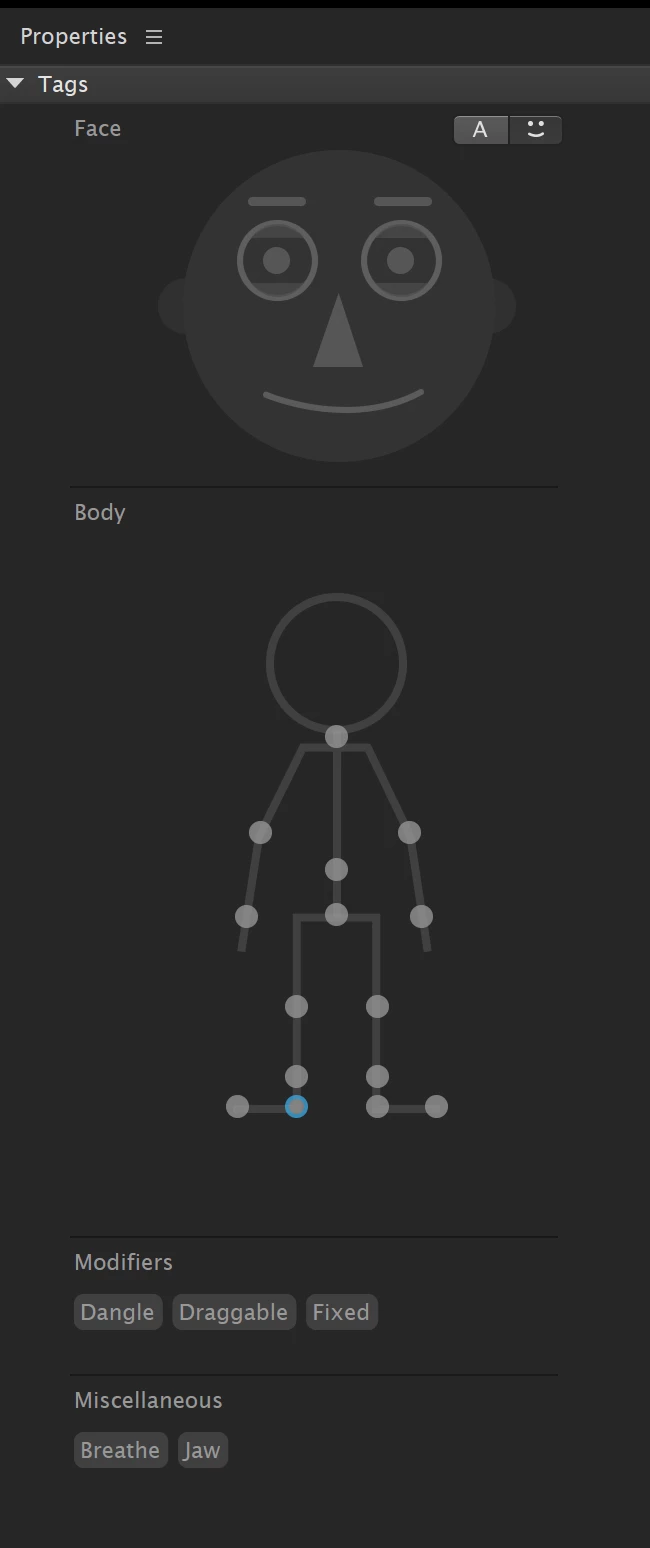
And here are the handles properties/tags for the WALK cycle behavior (notice that two heads are listed in the tags, the left and right profile, and those two do bounce up and down in the walk cycle, but detached from the main body). All the other tags that I created don't show up:
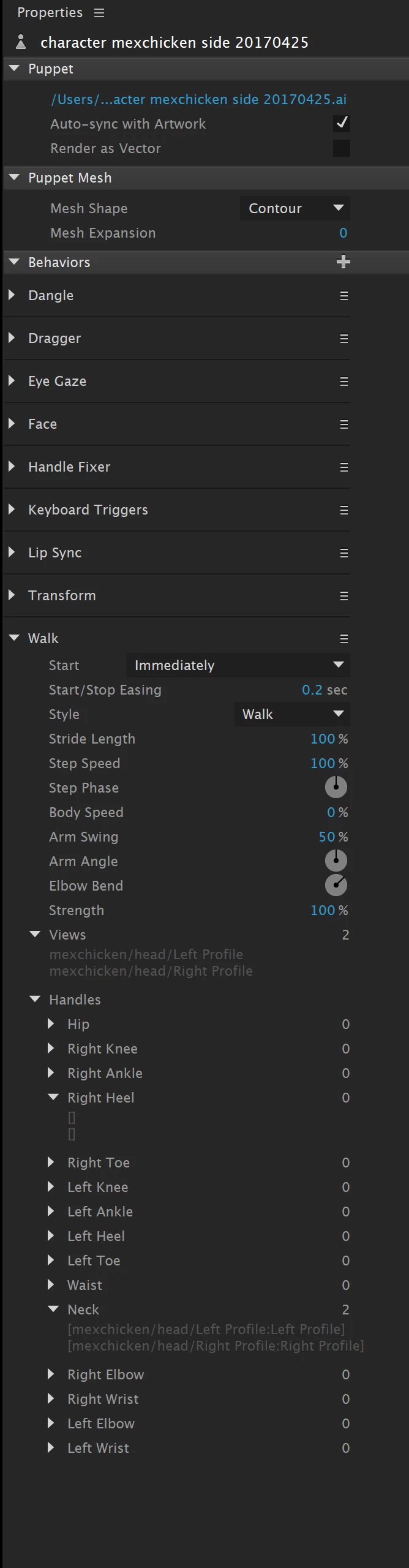
The only thing that I added/did differently from the video tutorial is I used a contour mesh (rather than auto) for the puppet (same as I did in the first original working puppet).
Any idea why this can be happening? Why the tags aren't applying in the Walk Cycle?
 AdChoices