SharonfromMD
Inspiring
July 17, 2018
Answered

How do you create a push or shove between characters?

  • July 17, 2018
  • 1 reply
  • 447 views

I create children's songs. I want a character to push another character. However, when I put the arms up in profile view, they are distorting. I know this is a current issue with CA. Any ideas on how else to do it?  It goes extremely quickly in the music.

    This topic has been closed for replies.
    Correct answer alank99101739

    Hi Sharon, is this an example of similar artwork? I noticed you mentioned distortion on the other thread For the smaller puppet on the left right.
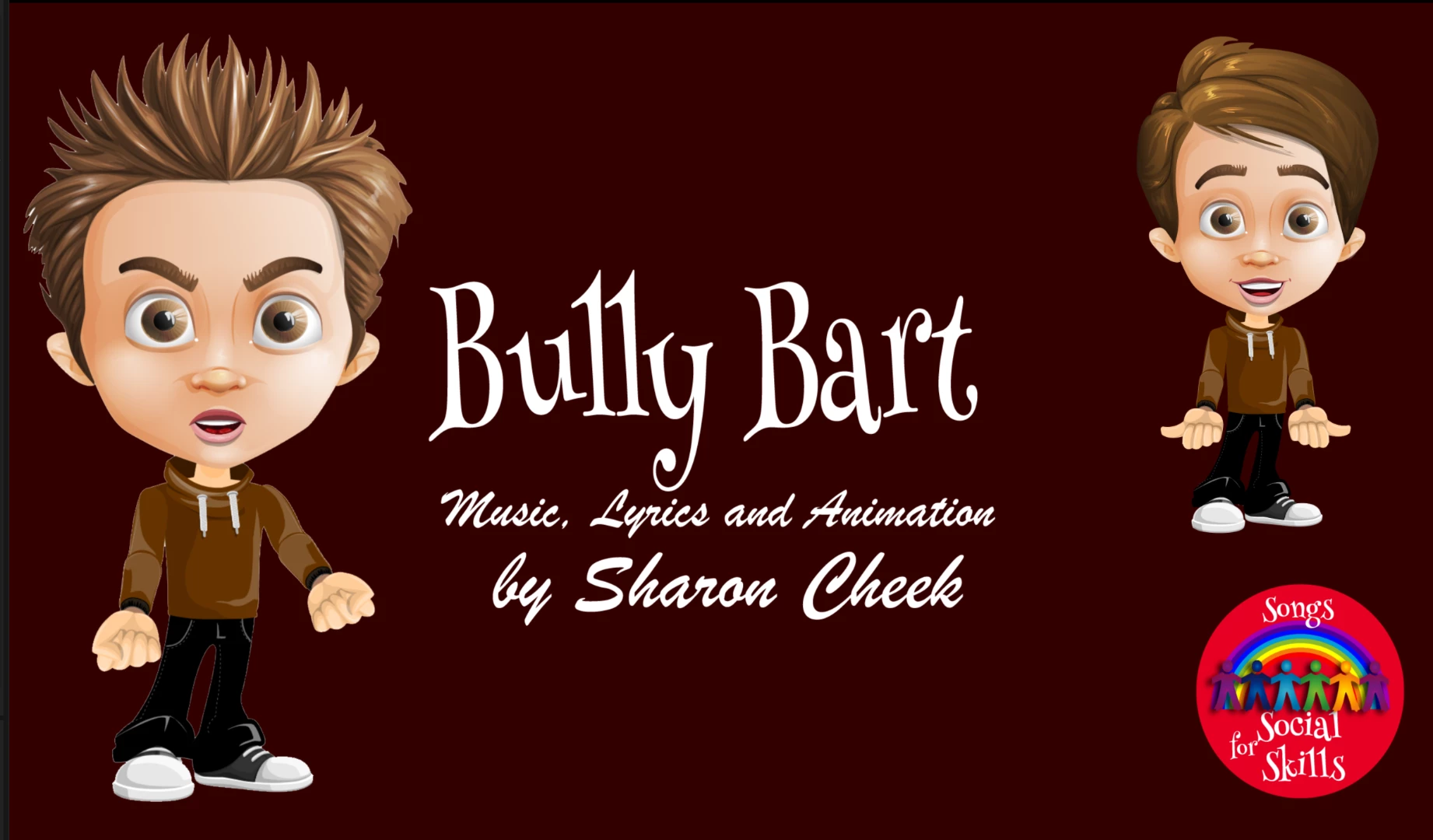
    If the character has been drawn with the arms fairly straight to the side of the body and the arms are dependent (not independent), then the more the arm touches the body, the more distortion you get. E.g. the top right character, the arm on the right of the picture, the arm touches the body half way down. If not independent, this causes all sorts of problems as the arm is attached to the body. This is why Adobe recommends an “A” position (default arms sticking out sideways).  3D modeling packages recommend “T” (arms straight out sideways).

    If you are using independent layers already, could you show the body parts? Sometimes how the arm is attached makes a difference. E.g. put a ”ball” at the arm joint and put the arm over that. Then there are “hinge” and “weld” attachment modes at the joint for independent layers you might like to experiment with as well. I get reasonably good results having a circle at the end of the arm (that overlaps with the body shoulder) with hinge. It could rotate up pretty well.

    1 reply

    alank99101739
    Legend
    July 18, 2018

    Could you share a screenshot? The distortion issue is only at the start of a scene. Does it correct itself a few seconds in? If not, it may be an independence issue with how the puppet is assembled.

    alank99101739
    alank99101739Correct answer
    Legend
    July 18, 2018

    Hi Sharon, is this an example of similar artwork? I noticed you mentioned distortion on the other thread For the smaller puppet on the left right.

    If the character has been drawn with the arms fairly straight to the side of the body and the arms are dependent (not independent), then the more the arm touches the body, the more distortion you get. E.g. the top right character, the arm on the right of the picture, the arm touches the body half way down. If not independent, this causes all sorts of problems as the arm is attached to the body. This is why Adobe recommends an “A” position (default arms sticking out sideways).  3D modeling packages recommend “T” (arms straight out sideways).

    If you are using independent layers already, could you show the body parts? Sometimes how the arm is attached makes a difference. E.g. put a ”ball” at the arm joint and put the arm over that. Then there are “hinge” and “weld” attachment modes at the joint for independent layers you might like to experiment with as well. I get reasonably good results having a circle at the end of the arm (that overlaps with the body shoulder) with hinge. It could rotate up pretty well.