RajneshD
Inspiring
March 6, 2023
Answered

How to Rig and Animate a Flying Bird?

  • March 6, 2023
  • 1 reply
  • 1336 views

Greetings all,

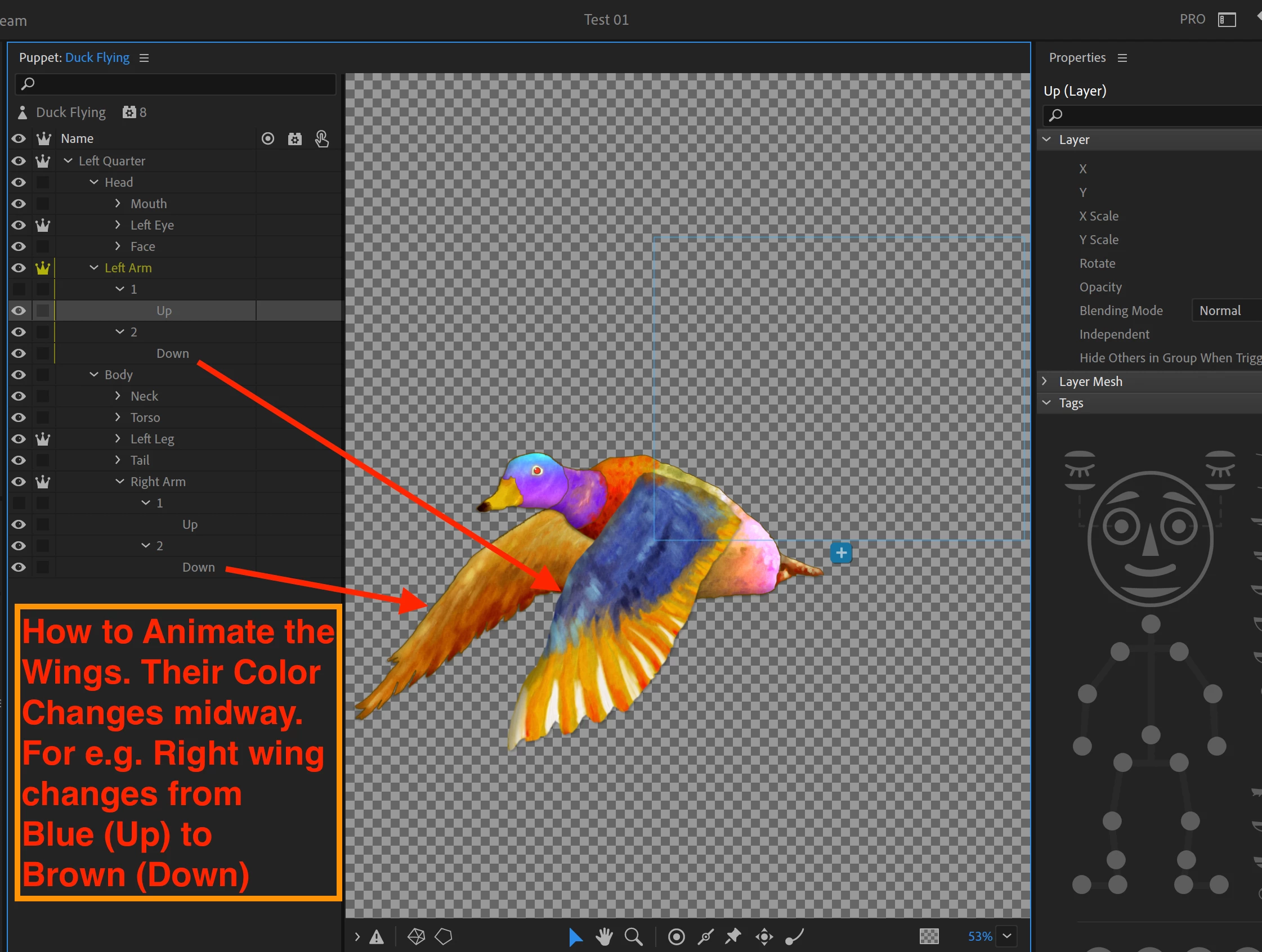
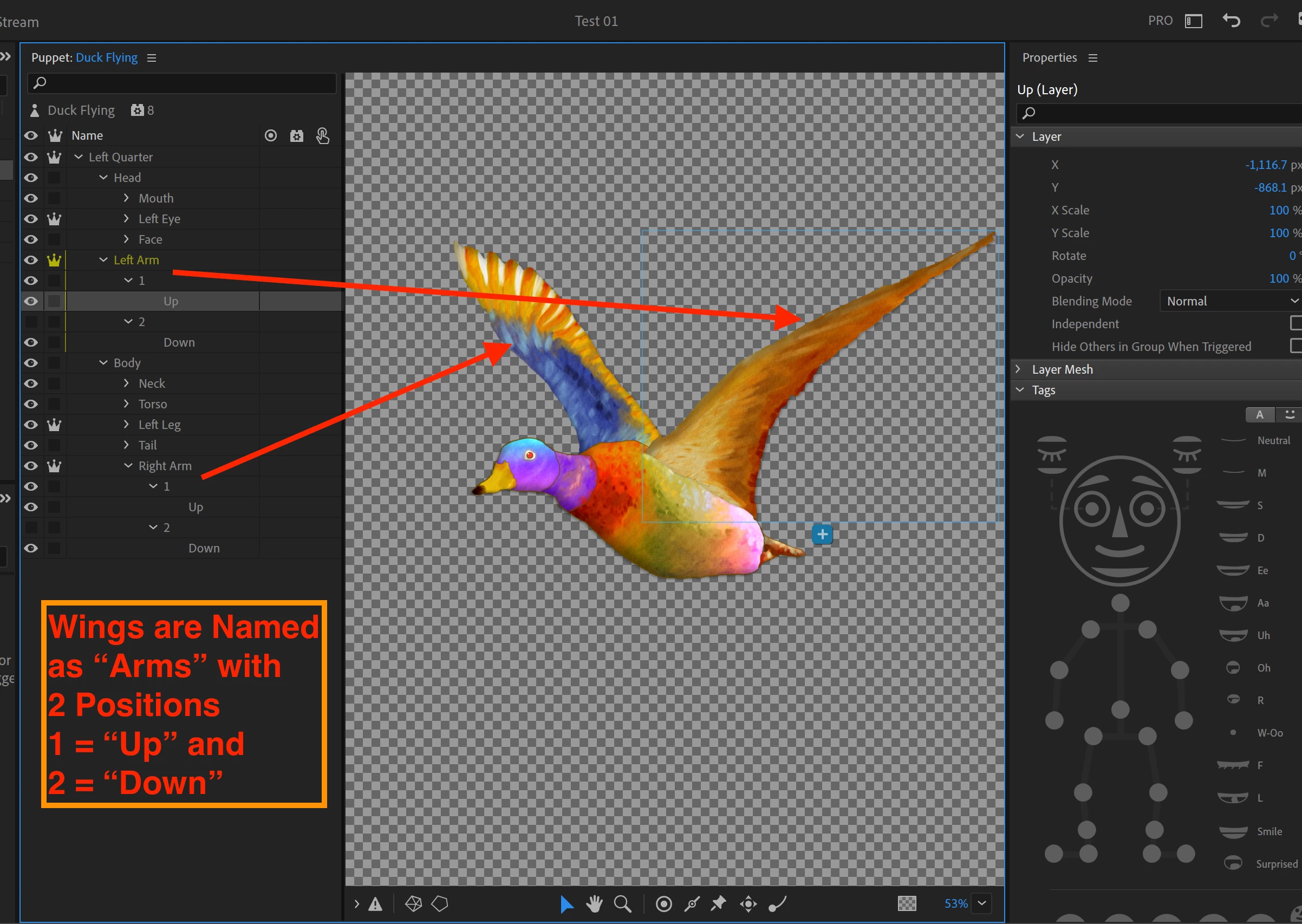
     I'm just getting my feet wet with CA. I created a Flying Duck with two Wing Positions (Up and Down) and imported it as a Puppet into CA. Each wing undergoes a Color Change because we see either the Top or Bottom side of a wing as it transitions. Please see the Screenshots below.

     I have two Questions:

  1.  What is the best way to Rig it, for Flying? I tagged the Wings as Arms.
  2.  How to Animate it?

     Thanks in advance.

Regards,

Rajnesh
  

This topic has been closed for replies.
Correct answer Daniel McKittrick Ramirez

We have a behavior called Cycle Layers that will automatically cycle through a folder of artwork. In your case, you have two appropriate arm folders. Put it on both arm layers. By default it will animate when triggered and every 1 frame. Every 1 frame is going to be far too fast, you'll need to adjust that to the number that works best for your scene. 

Change Cycle to "Continuously" so it will loop between the two wing positions. Then, if you want the duck always flying, set Start to "Immediately", otherwise you can assign both arms to the same trigger, but you may need to draw a rest state since neither position seem appropriate for a rest state. 

1 reply

Adobe Employee
March 6, 2023

We have a behavior called Cycle Layers that will automatically cycle through a folder of artwork. In your case, you have two appropriate arm folders. Put it on both arm layers. By default it will animate when triggered and every 1 frame. Every 1 frame is going to be far too fast, you'll need to adjust that to the number that works best for your scene. 

Change Cycle to "Continuously" so it will loop between the two wing positions. Then, if you want the duck always flying, set Start to "Immediately", otherwise you can assign both arms to the same trigger, but you may need to draw a rest state since neither position seem appropriate for a rest state. 

RajneshD
RajneshDAuthor
Inspiring
March 7, 2023

Thank You, Dan.
I've implemented it and created 4 States for each wing with a Slight Motion Blur. The images shown below indicate the States/ Layers for the Left Wing. I've also attached a Movie of the Duck in Flight with an "Advance Every" setting in the Cycle Behavior set to 8.


I have one additional Question though:

The Duck's body appears static - there's no movement that you would expect from Gravity.

The body should be slightly Concave (facing down) when the Wings are moving "Up" because they're not Counteracting Gravity, and Convex (facing up) when the Wings are moving "Down".

Is there an easy way to implement this?

Thanks much.

Rajnesh