This topic has been closed for replies.
Correct answer alank99101739

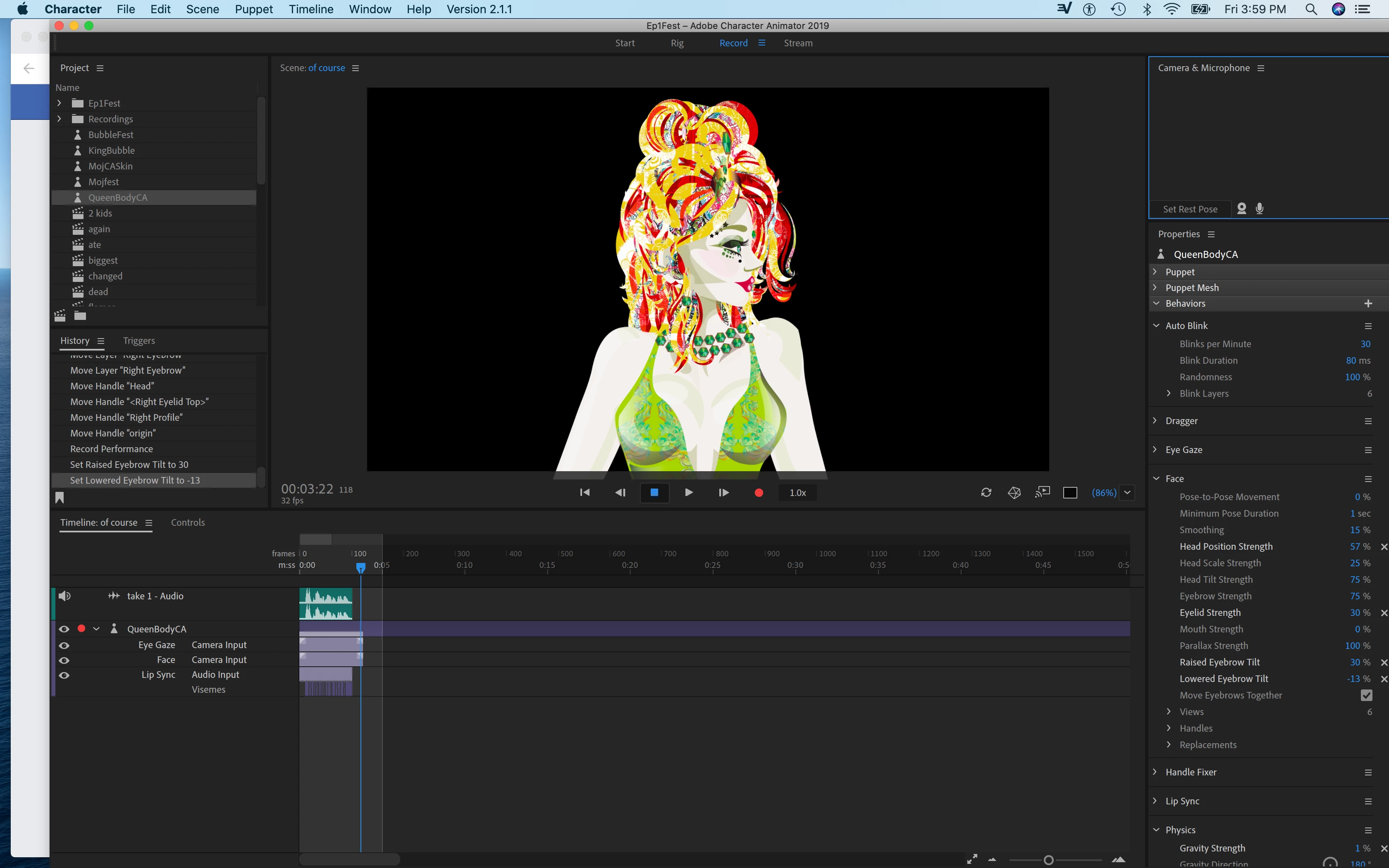
Thank you for letting me know that. Does it move when you adjust the eyebrow tilt buttons?


Yes, using the slider moves the eyebrows. Mine is -900 to 900 which makes them spin around in circles, but certainly working. You might want to try ALT-refresh (two arrorws in circle) button at bottom of scene window to flush some internal caches.

1 reply

alank99101739
Legend
November 2, 2019

There are a few things about the puppet.

  • The earring origin is not set correctly - it is out in space. I dragged that to the top of the earring.
  • The Right Blink layer is not in the eye layer - that seemed surprising, but not sure if this was on purpose.
  • The hierarchy of the puppet shows Right Eye has a child Right Pupil (good), but Right Pupil also has a child Right Eyeball. This is unusual - they are normally siblings.
  • Your head is not independent (which is fine) so I cranked "Head Position Strength" up to 200% and the head semed to move around a lot more freely.
  • You might want to go through all the Hair segments - I found dangles off the puppet which can cause problems. The dangles need to be over the top of the artwork.
  • Some of the hair layers are not overlapping. This makes CH give up working out a proper contour. Some of your hair layers for example have strands of hair off else where. Make sure there are no strays like this. This causes rectangles on the mesh icon, which results in less natural movement.s
     
  • Once you have had a go at cleaning up, if its still not good feel free to come back and ask more questions. But fixing these sorts of issues would be step #1 for me.
alank99101739
Legend
November 2, 2019

alank99101739
Legend
November 2, 2019

Everything is fine except the eyebrow won't move. I need to be able to make the eyebrow move. I'm guessing the occaisional dangles and origin points flying around is just a bug. The hair works fine, the earring works fine, and the head works fine I just need the eyebrow 😉 I'm interested to know if this one opens up to wildly placed dangles and anchor points as well....https://drive.google.com/file/d/1dTj49-bVkOEKdUXEGJOQLGrtB9qllrNa/view?usp=sharing Thank you ❤️


strange, the eyebrow was moving fine for me straight out of the box with the webcam on... i raise my eyebrow, putte raises its eyebrow. I will try to check again, maybe looking at different profile. I would check the eyebrow has the right tags on in in the properties panel.