

1368aa
Inspiring
September 18, 2019
Pregunta

Mass Puppets in a Scene

  • September 18, 2019
  • 3 respuestas
  • 1268 visualizaciones

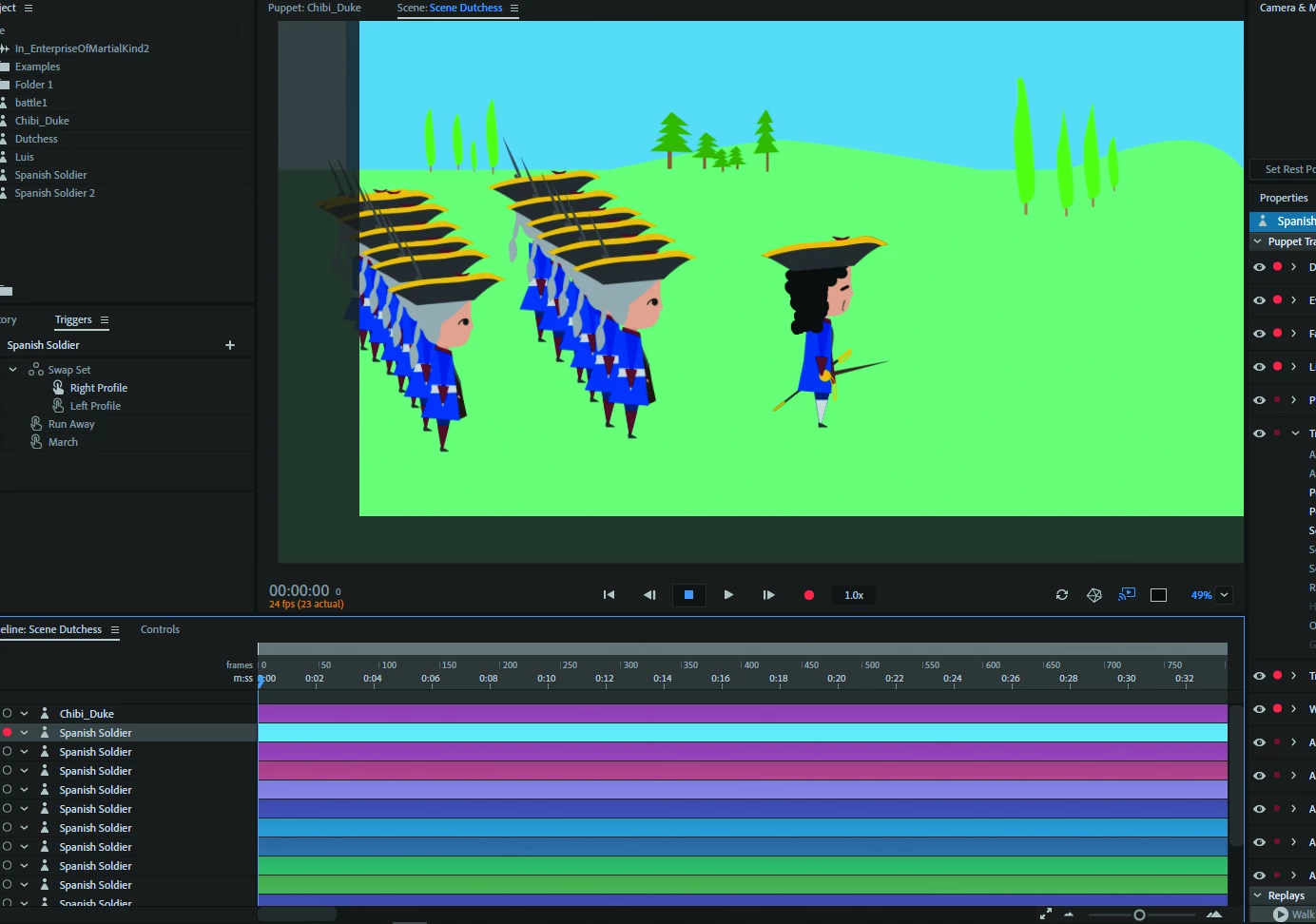
For this scene I am putting in multiple ranks of marching soldiers, and I can't help but wonder, "Is there a better way to do this within the Adobe programs?" Right now I am dragging this puppet dozens of times into the timeline. By selecting them all (one by one), I can get them to all march at once with the arrow key. It is time consuming and I wonder how much longer until I run into performance issues.
 

    Este tema ha sido cerrado para respuestas.

    3 respuestas

    Sjaani
    Community Expert
    Community Expert
    September 20, 2019

    Performance issues are most likely to arise based on your computers capabilities. If you have a high end system that shouldn't be a problem.

    You mentioned selecting them all one by one, do you mean that you are performing the same action for each puppet separately? If that is the case I would suggest creating everything you need them all to do on a single puppet, then use duplicate from the edit menu (Ctrl/Cmd + D), to duplicate one, then select the two in the time line, duplicate, select four, duplicate etc.
    Also note if you hold the Shift or Ctrl/Cmd key down you can select multiple puppets at once so again you would only have to perform the action once rather than over and over for each puppet.

    1368aa
    1368aaAutor
    Inspiring
    September 20, 2019
    Thank you that's helpful, too
    angie_taylor
    Legend
    September 19, 2019

    You could take your puppet into After Effects. In there there are tools for creating multiple instances of the characters and animating them as a group. For example, there are particle effects with grid settings that you could use to distribute them in grid-like fashion. Or, if you prefer to keep them as indisvidual layers - you can simply dusplicate them and use Align and distribute functions to evenly space them. You can also use parenting to link them so that you only need to move one and they all follow. I'd thoroighly recommend looking at using Ae to composte your characters into their environment. the combo of character animator and AE is extremely powerful 🙂

    1368aa
    1368aaAutor
    Inspiring
    September 19, 2019

    Thank You! I am intrigued. Where can I go to learn more? Okay Samurai's Complete Animation Workflow is very helpful, but you mentioned someting about manipulating and/or animating the puppet in AE

    angie_taylor
    Legend
    November 5, 2019

    Hi there,


    Apologies about the delay. I've been sick with a chest infection! Back now 🙂

    You can animate characters in After Effects of course, using either the built in tools or third party solutions like Rubber hose or DUIK. However, what I meant was, animate the characters in CA, then bring them inot AE via dynamic link to composite them with backgrounds etc. But, since writing this there are now keyframers in CA, making it much easier to animate other elements;

    https://www.adobe.com/uk/products/character-animator.html


    alank99101739
    Legend
    September 19, 2019

    You are doing what I probably would do. Yes, performance could become an issue.


    Other ideas in case useful... you could export a video of one walking soldier on a transparent background then use Prem Pro or After Effects to composite the videos on top of each other. (Or a row of soldiers.) 


    You might also be able to create a puppet that was multiple bits of artwork - a whole row of soldiers. Not sure it would be any better however. I can see problems arising with the legs moving...