
Missing Green Connection Line When Rigging Arm in Adobe Character Animator
Hello everyone,
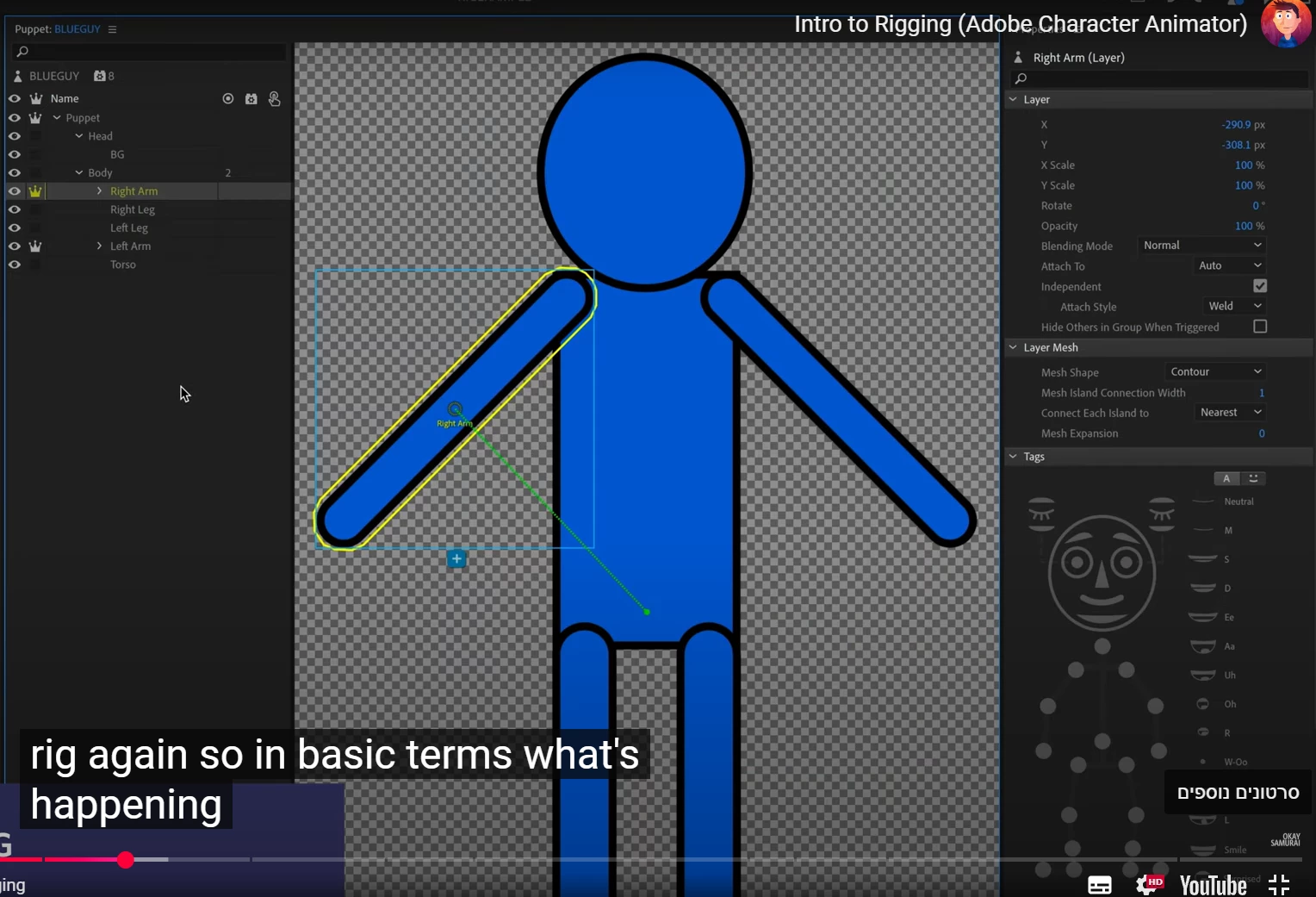
I’m working on creating an avatar in Illustrator and importing it into Adobe Character Animator following the “Intro to Rigging” tutorial. I’ve attached two screenshots—one of my workspace and one from the tutorial—showing the green dashed line I’m referring to.
Issue:
I imported my Illustrator file into Character Animator (AI → Puppet).
The body moves with the head correctly, and I added fixed handles to the feet.
However, when I click on the Right Arm, no green dashed line appears connecting the arm to the torso, unlike in the tutorial screenshot.
I also can’t manually create that connection—nothing turns green when I move the handle.
Questions:
Does anyone know why the green dashed connection line doesn’t appear automatically?
If not, can you recommend another tutorial or explain how to set up the arm connection manually?
Thanks in advance for any tips!
Hila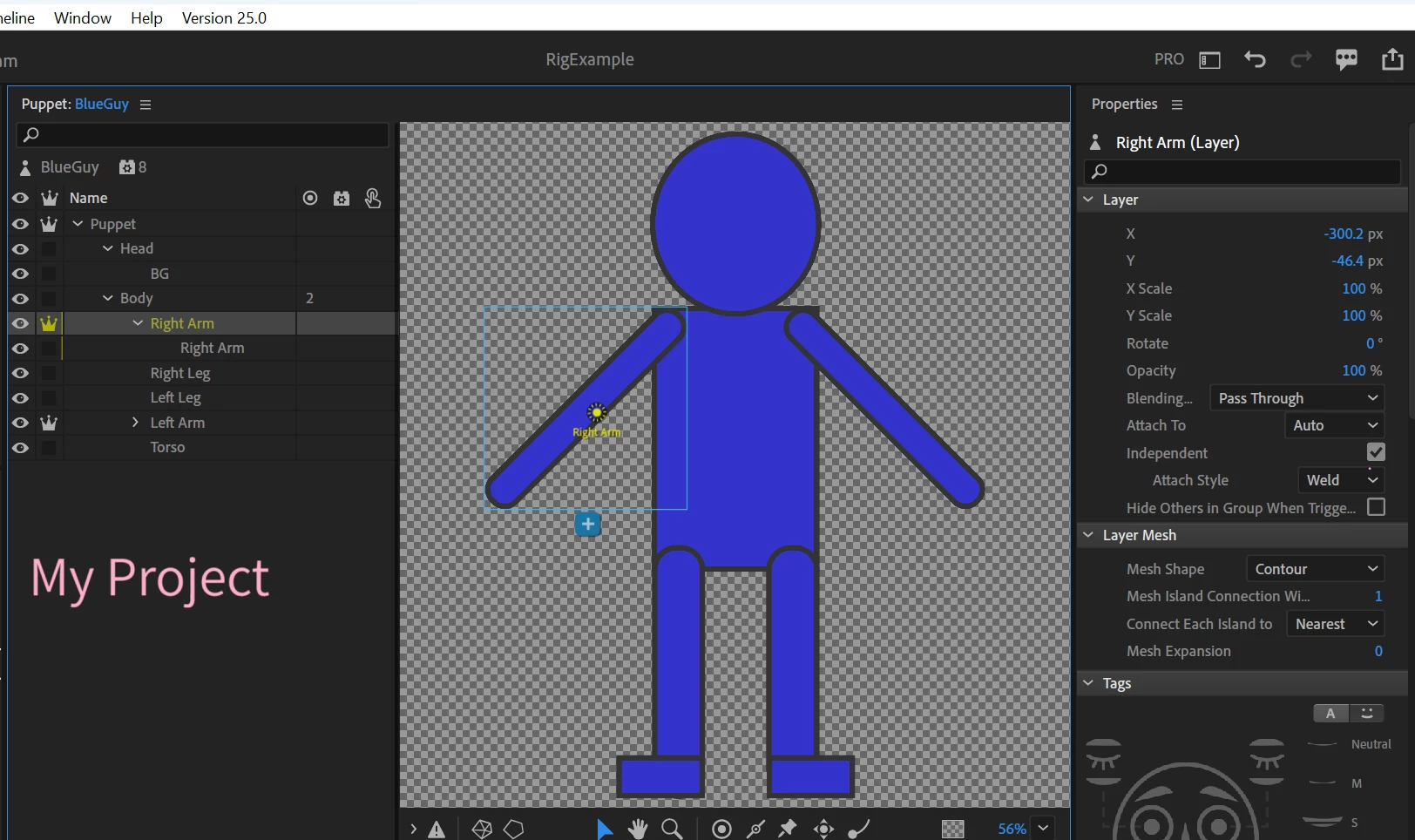
 AdChoices