
eviexm
Known Participant
April 2, 2017
Question

Mouse tracking on assymetric eyes

  • April 2, 2017
  • 2 replies
  • 1266 views

I wonder if there is an "elegant" solution for this:

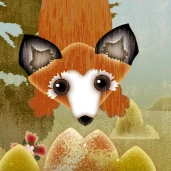
The eyes of the character on the left have different sizes. Controlling the pupls works fine with camera control, even though the eyes are assymetric. (picture 1)

However, the actual animation I want to do with these guys is quite complex, so I want to control the eyes with the mouse.
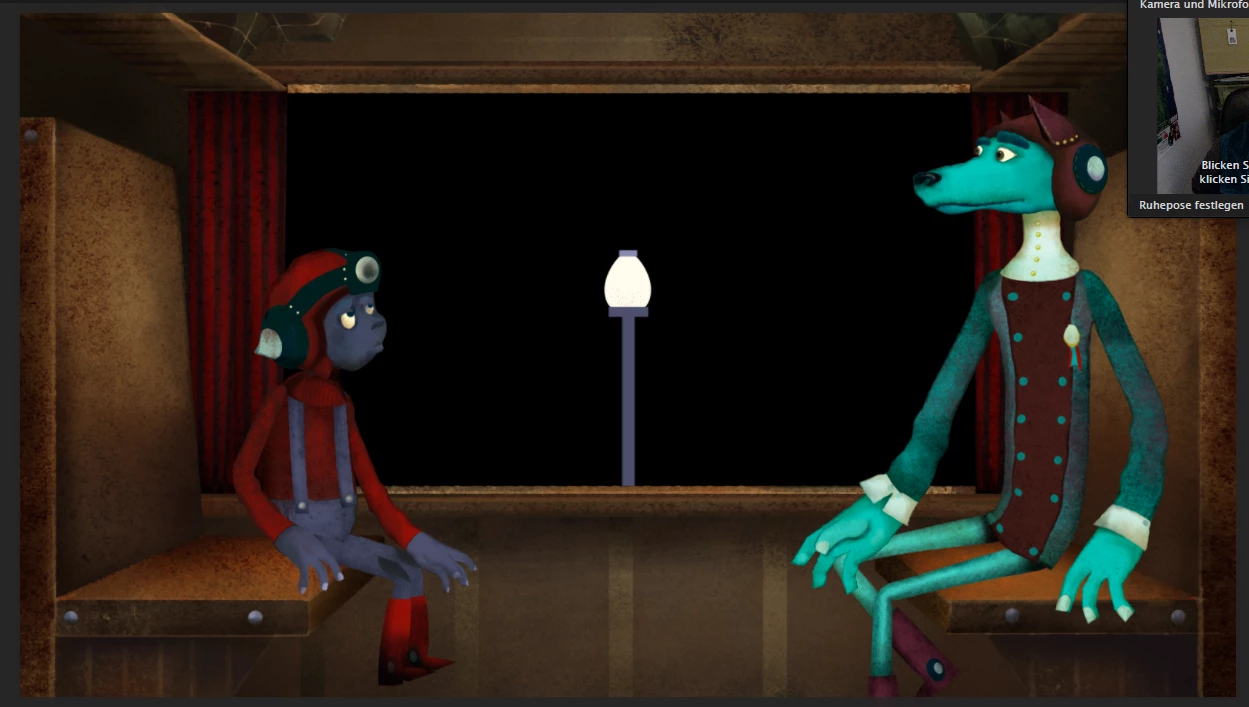
But: The mouse tracking seems to be either too strong for the smaller eye, or too weak for the bigger eye. I tried different values, but it seems mouse tracking can only relate to the size of one eye (I don't know how to express this correctly). When the mouse strength is high enough for the pupil to reach the rim of the bigger eyball, the other pupil is driftig out of the eye. (picture 2)  If I set a low enough mouse strength for the pupil not to move out of the smaller eye, the pupil of the bigger eye doesn't move far enough.
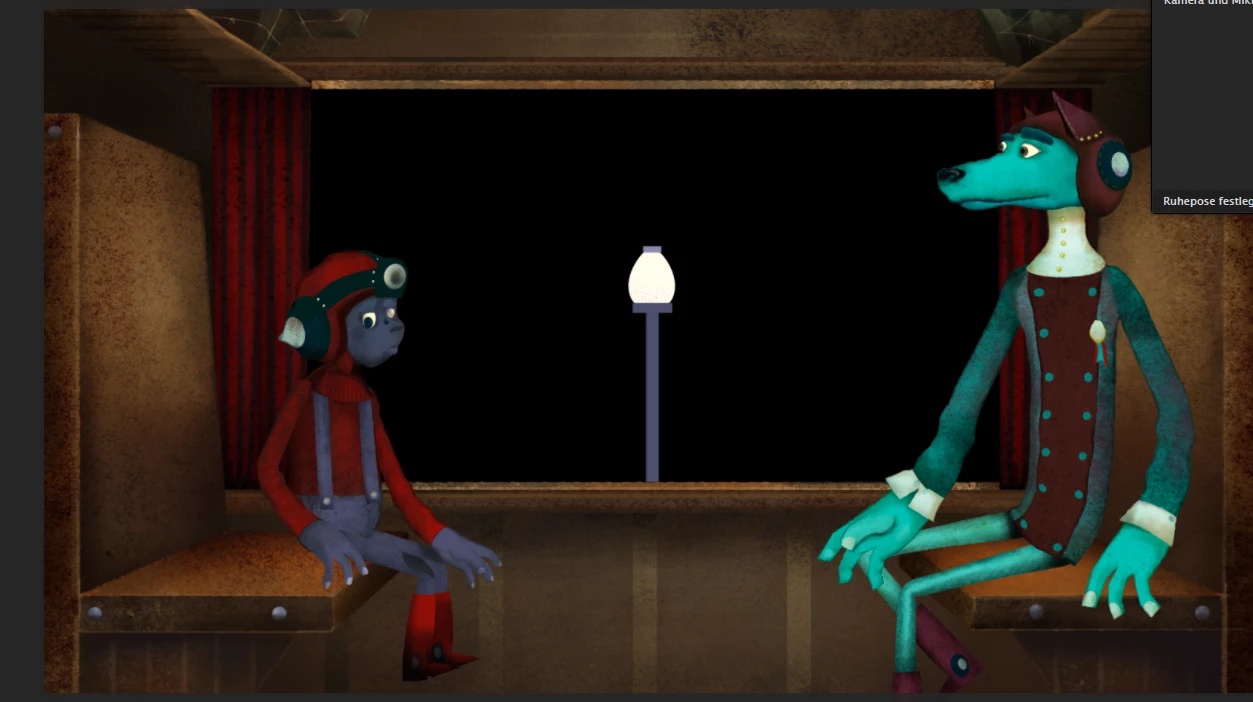
I came up with two solutions: I could tag each individual eye with a face behaviour and control them seperately - but that might get even wonkier. Or I could make cycle layers with key triggers for the eye movements which would be a lot of work …

Is there a more elegant solution?

BTW: The CH puppets in the example I've seen are all rather symmetric and cartoon-like with big round eyes - I wonder if anyone has experimented with oher styles?

Is there a section in the CH forum to just share ideas or experiments?

This topic has been closed for replies.

2 replies

eviexm
eviexmAuthor
Known Participant
April 10, 2017

@Jeff Almosol  There are some things I don't want to share on social media (yet) because the final animation will be released as a finished product or becauseit's only relevant to people who actually work with the software. Some experiments don't have postworthy aestetics either. I that case, I'd rather keep to the forum …

@El Wombat CH is a lot about just giving things a try - there was actually no logical reason why tagging the eye differently should help.

I understand what you mean. I keep forgetting that one can actually assign tags to invisible layers. thank you.

El Wombat
Inspiring
April 10, 2017

Not at all, you are welcome…

Yes, in addition to adding visible layers with no tags in order to "trick" s.th., you can tag invisible layers.

You can also use those invisible layers for structures like bones. If a layer is invisible, it can still have massive influence on the mesh.

It's good to keep that in mind for troubleshooting…

Jeff Almasol
Adobe Employee
Adobe Employee
April 3, 2017

I think there's a bug in Beta 5 regarding the pupil ranges between the eyes. It looks like it's fixed in the next version. What seems to work for me with my test file is to swap the pupil range tags (i.e., apply the Left Pupil Range tag to the Right Eyeball, and the Right Pupil Range tag to the Left Eyeball). see if that works for now.

Non-symmetrical eyes is a good suggestion for future example puppets. Thanks.

There's no separate CH forum for ideas/experiments. Feel free to post here. You can always prefix the subject line with IDEA or EXPERIMENT or something similar to identify it if you prefer.

BTW, cool-looking artwork!

eviexm
eviexmAuthor
Known Participant
April 4, 2017

@Jeff Almasol: Thank you for your advice. Swapping the pupil range tags didn't work for my puppet, but for some reason it helped to tag both eyes with the "right eye" tag. I still have to be careful with the mouse control, but the ratio of pupil movement on the different sized eyes looks good now.

(Looking forward to the next version of CH )

Glad to contribute something as a newbie.

I've yet to try slanted, almond-shaped eyes. I wonder how CH will handle these.

It would be cool to share ideas with other artists. There's hardly anything CH-related on the web yet.

Thanks for the feedback on my artwork. It's for a music video. I want to see how far I can get with CH …

Jeff Almasol
Adobe Employee
Adobe Employee
April 4, 2017

Most users share via social media, and we often see them when they're tagged with #CharacterAnimator or similar. Of course, you can always post to the forums here and someone on our team will see it. We love seeing the creativity of our community.

Thanks.