This topic has been closed for replies.
Correct answer k_oshiro

I used translation software to convert Japanese to English.


I downloaded your puppet and observed it.
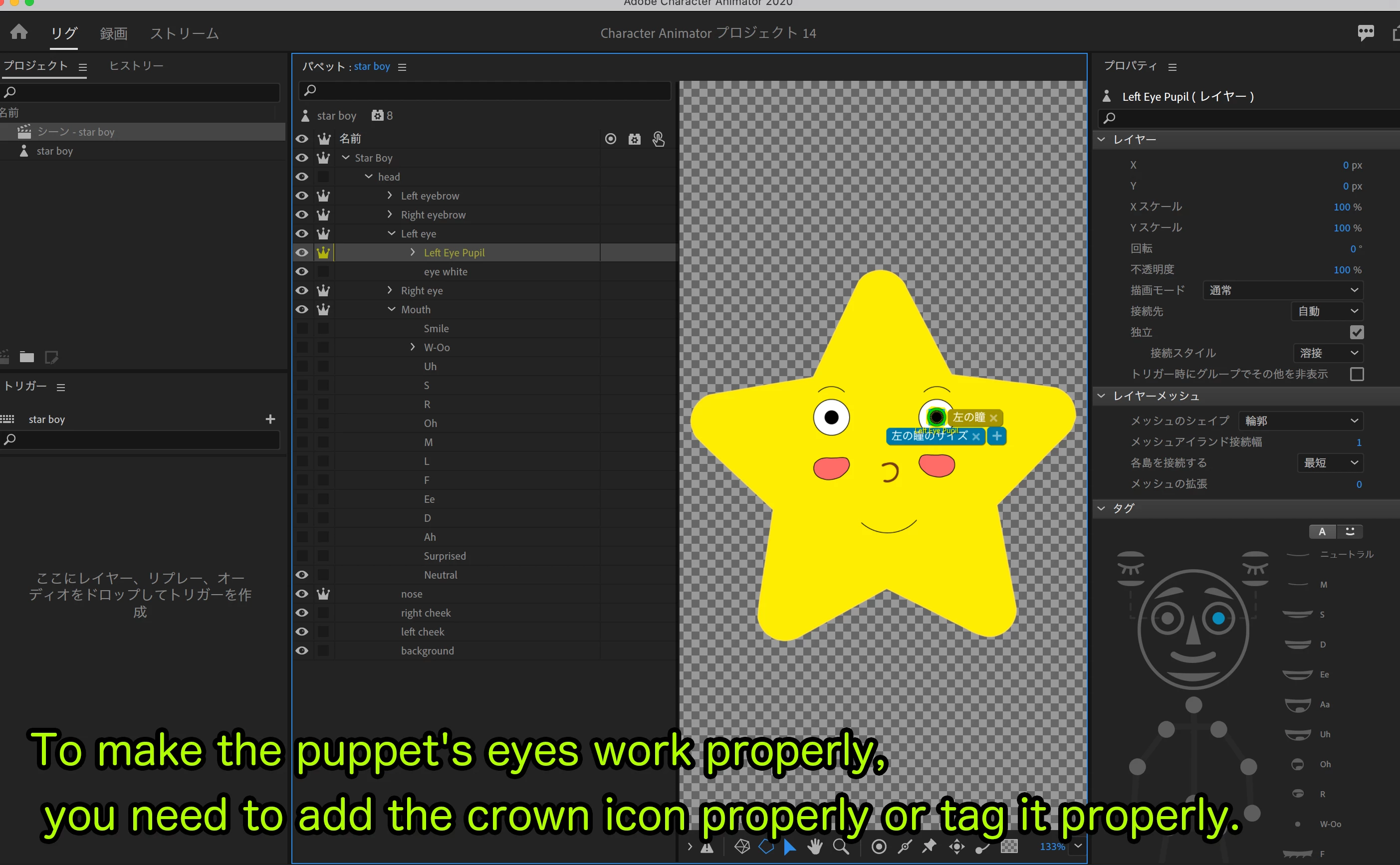
The crown icon that makes the parts independent was not shown.
Also, the pupil tags were not added to the pupil layer.

I uploaded the edited puppet to Dropbox.


https://www.dropbox.com/s/n9dbwhahuu57uy6/edit_star%20boy.puppet?dl=0


I think comparing it to your puppet will solve the problem.

Thank you.

2 replies

k_oshiro
Community Expert
Community Expert
March 4, 2021

I used translation software to convert Japanese to English.


1) To close the eyes, create a new layer with the eyes closed (blink layer).
2) Then tag the layer with the closed eyes (blink Tag).


https://www.dropbox.com/s/wv4ibmcubg1emk1/edit2_star%20boy.puppet?dl=0


Reference. Thank you.

k_oshiro(AdobeCommunityExpert)
k_oshiro
Community Expert
k_oshiroCommunity ExpertCorrect answer
Community Expert
March 3, 2021

I used translation software to convert Japanese to English.


I downloaded your puppet and observed it.
The crown icon that makes the parts independent was not shown.
Also, the pupil tags were not added to the pupil layer.

I uploaded the edited puppet to Dropbox.


https://www.dropbox.com/s/n9dbwhahuu57uy6/edit_star%20boy.puppet?dl=0


I think comparing it to your puppet will solve the problem.

Thank you.

k_oshiro(AdobeCommunityExpert)
zaki0101Author
Participant
March 3, 2021

Thanks man now its fixed ❤️ Again thankyou for your time ... 
but now my  eyes are squeezing when i close my eyes can you also help me with that and i dont have crown option on all layers like you have