Inspiring
June 16, 2017
Answered

One Pupil Moves, Other Doesn't

  • June 16, 2017
  • 2 replies
  • 2980 views

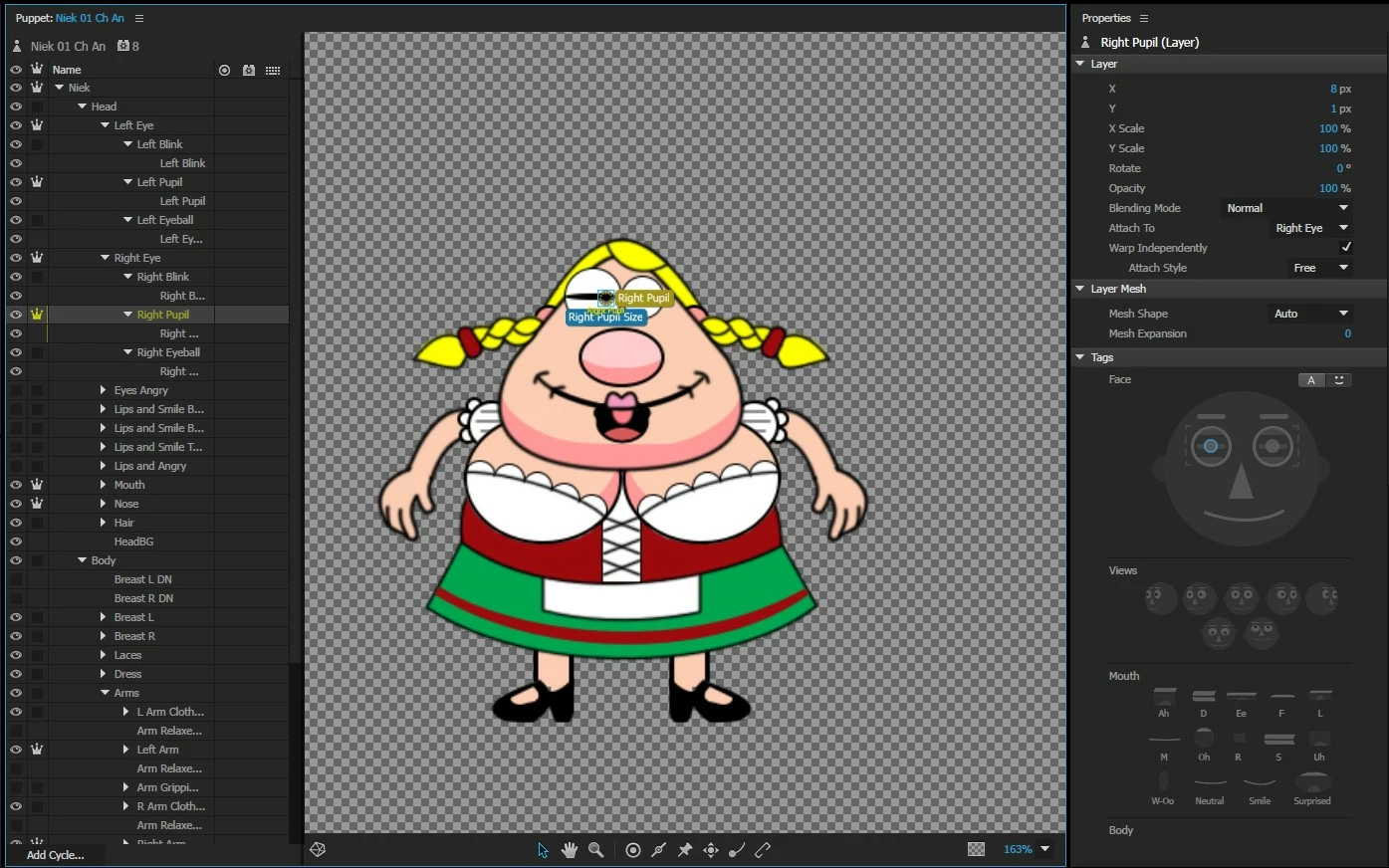
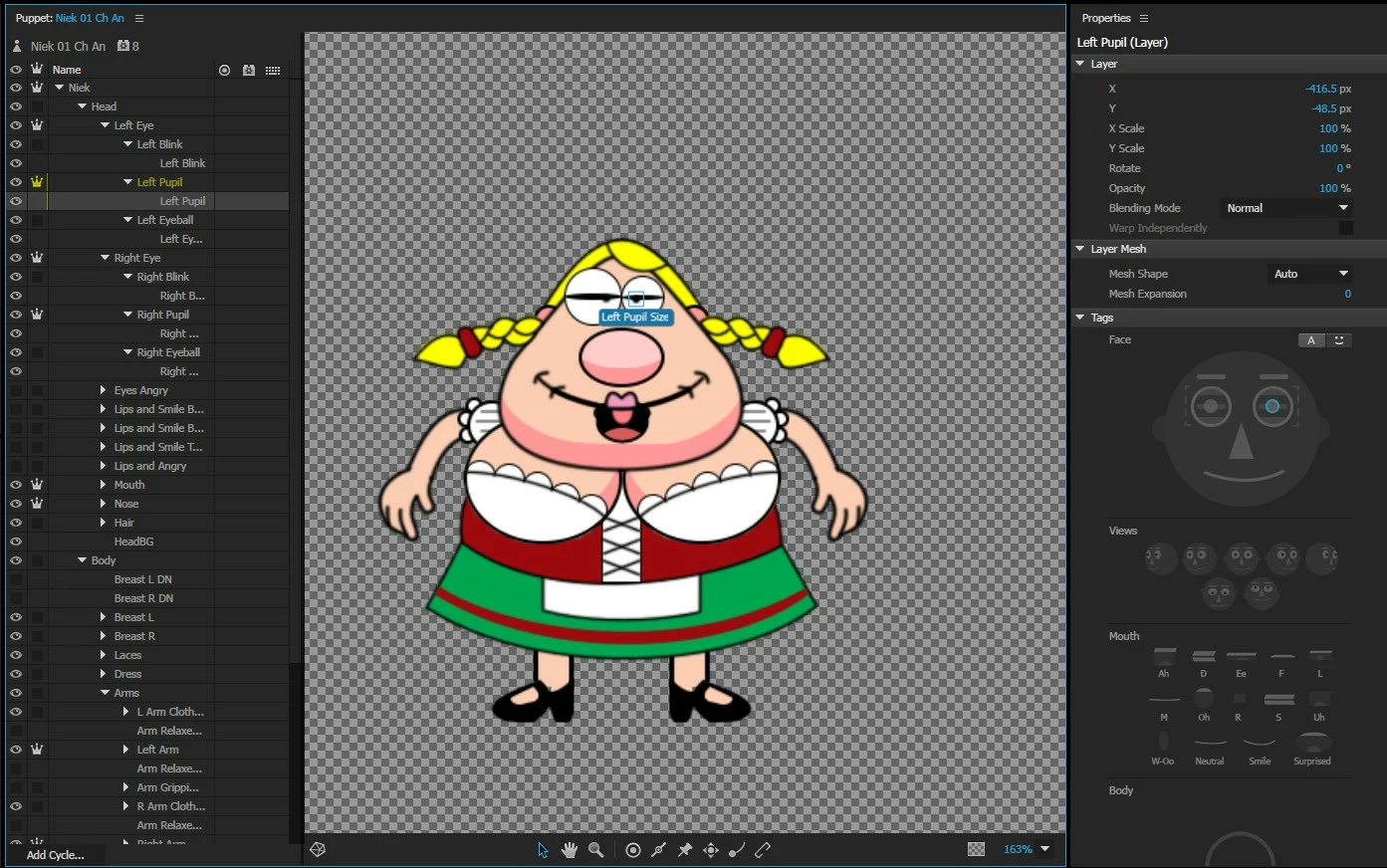
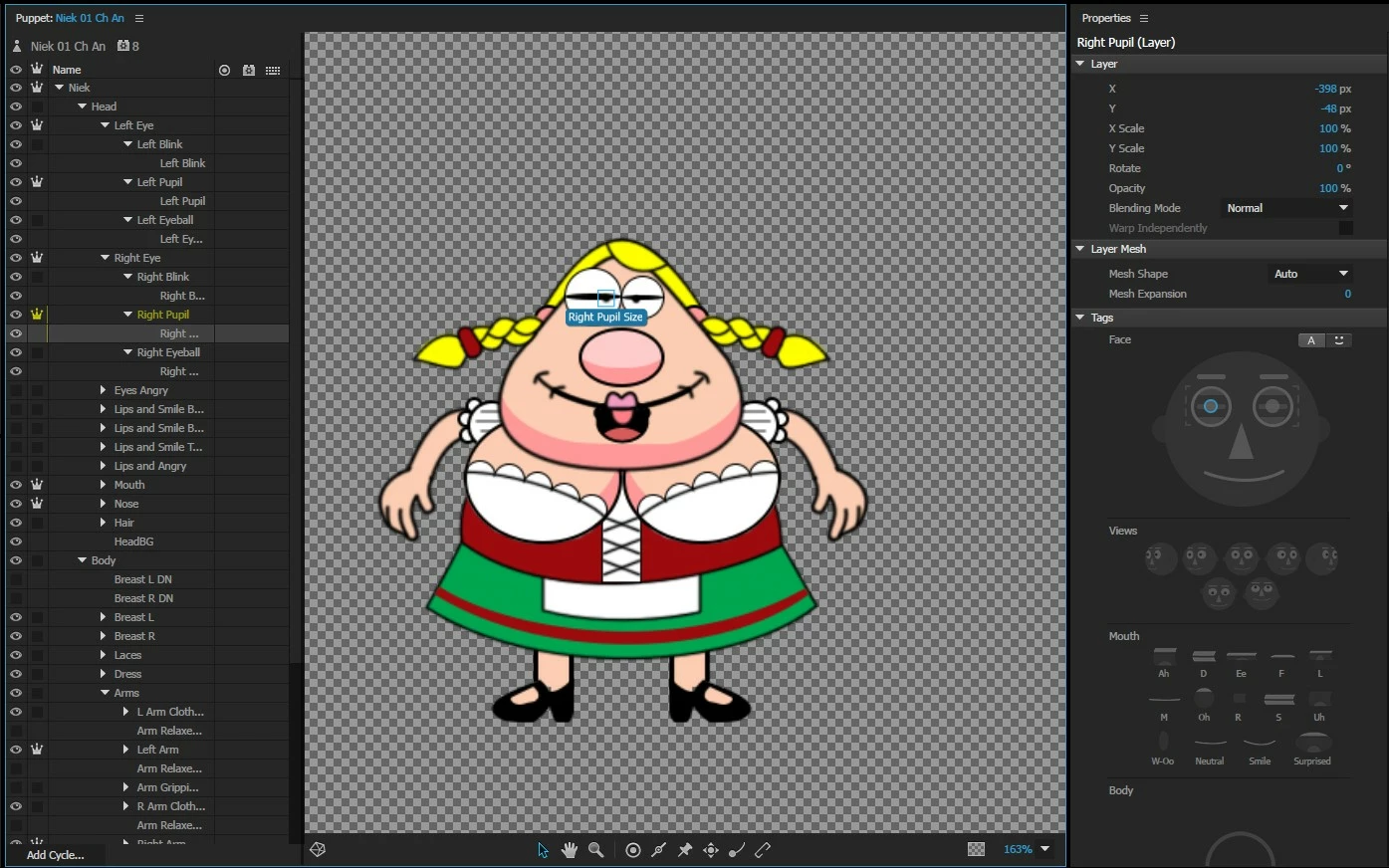
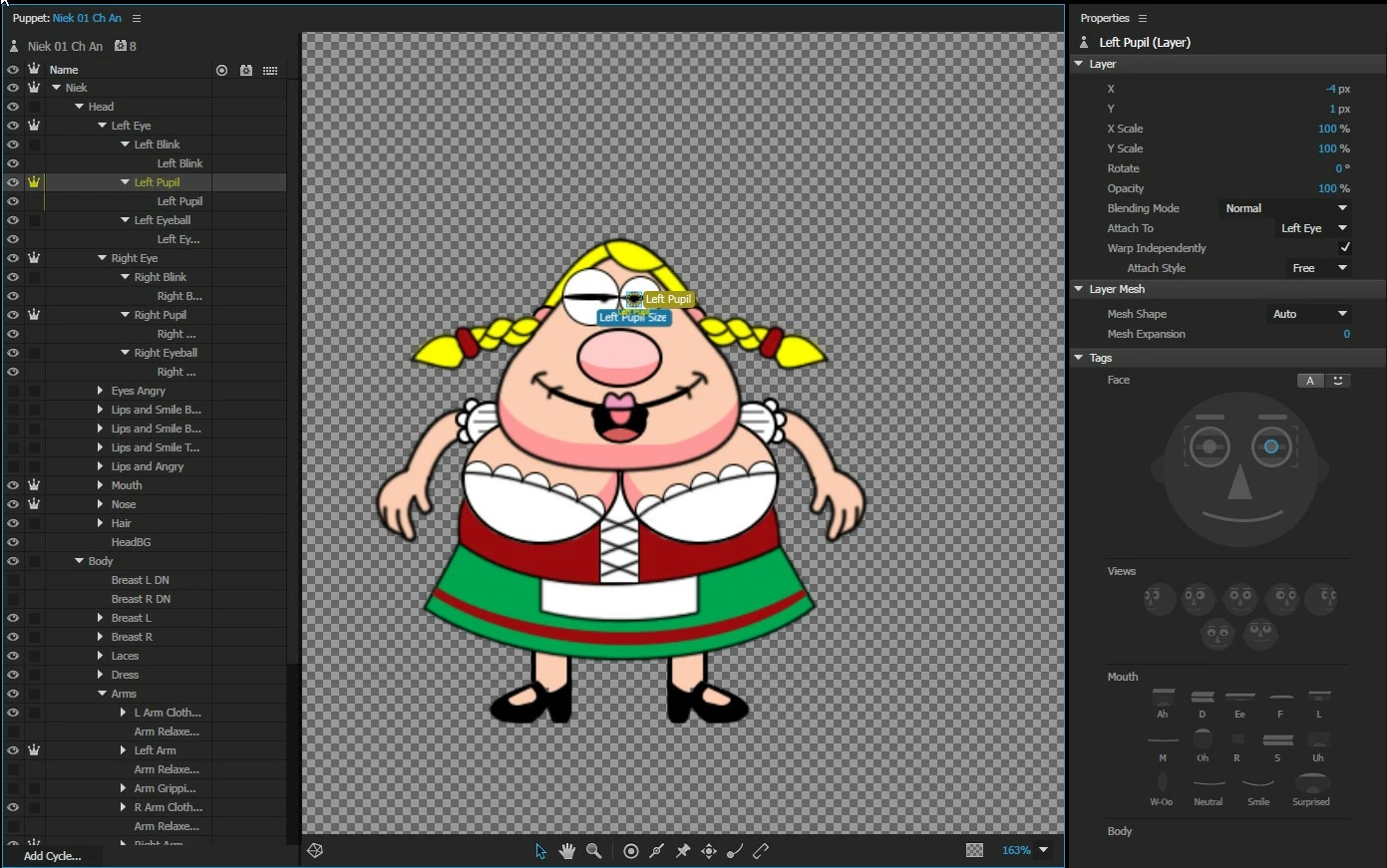
Newbie - New rig - Blink works, and the left pupil follows the camera, but the right pupil does not!

I've looked at the character, and I cannot see any attribute differences between the two eyes, other than obviously, left vs right symmetry.

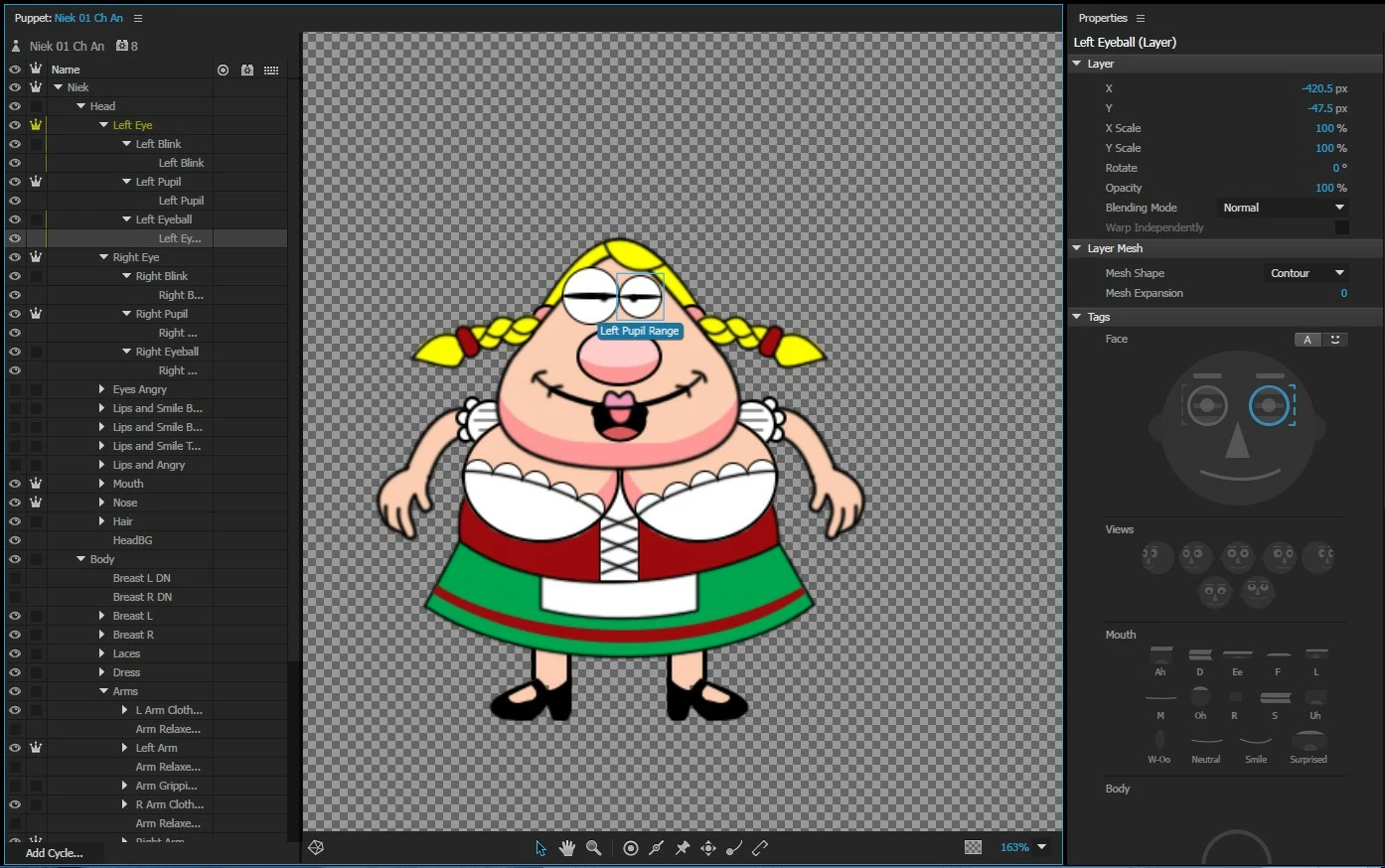
I've also compared this to some of the "Example Characters" and the only difference I see is for PUPIL RANGE both the eyeball AND range are blue, but this is the way the rig auto-imports from Photoshop. Again tho, the left eye works fine, but the right eye is stuck

Any suggestions?
This topic has been closed for replies.
Correct answer bruces18156079

Problem Solved!

1) The guide-to-tagging I used in Photoshop to create what you see in the jpg's above was either incorrect or out-of-date. I removed ++ from Left Pupil and Right Pupil "GROUPS", and tagged only the LAYERS +Left Pupil and +Right Pupil.

2) oksamurai was kind enough to point out that Head had become untagged, so it was changed to +Head. Also he tagged the view as FRONTAL.

Everything works now. Thank you so much for your help!

2 replies

BlaBlaBla_of_course
Participant
August 27, 2020

I seem to have a similar problem. I have the left pupil not working in my characters right Profile and the right pupil not working in the right Quarter. All other pupils in Front, as well as left Profile and left Quarter are working fine. 

I tried following all the tipps I can find here, but so far I'm not able to find al solution. T^T

In case someone would like to take a look, this is my puppet: https://we.tl/t-QVaJAi5RFy

alank99101739
Legend
August 27, 2020

It can be safer to start a new thread so your message does not get lost - this thread is from 3 years ago.


A few (sometimes irrlevant) comments as I go in case helpful later:

  • Beware of hidden layers. You have two at the bottom (Farbullung 1 and Hintergrund). They affect the bounding box of the artwork but they are not inside Sally. Just be aware that hidden layers are still present as far as CH is concerned. E.g. a trigger might make them visible.
  • Whenever I see an independent layer where all the children are independent, that is normally a sign of trouble. In this case maybe you are going to add the body later, but Head being the only child of Sally and independent, there is no point and it can cause problems. Something to watch for. The parent "Sally" mesh at present has no artwork in it, so the child "Head" mesh cannot attach to it (you attach to artwork in the mesh). If a floating head, I would turn independence off on the Head layer. If a Body is added later, then an independent head is fine (make the Body not-independent instead and attach head to the body).
  • First glance at EyeGaze handles and views looks corretc.


  • I used the '1' and '2' triggers, turned off the camera for eye gaze. turned on the mouse. Turned off "Snap Eye Gaze". I mention this as you can do fine grain movements with the mouse this way. When I tried on the Right profile '2' trigger, the eye moved a little bit. (Nothing was visibble with snap on.) So its not completely broken, which makes me suspect the pupil artwork or pupil range artwork. (I don't use camera as I cannot look at the screen while debugging then!)
  • I clicked on the Left Eyeball layer. It is a part of the parent mesh, so all the yellow turns up. But it you look closely, there is a blue bounding box around the eyeball artwork. There is a "Left Pupil Range" on this layer.

  • So I repeated for the Right eye. There is no bounding box, and no "Right Pupil Range" tag.

At that stage my computer crashed :-(.  I would have a look at the right eye eyeball in the PSD file to make sure its in the correct layer.

marym388
Participating Frequently
June 2, 2023

OMG! Thank you so much for your quick response and all the effort you put in my request!

Thanks to your comment regarding the eyeball bounding box, I found the error. Today I made new eyeball layer to keep the pupils from reaching all the way to the eyelashes and I made the eyeball layers 0% transparent. BUT I didn't notice, on two layers I used the wron "transparency" setting. I dont know the english names but I attached a picture with the settings in question. 


I also keep your other tipps in mind! Just deleted the unused background layers. 

Again, thank you so much! ^____^


I am new to Ch and can only get one eye to move. Can someone help by screen sharing to get me started?


oksamurai
Legend
June 16, 2017

My best guess is because everything is grouped, you may be double-tagging things. If you only tag the top groups and not the contents, does that help at all?

So for example, only tagging the +Left Pupil group as a left pupil, not the Left Pupil layer that appears inside.

If that doesn't help, could you share here or DM me your .puppet file (File > Export > Puppet) via a shared link on Google Drive, Dropbox, or Creative Cloud to take a closer look?

bruces18156079AuthorCorrect answer
Inspiring
June 17, 2017

Problem Solved!

1) The guide-to-tagging I used in Photoshop to create what you see in the jpg's above was either incorrect or out-of-date. I removed ++ from Left Pupil and Right Pupil "GROUPS", and tagged only the LAYERS +Left Pupil and +Right Pupil.

2) oksamurai was kind enough to point out that Head had become untagged, so it was changed to +Head. Also he tagged the view as FRONTAL.

Everything works now. Thank you so much for your help!