Inspiring
September 8, 2020
Answered

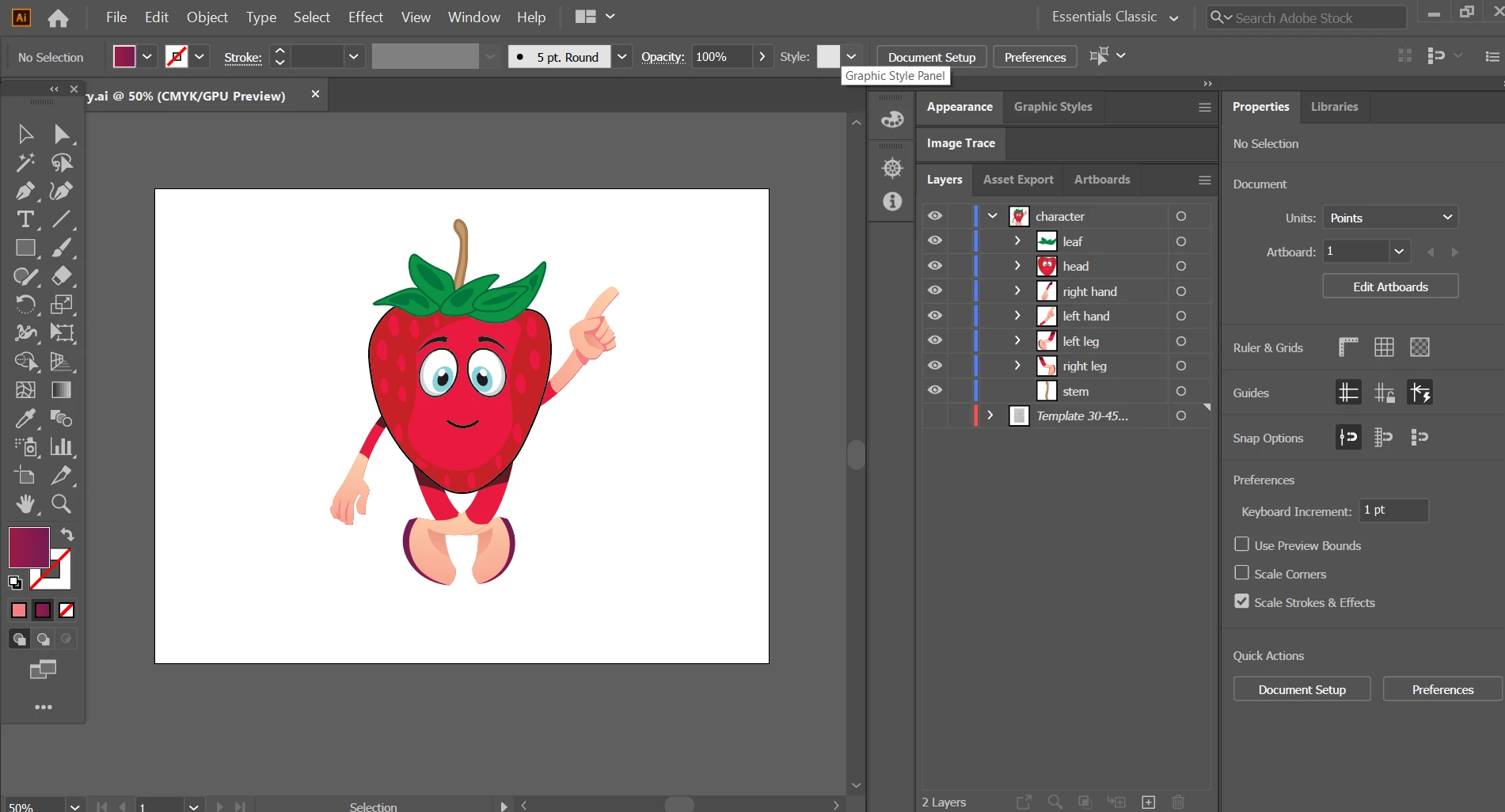
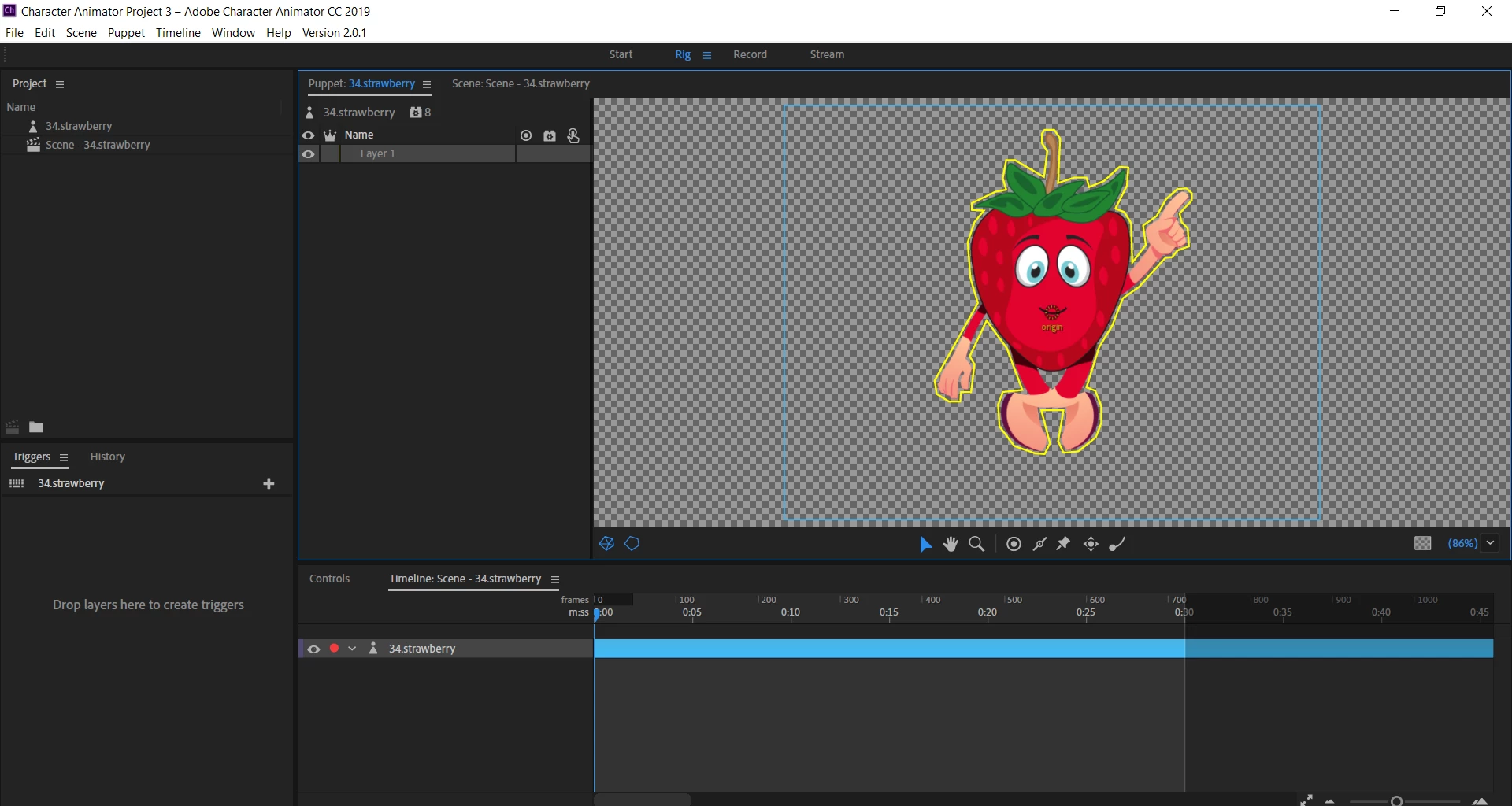
please check why i cant able to assign gestures to my character in CH in rig mode, its only layer 1
  • September 8, 2020
  • 2 replies
  • 889 views

This topic has been closed for replies.
Correct answer Charanpal5D55

You can post it to a cloud service like Creative Cloud, Dropbox, Google Drive, etc - and share a link here.


sir, the issue has been solved , as i have uninstall the software and downaloded updated one , now everything is ok.

may be it was fault of software

2 replies

oksamurai
Community Manager
Community Manager
September 8, 2020

Hey coming here from your YouTube comment. One issue is your versions might be mismatched. You're using Character Animator 2.0.1 and it seems like a newer version of Illustrator, but CH is up to v3.3.1 now. Updating might help.


I would also try renaming the file to not have a dot in it. It might be the case that CH thinks it's a ".strawberry" file instead of an ".ai" file.

Inspiring
September 8, 2020

okay i am changing the name , and saving it again without dot

alank99101739
Legend
September 8, 2020

I think its recommended to make the root layer independent (eg rename it "+character"). Also i would delete the template layer you have hidden if not needed any more. Usually names like "layer1" indicate the group was not named when imported, but yours is, so i am confused.

Inspiring
September 8, 2020

yeah , even i am confused too , how it is not showing the actual layers ??

what i should do now??

and how i can delete the template? 

Inspiring
September 8, 2020

Err, yeah (blush). 

I would still as a first step make sure if you 'edit original" does it open up the same file.


The layers discussion is still the same. Make the root independent, remove the template layer. I am hoping this will clear it up. But it is definitely strange.


how to make the root independent , how to delete template ??
