
Participant
December 7, 2021
Answered

Puppet displacement after modifying artwork in Adobe Illustrator

  • December 7, 2021
  • 2 replies
  • 709 views

Hey guys, I need some help with Adobe Character Animator rigging here.

 
I drew this character in Illustrator and rigged it in Character Animator like below, it was fine.
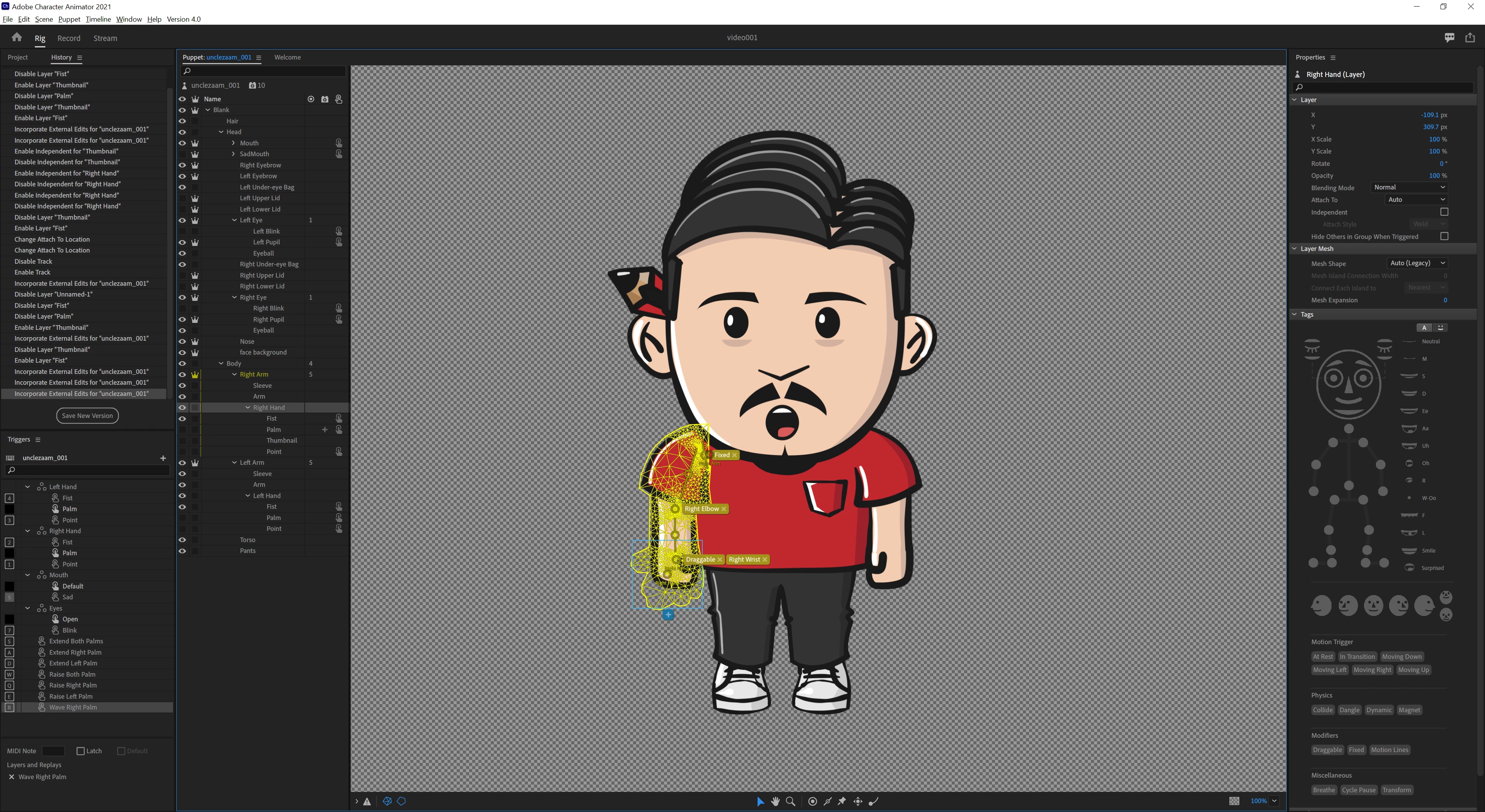
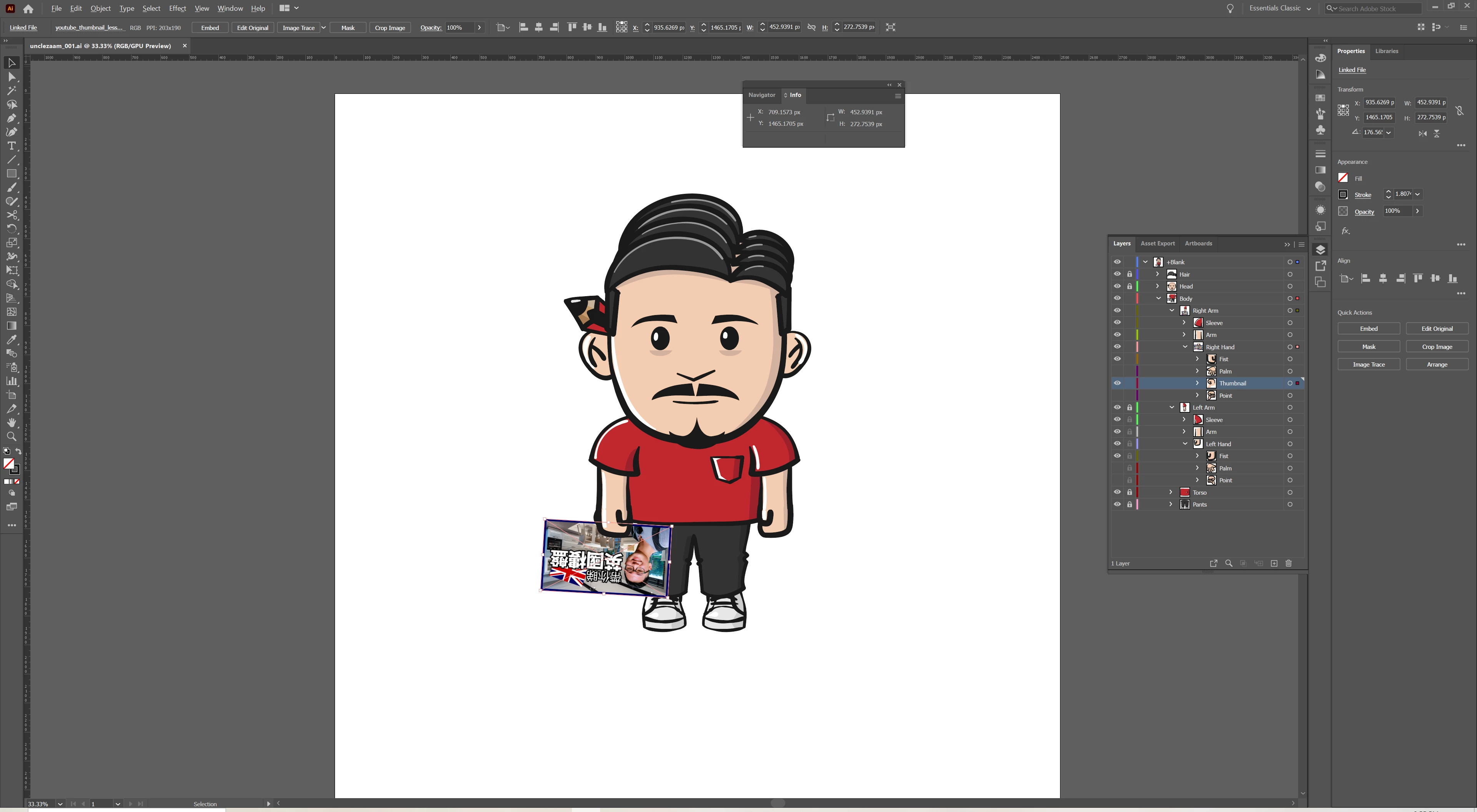
Until I modified the artwork in Illustrator to add a card to the charcater's right hand like this.
After I saved the file in Illustrator, the head, body and arms of the puppet was displaced in Character Animator like below.
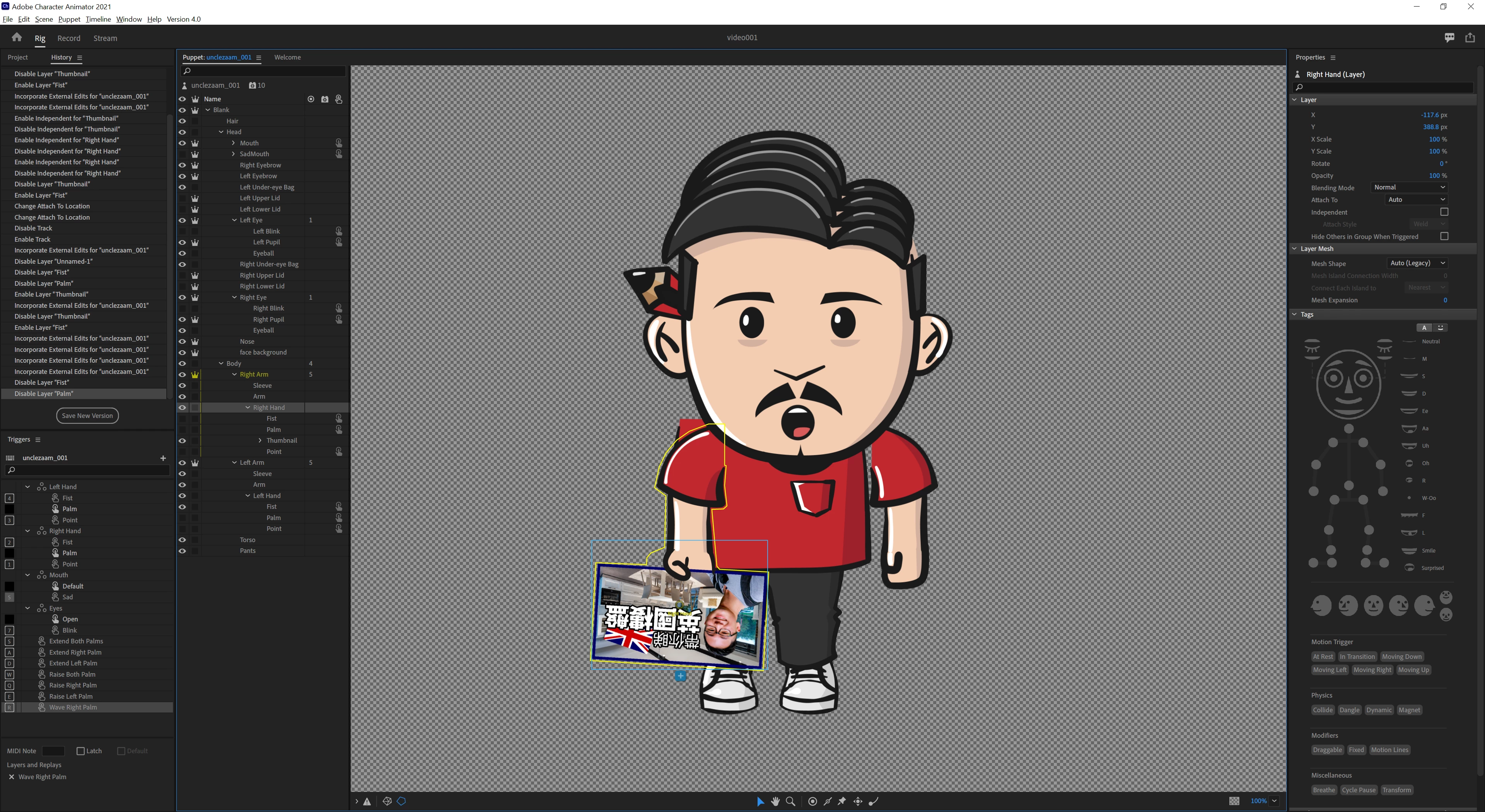
I wonder if that's what happens when we update the AI files after rigging the character, and are we not suppose to do so?
 
Thanks for your help!
This topic has been closed for replies.
Correct answer oksamurai

Yeah, this is a bug. When your character changes dimensions (gets wider or taller than before), it can sometimes cause sync issues - so this is happening because the character got wider with the card. What you're seeing is some things stuck with the old width and some with the new. Usually I remedy this just by manually moving the parts back in Rig mode in CH by either dragging them on the canvas or using the position X/Y numbers in the upper right.


It's still a mystery to me why this does or doesn't happen, but hopefully it's an easy fix.

2 replies

oksamurai
Community Manager
oksamuraiCommunity ManagerCorrect answer
Community Manager
December 7, 2021

Yeah, this is a bug. When your character changes dimensions (gets wider or taller than before), it can sometimes cause sync issues - so this is happening because the character got wider with the card. What you're seeing is some things stuck with the old width and some with the new. Usually I remedy this just by manually moving the parts back in Rig mode in CH by either dragging them on the canvas or using the position X/Y numbers in the upper right.


It's still a mystery to me why this does or doesn't happen, but hopefully it's an easy fix.

Inspiring
December 22, 2021

Thanks for the direction, and I have a workflow follow up question below, as I've just progressed to creating body artwork after completing a parallax head. I had started this first puppet as a head and torso, thinking I would add the full body later. Since that time has come, I enlarged my canvas in PS to accomodate the size of the body, and parts but not all of the puppet rigging in CH went out of whack (the term "displacement" by TOP is the perfect term). Oksamurai explaining that I can manually correct things in CH to match the PS artwork will keep my fingers from freezing above the keyboard next time.


My follow up: When starting a new puppet, should I always begin with a canvas size that will hold the entire body, or is it plausable to keep the head and body in separate files/puppets and make the head shareable? Point me to the appropriate tutorial if need be. Thx!

oksamurai
Community Manager
Community Manager
December 23, 2021

Personally, I always stick to one canvas and make it the correct size to hold everything, sometimes sketching out a rough idea of size as a temporary layer that I'll later delete. For me, shared puppets are just one more separate thing I have to keep track of, so I'd rather have everything in one place.

alank99101739
Legend
December 7, 2021

I have seen problems when the outer bounding box of the character changes. Feels like a bug, or at least an undesirable "feature". Its something like the origin moves (it is the center of the bounding box). There was another problem reported sometimes when moving things inside CH (you can drag layers in CH and move them). Each edit they seemed to move around a bit. My best advice is get all the artwork in first (as much as you can) then rig. It reduces these sorts of risks.