
Known Participant
February 19, 2022
Question

Rigging issue.

  • February 19, 2022
  • 1 reply
  • 525 views

Hey all,


I am making a sample character for a project I am working on. The character's head isn't moving with the rest of the body when I activate the walk cycle. I have tried renaming the head layer, and changing the attach style. As far as I can tell, the origin point for the head doesn't want to move when I select it. Has anyone come across this?
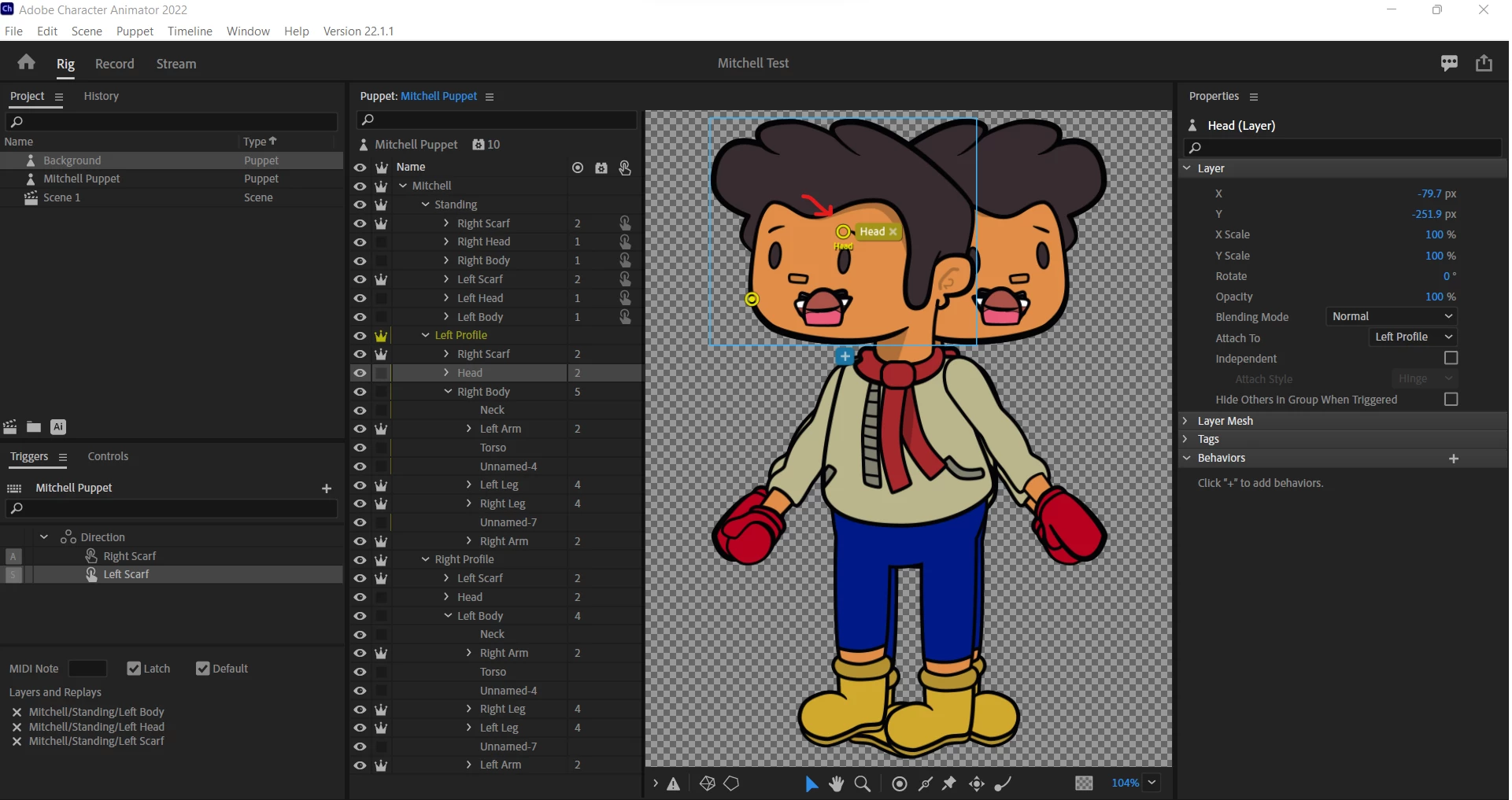
 

Thank you!

Kenny

This topic has been closed for replies.

1 reply

alank99101739
Legend
February 19, 2022

I normally leave the yellow outline icon on (bottom left) but in this case I put the yellow mesh icon on that covers face with lots of triangles too. It can sometimes show what part of face is not moving.


First guess is you have a head handle (the solid circle) on the head layer. A behavior might have picked the handle as the head instead of the enclosing layer. That can cause problems.


If you look at say the walk behavior (or Face behavior) and expand sections like views and handles, if you see a path like /puppet/standing/Head:Head, the colon at the end indicates it picked a handle inside the layer rather than the layer itself.


My suggestion as a first step is to delete the solid circle for the Head handle and see if that helps.

Known Participant
February 20, 2022

Hey.


I did delete the solid circle. The empty circle in the middle of the head is frozen in place. Normally I can move this to the body and everything works fine I think that is the issue, but I can't figure out how to move it. Any ideas?

Kenny WilsonSelf-Published Author, Illustrator, Screenwriter