
Inspiring
January 2, 2018
Answered

Track hands in CC 2018

  • January 2, 2018
  • 1 reply
  • 758 views

Hello,

I'm new to Character Animator but I'm learning fast. We're planning on using for a web series and I've been experimenting with a pre-built puppet called CLAY. When I open the original puppet artwork I notice that he has a few hand options, but those do not appear by default when using the puppet in a new scene. How do I get the hands to appear and can I track them in CC18?

TIA,

JVK
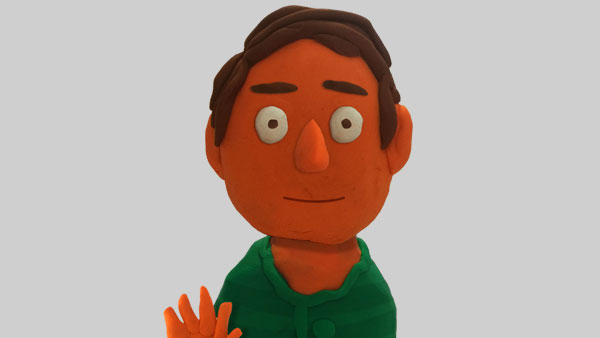
picclay.jpg

This topic has been closed for replies.
Correct answer KJerryK

Have you tried the triggers? Click 1, 2, 3 or 4 on the keyboard

1 reply

KJerryK
KJerryKCorrect answer
Legend
January 2, 2018

Have you tried the triggers? Click 1, 2, 3 or 4 on the keyboard

jvknowlesAuthor
Inspiring
January 3, 2018

KJerryK  wrote

Have you tried the triggers? Click 1, 2, 3 or 4 on the keyboard

Ding ding ding! THANK YOU. Hadn't gotten to triggers yet, that was the missing piece. The hands are 1 and 2, and his text bubble is 4.

Just heard from Okay Samurai too that hand tracking is not in the software yet, so they have to be manually triggered for now.

Much thanks!

KJerryK
Legend
January 3, 2018

You are welcome.

Have fun.